
Sponsored

Forscan Lite gauges to display?

r0tax

2.0L EcoBoost
Well-known member
Joined
Jun 29, 2025
Threads
14
Messages
558
Reaction score
805
Location
CO
Vehicle(s)
2025 Lobo 402A VB
Engine
2.0L EcoBoost
I'm wondering what you are using on your Forscan Lite setup?

I intend to use:
  1. RPM
  2. Manifold Gauge Pressure (MGP) [aka boost]
  3. currently engaged Gear (if I can find an accurate PID*)
  4. IAT (intake air temp)
  5. charged air temp?
  6. Engine coolant temp
  7. Trans temp
  8. Rear diff temp?
  9. Battery voltage.

Anyone have other ideas?

Is A/F ratio available on the Mav? It was handy to see on the FoST, but I'm not sure if the Mav has a wide-band sensor.

* I noticed the Gear indicator PID i was using (on the Forscan App on a laptop) was not accurate, displaying Gear+1 in most situations I was able to check it. Not sure if this is an issue with the Lobo 7 speed due to the goofy 8 speed turned into 7 speed, so something is funny in this gear reading??
Sponsored
 

bgn

2.0L EcoBoost
Well-known member
Joined
Jun 12, 2021
Threads
5
Messages
3,010
Reaction score
5,613
Location
WA
Vehicle(s)
Maverick
Engine
2.0L EcoBoost
Clubs
 
I have my battery state of charge as well. You can definitely show the gear it's in.
 
OP
OP
r0tax

r0tax

2.0L EcoBoost
Well-known member
Joined
Jun 29, 2025
Threads
14
Messages
558
Reaction score
805
Location
CO
Vehicle(s)
2025 Lobo 402A VB
Engine
2.0L EcoBoost
I have my battery state of charge as well.
Good idea.

You can definitely show the gear it's in.
I can show the gear, but its not accurate on a 7 speed Lobo. Is yours correct on the Lobo? Which PID are you using, under which Module?
Edit: I checked again, I was using Gear Commanded and Transmission Gear Engaged. (Both Under IPC I believe).
 
Last edited:
OP
OP
r0tax

r0tax

2.0L EcoBoost
Well-known member
Joined
Jun 29, 2025
Threads
14
Messages
558
Reaction score
805
Location
CO
Vehicle(s)
2025 Lobo 402A VB
Engine
2.0L EcoBoost
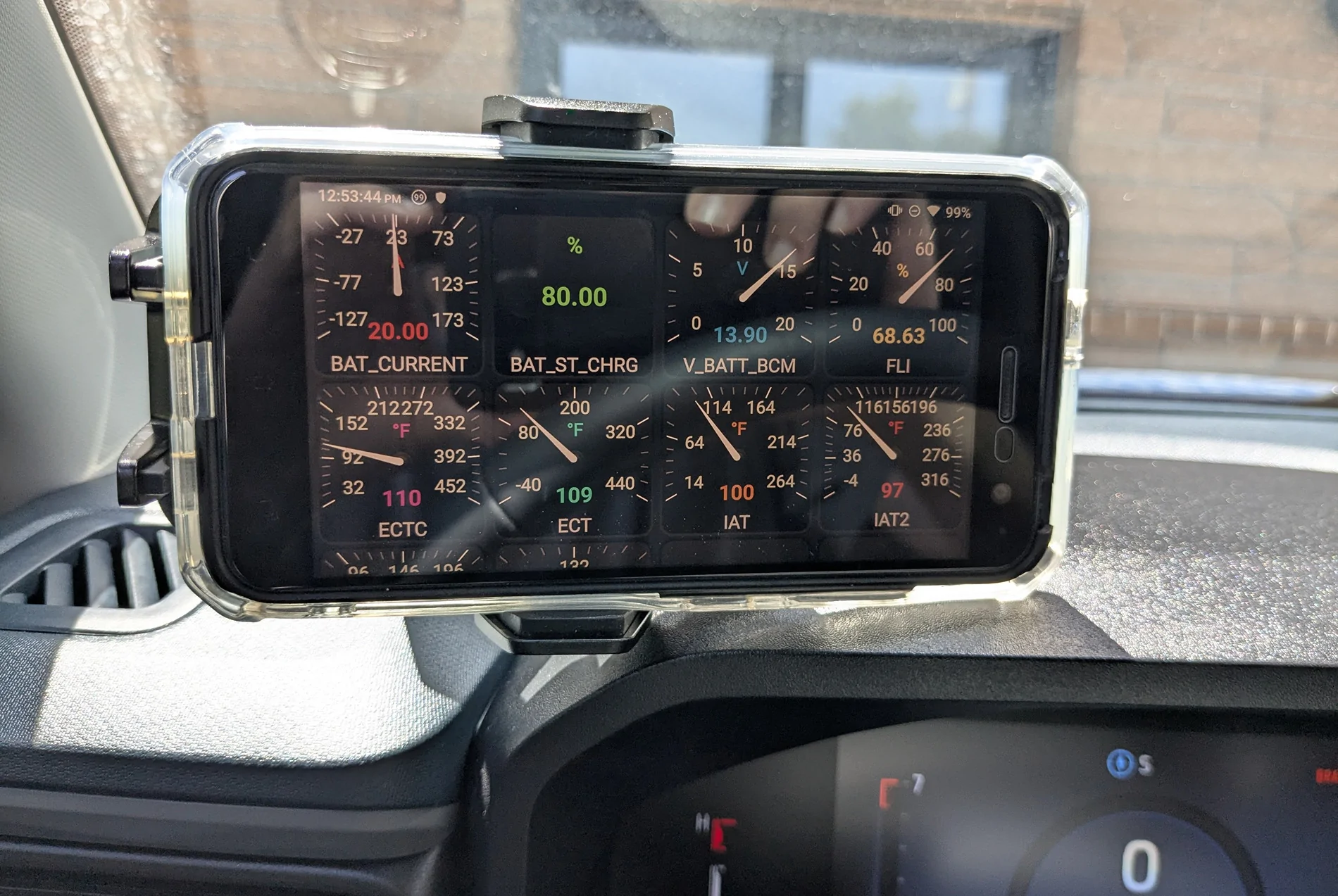
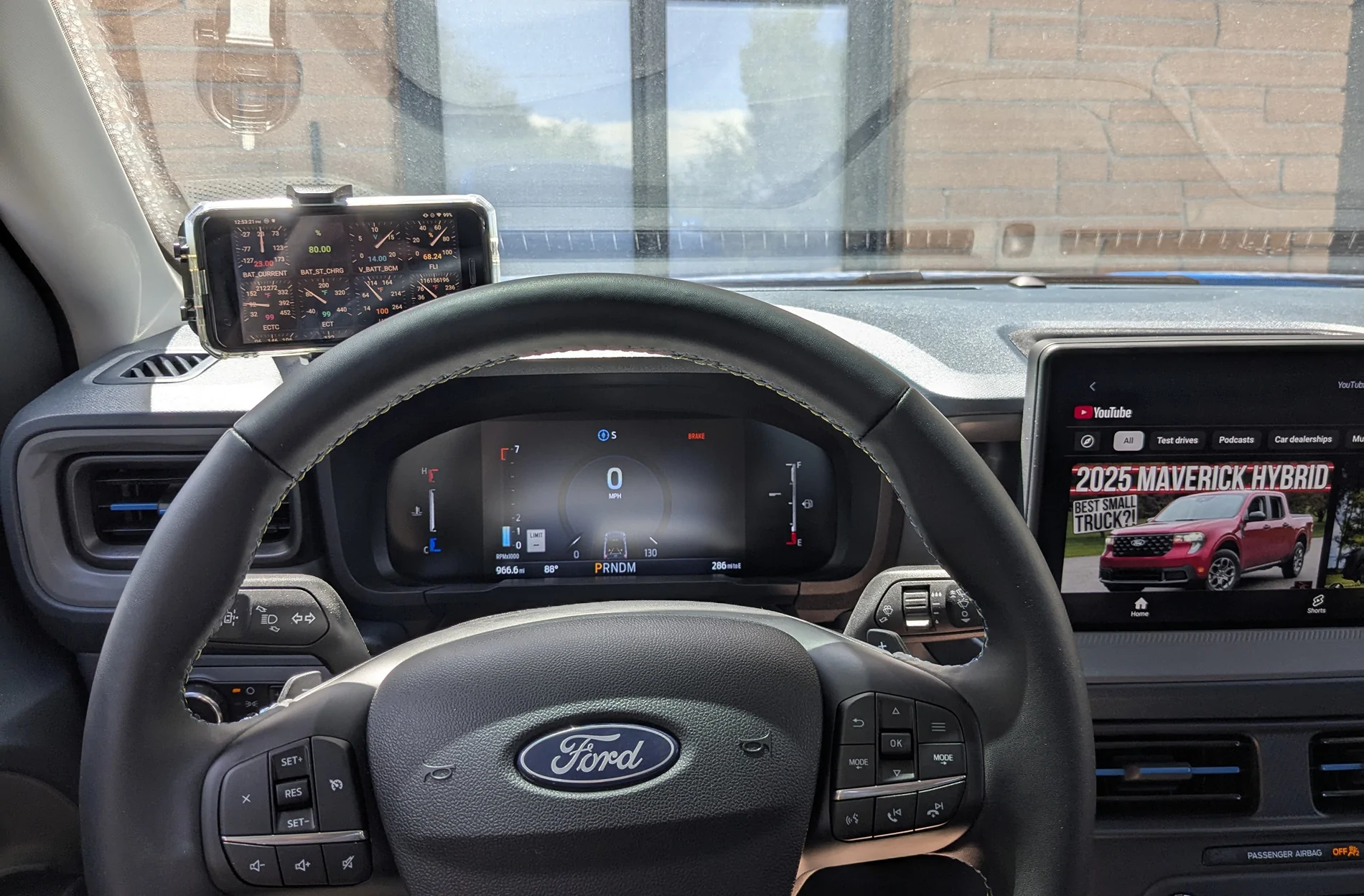
Initial setup for Forscan Lite, i am still working on what to display, and finding the best layout.

I'm not super happy with the dash mount/location. And still have concerns about a suction mount on this dash over time. I think I want it in the A-pillar (like my previous Cobb AP).
Ford Maverick Forscan Lite gauges to display? PXL_20250802_185324515


Battery Current > Bat State of Charge > Bat Voltage > Fuel Level
Engine Coolant Temp (Corrected) > Engine Coolant Temp > Intake Air Temp > Intake Air Temp 2
Ford Maverick Forscan Lite gauges to display? PXL_20250802_185347752


Some other gauges I'm using:
Transfer Case Fluid Temp > Transmission Fluid Temp > Transmission Gear Requested > [Transmission] Gear

Transmission Gear Engaged > Load [%] Absolute > Load [%] > RPM
MAP High Resolution > Throttle Position > Throttle Position Relative > Barometer Corrected

Barometer > Vehicle Speed High Resolution > Brake On Off 1

I question whether either of the Barometer gauges are actually working, both read 12.5, which seems to be a 'default', as it reads that when its Off as well.


Going through all that, I realized I don't have Manifold Gauge Pressure (MGP) [aka boost], I'll have to look for that again. I found the MAP instead, and thought that was it.

I need to cull some of the duplicates, and maybe remove some outright, but want to figure out which are most relevant/accurate with some further testing and monitoring.


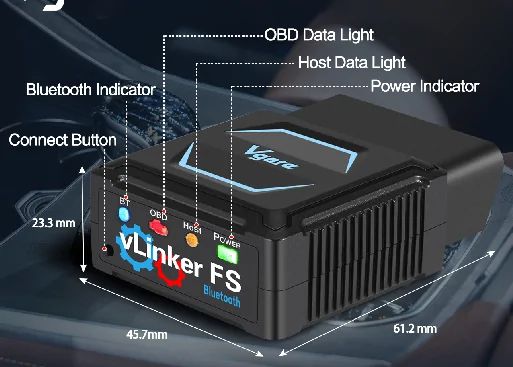
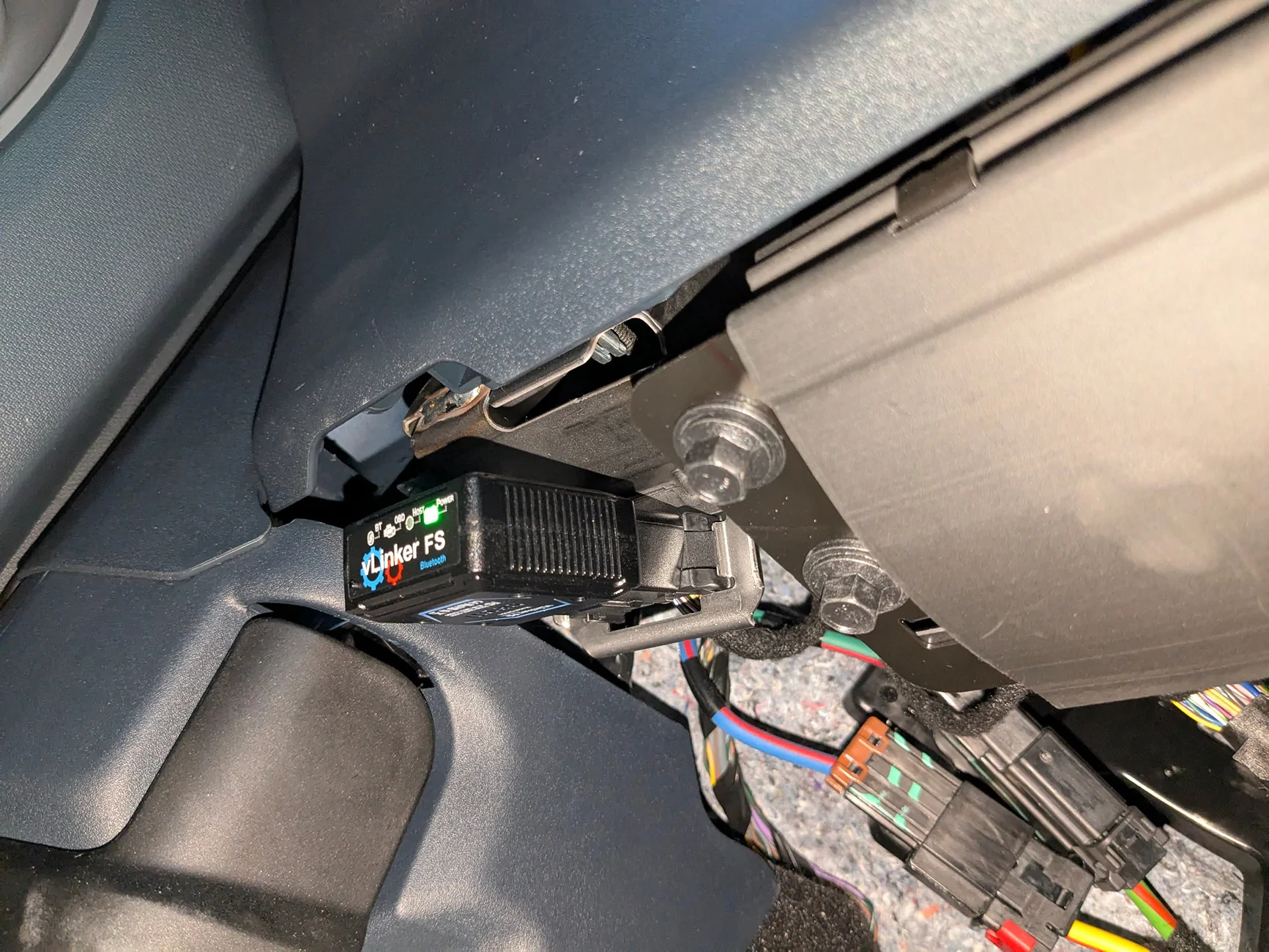
Oh and I'm using a Vgate vLinker FS (Bluetooth) adapter, and its great. After the initial connection setup, it connects to Forscan quickly.

Its fast (throughput speed) and low latency (minimal delay between vehicle > module > interface > wireless connection > to the viewers display). It auto switches MS to HS depending on the module.

LED indication of Power (does the adapter have power from the vehicle through the OBDII port), a Connection/Link light (to indicate if a bluetooth connection is established), and then 2 activity indicators in the center.

A fun tool, to make interfacing with the vehicle much more pleasant and accessible. Easier to carry and have access to a phone and make a connection to check a few things if/when needed.
I also have a laptop that will make Forscan operations/changes easier and quicker without wires and attaching said cables, and no need to flip the MS/HS switch every time you connect to certain modules.
Ford Maverick Forscan Lite gauges to display? 1754167324371-es

Ford Maverick Forscan Lite gauges to display? PXL_20250802_013817267
 
Last edited:

BlueSpec1

2.5L Hybrid
Well-known member
First Name
Gene
Joined
Jul 10, 2022
Threads
3
Messages
779
Reaction score
796
Location
Texas
Vehicle(s)
23 XLT 2.5L, 22 Escape Plug In, 23 Bolt EUV
Engine
2.5L Hybrid
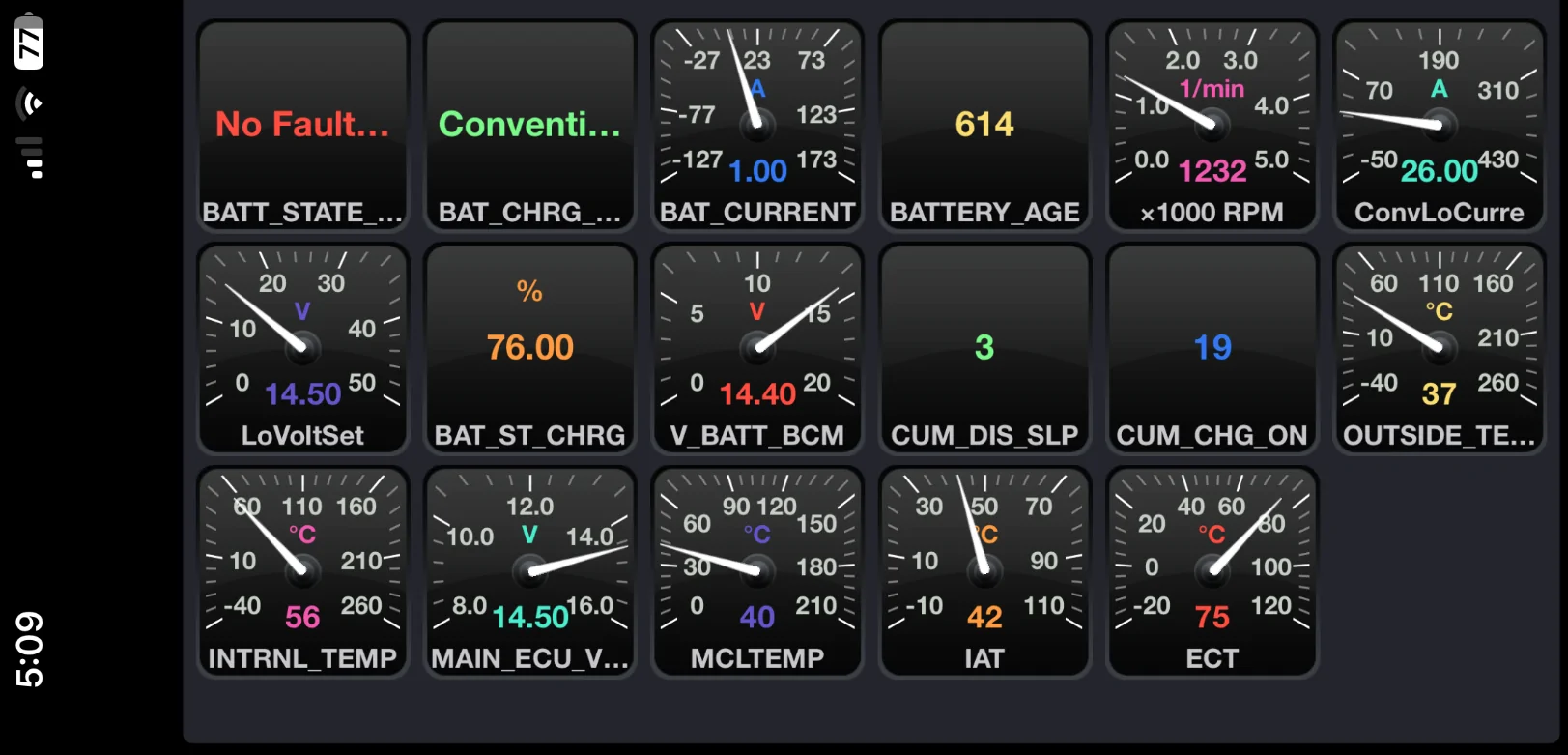
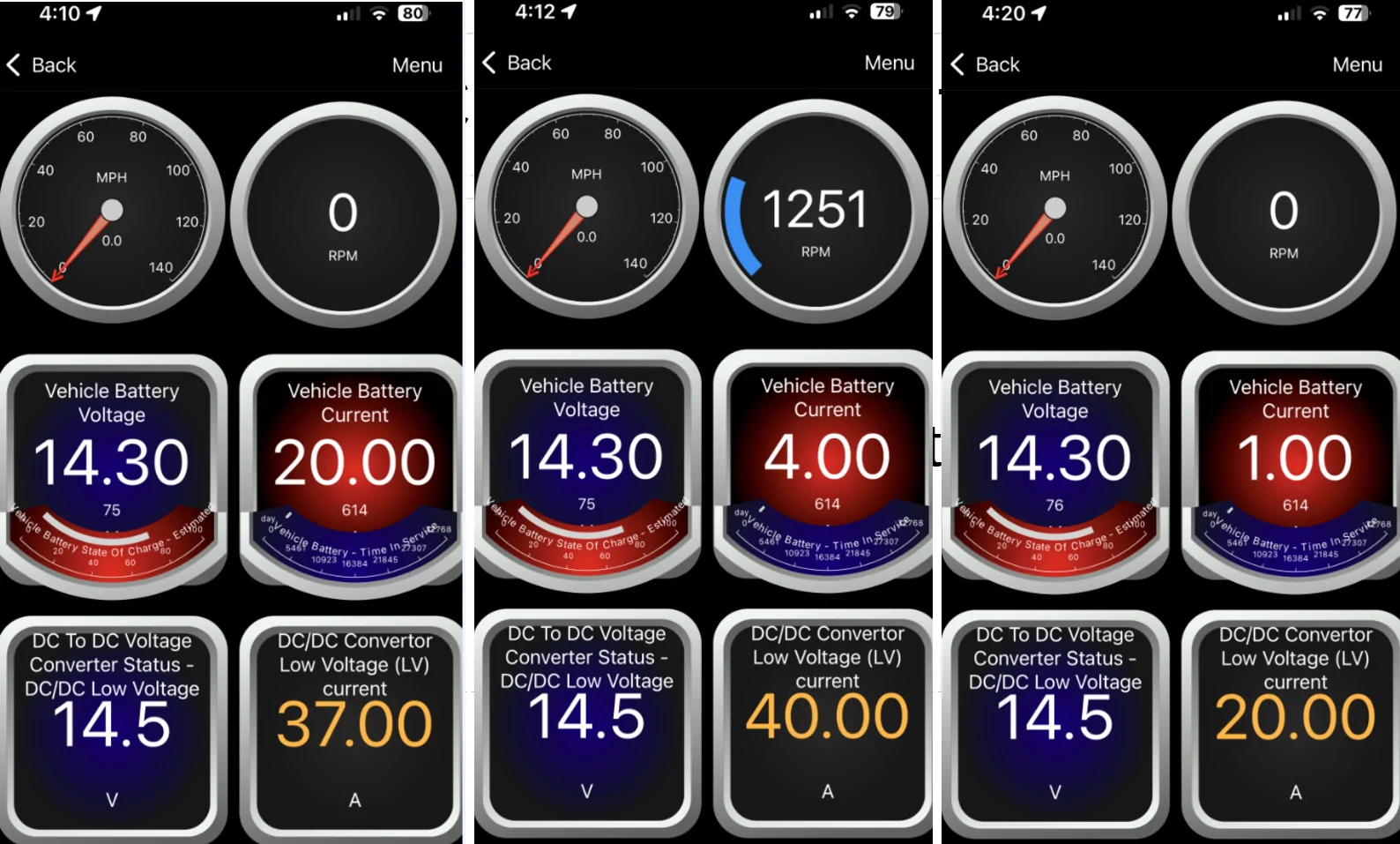
I just usually use Forscan Lite and bluetooth OBDLink MX+ for looking at the 12V battery on my hybrid.
Recently installed the OBDLink App for my OBDLink MX+ that I've had for several years to see what it looked like.

Forscan Lite:
Ford Maverick Forscan Lite gauges to display? 1754173897701-9y


OBDLink App watching my battery amps at Run:
Ford Maverick Forscan Lite gauges to display? 1754173979069-kd


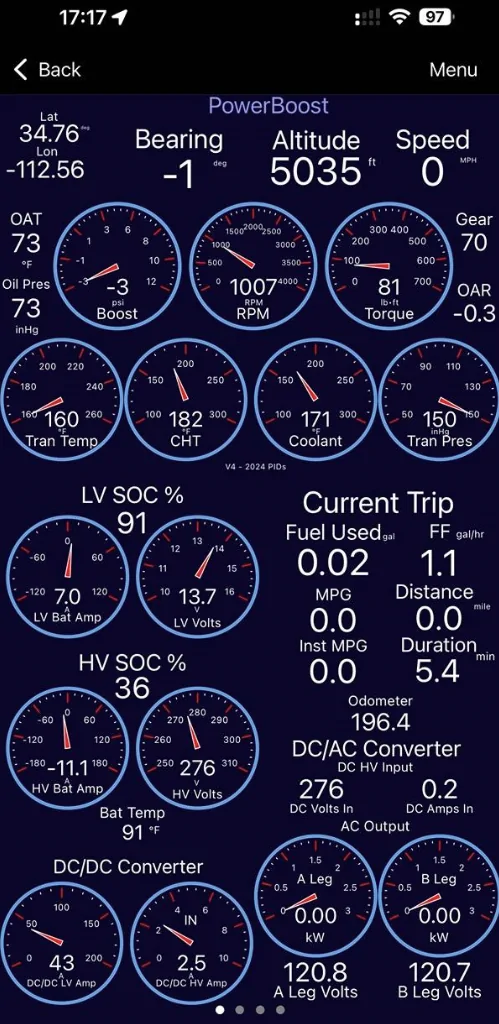
If I had the patience I'd try to see how many PIDs I could fit in an OBDlink screen, like on a PowerBoost by turbopilot:
Ford Maverick Forscan Lite gauges to display? 1754601243207-kl
 
Last edited:

Sponsored

Chops

2.0L EcoBoost
Well-known member
First Name
Gary
Joined
Jun 15, 2025
Threads
71
Messages
2,432
Reaction score
3,612
Location
USA
Vehicle(s)
Lobo
Engine
2.0L EcoBoost
Clubs
 
I'm wondering what you are using on your Forscan Lite setup?

I intend to use:
  1. RPM
  2. Manifold Gauge Pressure (MGP) [aka boost]
  3. currently engaged Gear (if I can find an accurate PID*)
  4. IAT (intake air temp)
  5. charged air temp?
  6. Engine coolant temp
  7. Trans temp
  8. Rear diff temp?
  9. Battery voltage.

Anyone have other ideas?

Is A/F ratio available on the Mav? It was handy to see on the FoST, but I'm not sure if the Mav has a wide-band sensor.

* I noticed the Gear indicator PID i was using (on the Forscan App on a laptop) was not accurate, displaying Gear+1 in most situations I was able to check it. Not sure if this is an issue with the Lobo 7 speed due to the goofy 8 speed turned into 7 speed, so something is funny in this gear reading??
This setup looks useful! I’m starting from scratch - could you advise what is needed for implementation?

My only computer is an iPhone. The cheap HP laptop purchased to advance my Ham Radio hobby was retired because it was slow/useless.

I have used BlueDriver on my previous vehicles because it allowed me to use my iPhone as a “gauge” while driving. I noted all my “Cold Air Intakes” measured higher “Intake Air Temp” than OEM.

Anyway, thanks again if you could advise what I need to buy to match your setup!
 
OP
OP
r0tax

r0tax

2.0L EcoBoost
Well-known member
Joined
Jun 29, 2025
Threads
14
Messages
558
Reaction score
805
Location
CO
Vehicle(s)
2025 Lobo 402A VB
Engine
2.0L EcoBoost
I can't find a clear "turbo Boost pressure" reading, and I think the closest I'll get is MAP (Manifold Absolute Pressure) reading.

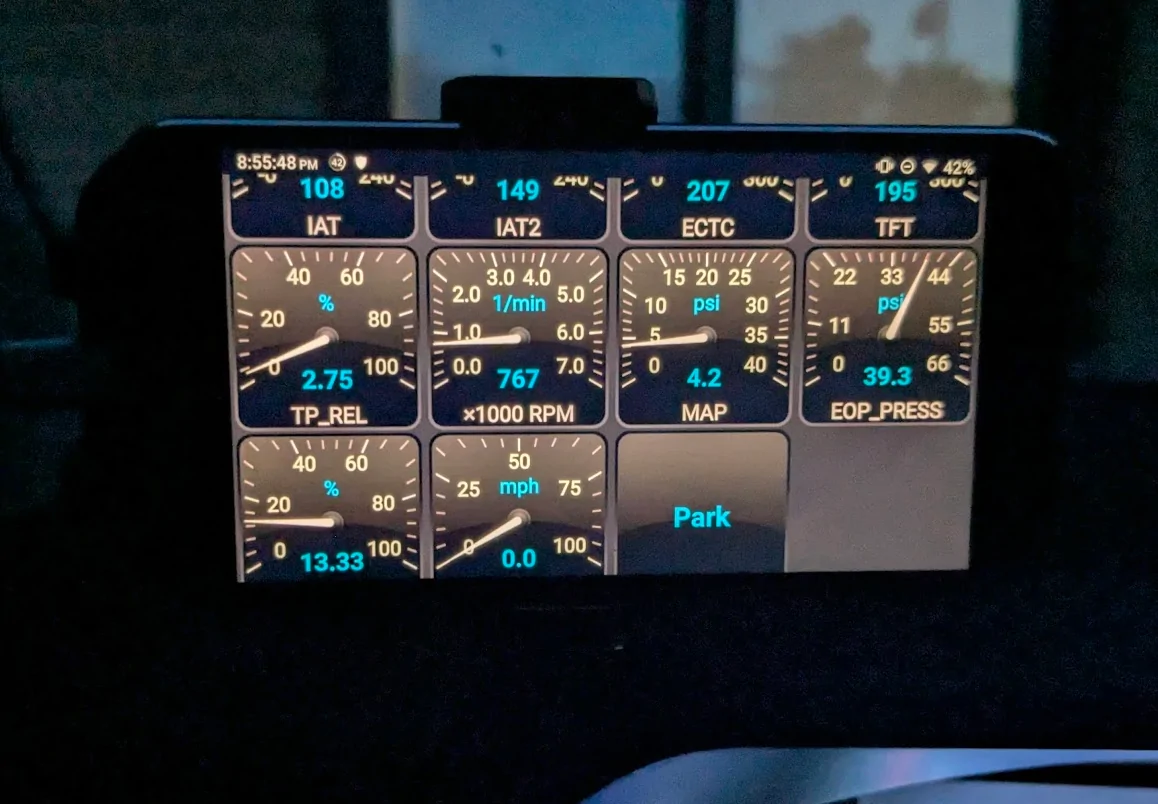
Below, is the gauge layout I ended up with after some testing tonight.
Most the important temps are in view at the very top as number only. I still question what Intake Air Temp is showing me, and why they are so high. ambient air temp 81*F.

Intake Air Temp *F > Intake Air Temp 2 > Engine Coolant Temp, Corrected > Transmission Fluid Temp
Throttle Position, Relative % > RPM 0 to 7,000 > Manifold Absolute Pressure psi > Engine Oil Pressure psi
Load, Absolute % > Vehicle Speed mph > Gear
Ford Maverick Forscan Lite gauges to display? 1754192249113-bz


Observations: Load % is a funny one, it goes greater than 100% under heavy loading, so I'm not exactly sure how to interpret that.

Gear indicator: So this is also a bit odd [specific to Lobo 7spd], the Gear reading shows 1 for (first) gear, that matches up fine. An up shift to "2nd" shows as 3 (third) gear on Forscan. So Forscan will show +1 for each gear beyond 1st. "3rd" = 4, "4th" = 5, etc. "7th" = 8.

I'd like to find Engine Oil Temp reading, but haven't found one yet.

Any other Forscan users know of another parameter to look into for Turbo boost?
Or can you explain MAP? Is it Barometric pressure + forced induction = ## psi?
 

Pappamoto

2.5L Hybrid
Well-known member
First Name
Ken
Joined
May 17, 2025
Threads
2
Messages
97
Reaction score
122
Location
Alabama
Vehicle(s)
2025 Ford Maverick Hybrid Lariat Shadow Black w/BAP
Engine
2.5L Hybrid
Clubs
 
How are you all getting 80% SOC? Mine hardly ever goes above 70%
 
OP
OP
r0tax

r0tax

2.0L EcoBoost
Well-known member
Joined
Jun 29, 2025
Threads
14
Messages
558
Reaction score
805
Location
CO
Vehicle(s)
2025 Lobo 402A VB
Engine
2.0L EcoBoost
Anyway, thanks again if you could advise what I need to buy to match your setup!
I can't advise first hand for iOS, as I operate primarily on the Android-side for my portables. Or for laptop, Ubuntu Linux (Mint distro) or Win 10 (if I must).

But, I understand there is / was an iOS version for Forscan Lite at some point.
You may be able to download a "Demo" version that allows you to basically test functionality. (You can display 1 real-time guage.) Its only useful for a functionality test.

I then purchased a 'license' for Forscan Lite to get full functionality.
I'm not sure how this will work out on the Apple store, maybe you just have to buy it up front.

I wish I could find some better guages or "skins" for Forscan Lite. the guage view is a bit dated looking. i prefer the guage view overall though, just want a bit more customization of the visual interface. I may have to try a different software. But I'm still very happy with all the info that Forscan lite can provide, including all of its Troubleshooting/DTC scanning/Servicing functions.

The primary reason I was drawn to Forscan Lite was because i was already familiar with Forscan from the PC side. So it was already in my knowledge space.

No doubt there could be alternatives, and maybe also easier, cleaner, slicker looking app options. Like BlueSpec displayed from the OBDLink app.

-----
Next,
In addition to the phone app, you need the OBDII adapter. There are many choices. I picked up a VGate vLinker FS (Bluetooth model. I think they also have a 'USB' model. Just make sure its BT.)

The other guy said hes using a OBDLink MX+ model adapter.
I went with the one I chose because it was on a good Amazon day sale. And was specifically in the compatability list for Forscan Lite. I didn't think about it much further than that. But absolutely wanted the ability to auto-switch between MS and HS modes. I think some adapters may have different Software and vehicle compatability to some extent.

This will require the most investment in cost, I suggest something of decent quality for a smooth and quick connectivity experience.

-----
You plug the adapter into vehicle, and turn to Acessory mode to power it up.
You put the USB adapter into Pairing mode.
You enable Bluetooth on your device.
Search for / Add new device, then locate your device. ie "Vgate vLinker FS".
Launch the application of choice.
In the cae of Forscan Lite, configure your Settings to connect to your previously added BT device. ie Vgate vLinker FS.
Other apps will have some method of 'connecting' to your adapter, some easier than others.
You then configure your Dashboard and "Add" guages to a list/table.
You sort said guages in that list/table to determine how they are displayed on your Dashboard.

I don't imagine that Forscan Lite is the easiest option, but its what I knew and had experience with, so I'm learning it. :)
 
OP
OP
r0tax

r0tax

2.0L EcoBoost
Well-known member
Joined
Jun 29, 2025
Threads
14
Messages
558
Reaction score
805
Location
CO
Vehicle(s)
2025 Lobo 402A VB
Engine
2.0L EcoBoost

Chops

2.0L EcoBoost
Well-known member
First Name
Gary
Joined
Jun 15, 2025
Threads
71
Messages
2,432
Reaction score
3,612
Location
USA
Vehicle(s)
Lobo
Engine
2.0L EcoBoost
Clubs
 
I can't advise first hand for iOS, as I operate primarily on the Android-side for my portables. Or for laptop, Ubuntu Linux (Mint distro) or Win 10 (if I must).

But, I understand there is / was an iOS version for Forscan Lite at some point.
You may be able to download a "Demo" version that allows you to basically test functionality. (You can display 1 real-time guage.) Its only useful for a functionality test.

I then purchased a 'license' for Forscan Lite to get full functionality.
I'm not sure how this will work out on the Apple store, maybe you just have to buy it up front.

I wish I could find some better guages or "skins" for Forscan Lite. the guage view is a bit dated looking. i prefer the guage view overall though, just want a bit more customization of the visual interface. I may have to try a different software. But I'm still very happy with all the info that Forscan lite can provide, including all of its Troubleshooting/DTC scanning/Servicing functions.

The primary reason I was drawn to Forscan Lite was because i was already familiar with Forscan from the PC side. So it was already in my knowledge space.

No doubt there could be alternatives, and maybe also easier, cleaner, slicker looking app options. Like BlueSpec displayed from the OBDLink app.

-----
Next,
In addition to the phone app, you need the OBDII adapter. There are many choices. I picked up a VGate vLinker FS (Bluetooth model. I think they also have a 'USB' model. Just make sure its BT.)

The other guy said hes using a OBDLink MX+ model adapter.
I went with the one I chose because it was on a good Amazon day sale. And was specifically in the compatability list for Forscan Lite. I didn't think about it much further than that. But absolutely wanted the ability to auto-switch between MS and HS modes. I think some adapters may have different Software and vehicle compatability to some extent.

This will require the most investment in cost, I suggest something of decent quality for a smooth and quick connectivity experience.

-----
You plug the adapter into vehicle, and turn to Acessory mode to power it up.
You put the USB adapter into Pairing mode.
You enable Bluetooth on your

I don't imagine that Forscan Lite is the easiest option, but its what I knew and had experience with, so I'm learning it. :)
Thanks for your ideas & thoughts! I now understand that Forscan Lite is not for the feint of heart. You should charge consultancy fees $$ :)
Sponsored


Top