
- Thread starter
- #1
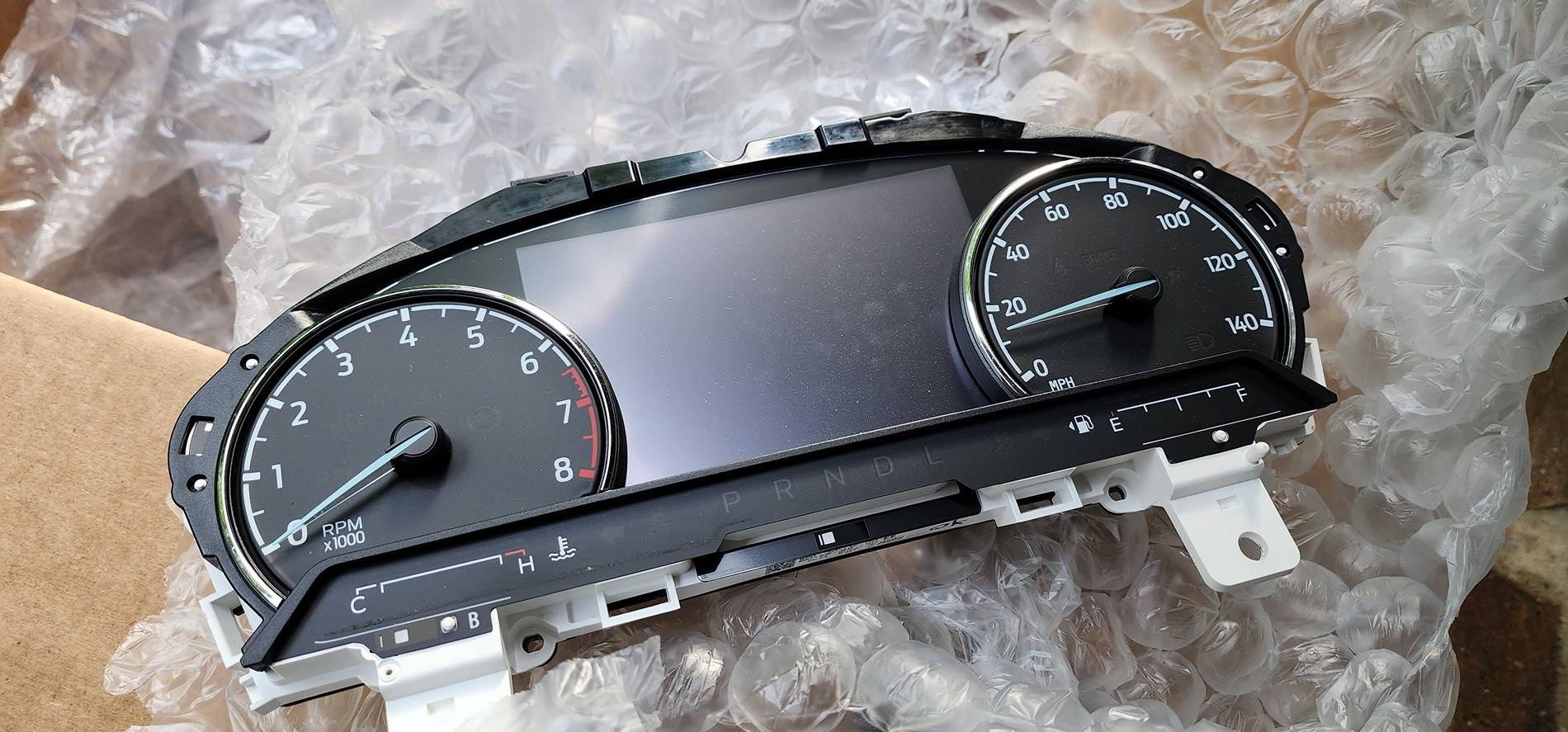
Hey guys. I finally got around to replacing my XLT cluster with a Lariat cluster. Got mine from a junkyard in SC using this site. Be sure to get one with LESS mileage than your stock one. With Forscan, you can raise the mileage to meet your stock mileage but you CANNOT lower the mileage. More on that later.
*** You will also need a clear cluster cover because the XL/XLT version doesn't not fit the Lariat!! Make sure your new cluster comes with it, and if it doesn't, the part number is M1PZ10890A and runs about $30.
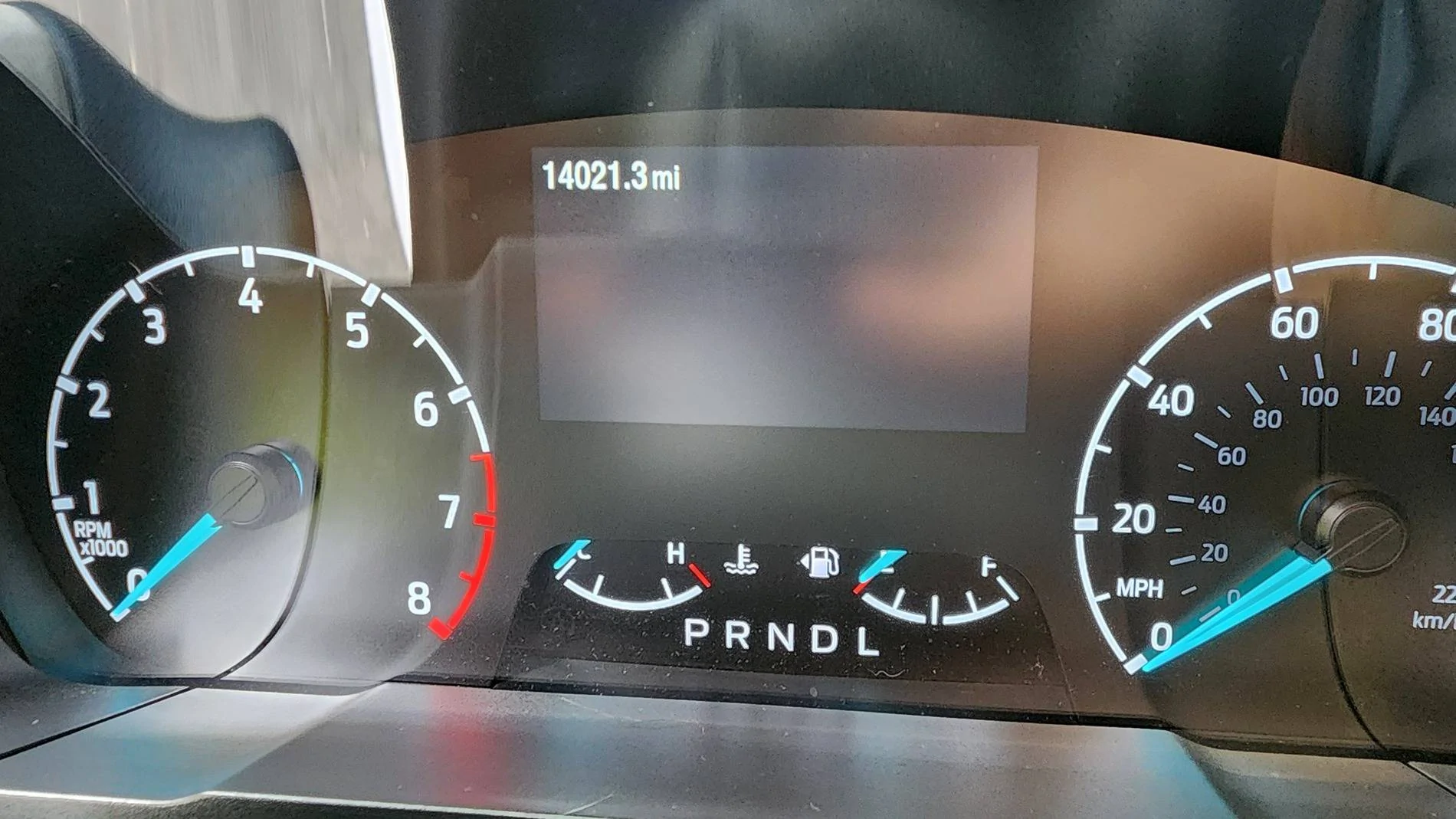
First off, take note of your mileage.
CHAPTER 1 Hardware:
Pull out your telescopic steering all the way and move the steering wheel down to create some space. Look under the vinyl on both sides of the cluster. You will see a black screw, one on each side. Unscrew these.
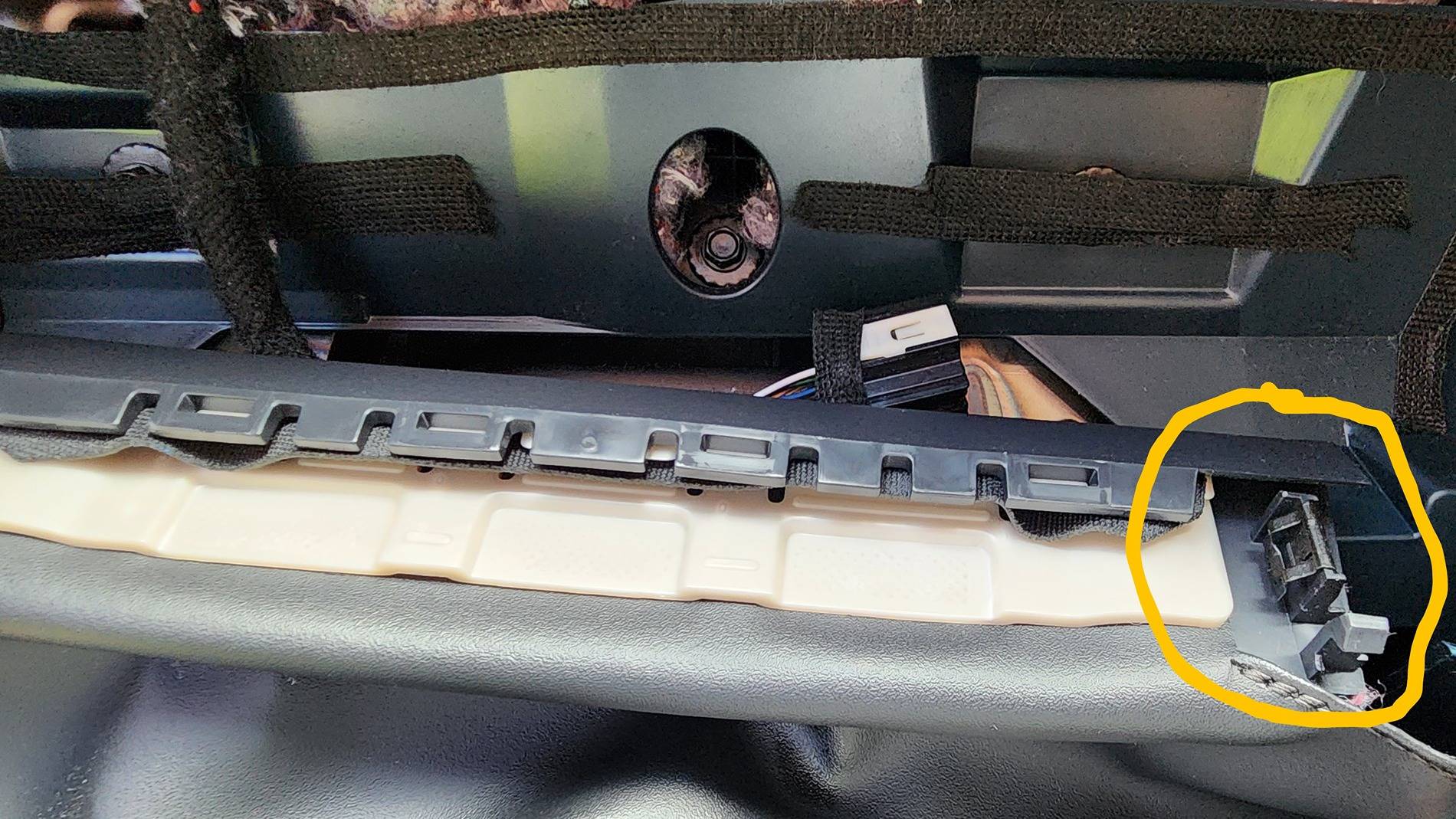
Remove your cluster "hood." which is the part circled in the pic. This is not easy to remove but you can do it with some pulling once those 2 screws are removed. Get a good grip on the sides and move from one side to the other. Once one end pops out, work on the other. Once you get it, you will realize the vinyl cover is hindering it from removing all the way. Nope, you just have to unclip the bottom of the hood. Look carefully and you'll see where it unclips. (See pic where it's circled in yellow) Then, set the hood somewhere safe like the passenger side floor.
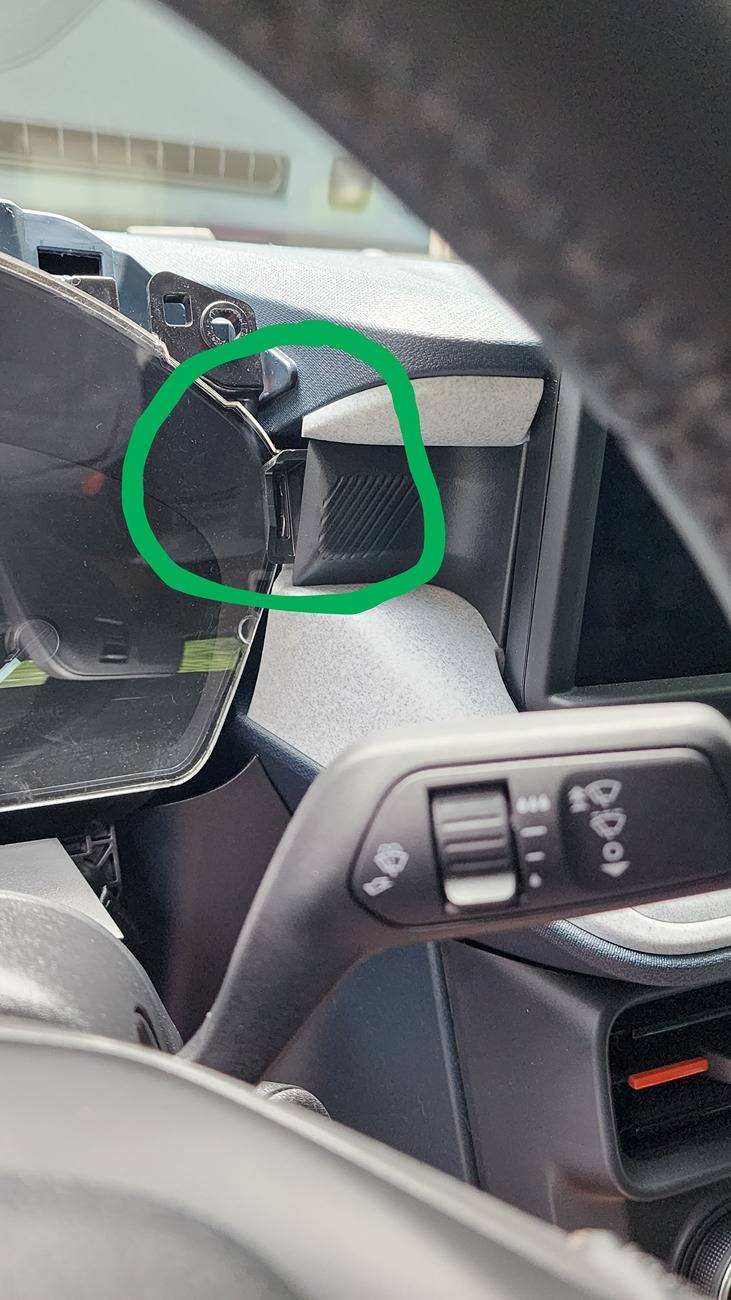
Once the hood is gone, now remove the 2 screws that hold in the top of your old cluster. Good. Now you'll see that you're stuck and they somehow built the damn truck around the cluster because you can't get it out. Relax. Shove it to the left, and you can squeeze it out on the right side if you push the dash area circled in green.
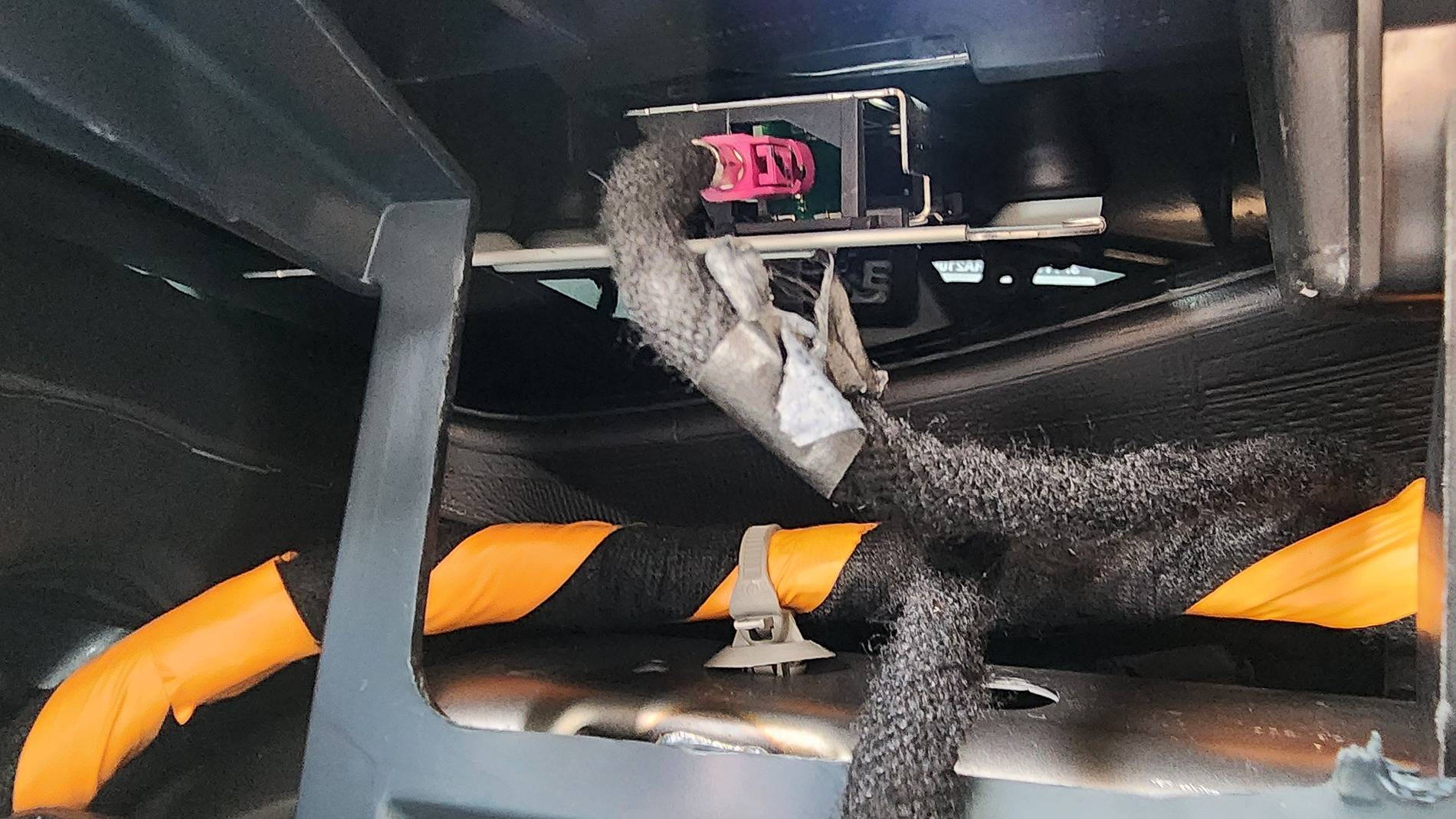
Now you should be able to remove it. Unclip the harness in the back. This is what it looks like behind your cluster.
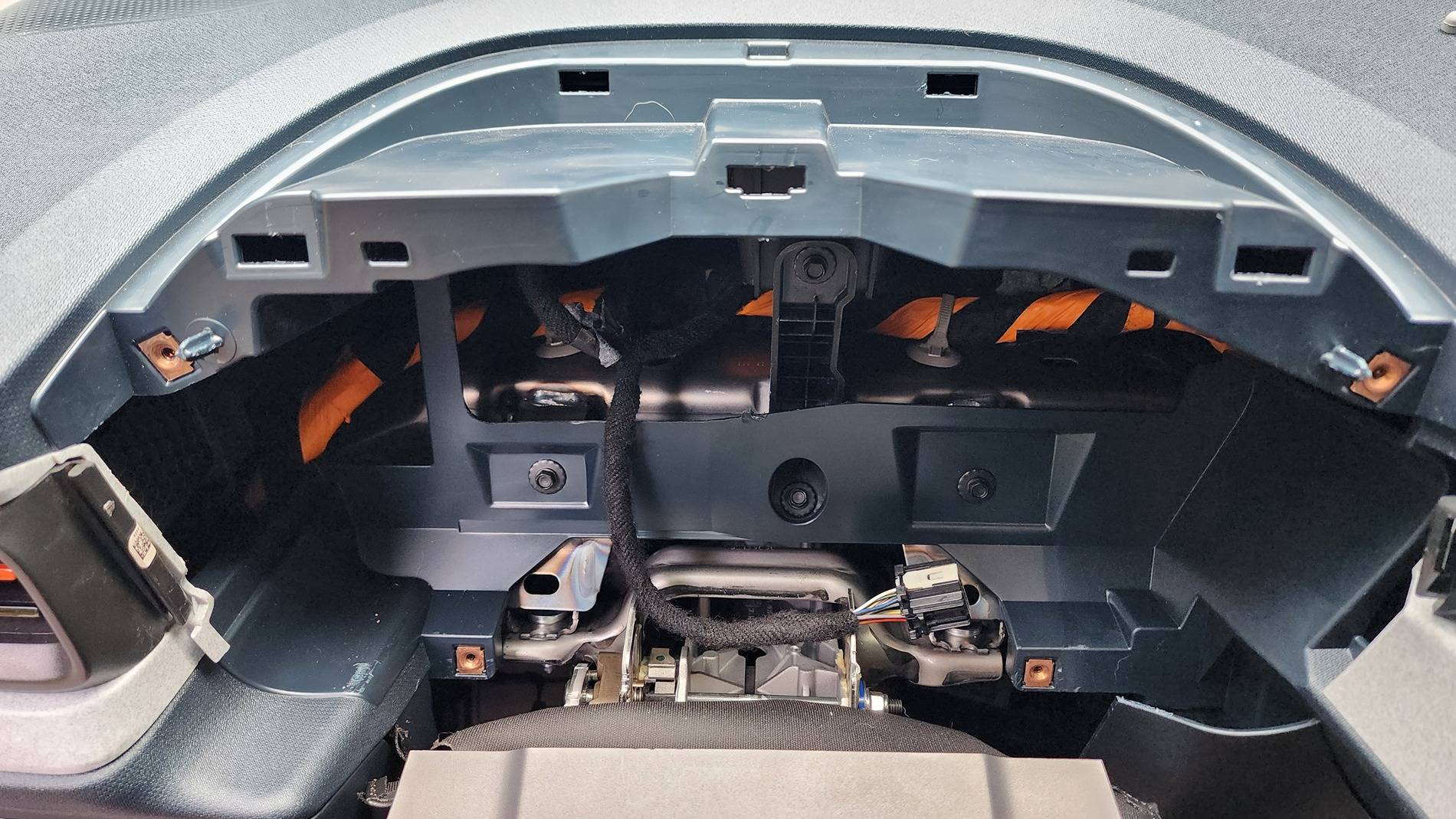
What's the pink connector? From my experience, it's something to do with the radio but I wasn't able to tell. Maybe you can.
Plug in your new cluster and it should come on.
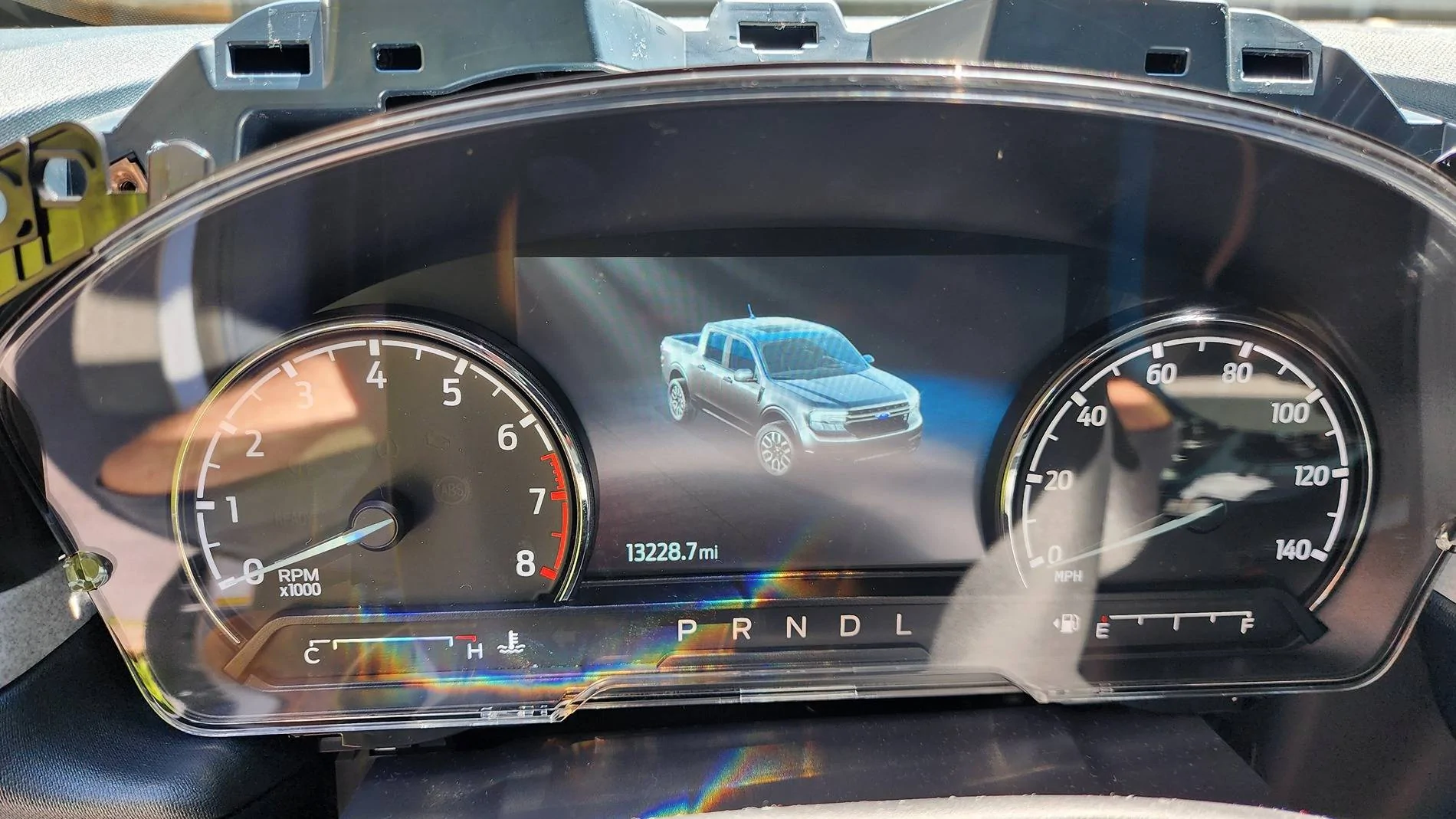
Reinstall the 2 top screws to hold in the cluster. Set the hood back on and carefully put the 2 remaining screws back in.
It's a little fiddly, but put the lower part of the hood back in that holds the vinyl. Should just snap on either side.
________________________________________________________________________________________________________
CHAPTER 2 FORSCAN
Get your laptop and make sure your extended license is good in Forscan. All of that info can be found here.
When you open Forscan, DO NOT USE YOUR VEHICLE PROFILE. Odometer correction won't work if you do.
Go the the wrench icon. Go to IPC module and then go to Odometer settings. I think it's called that or Odometer correction... something like that.
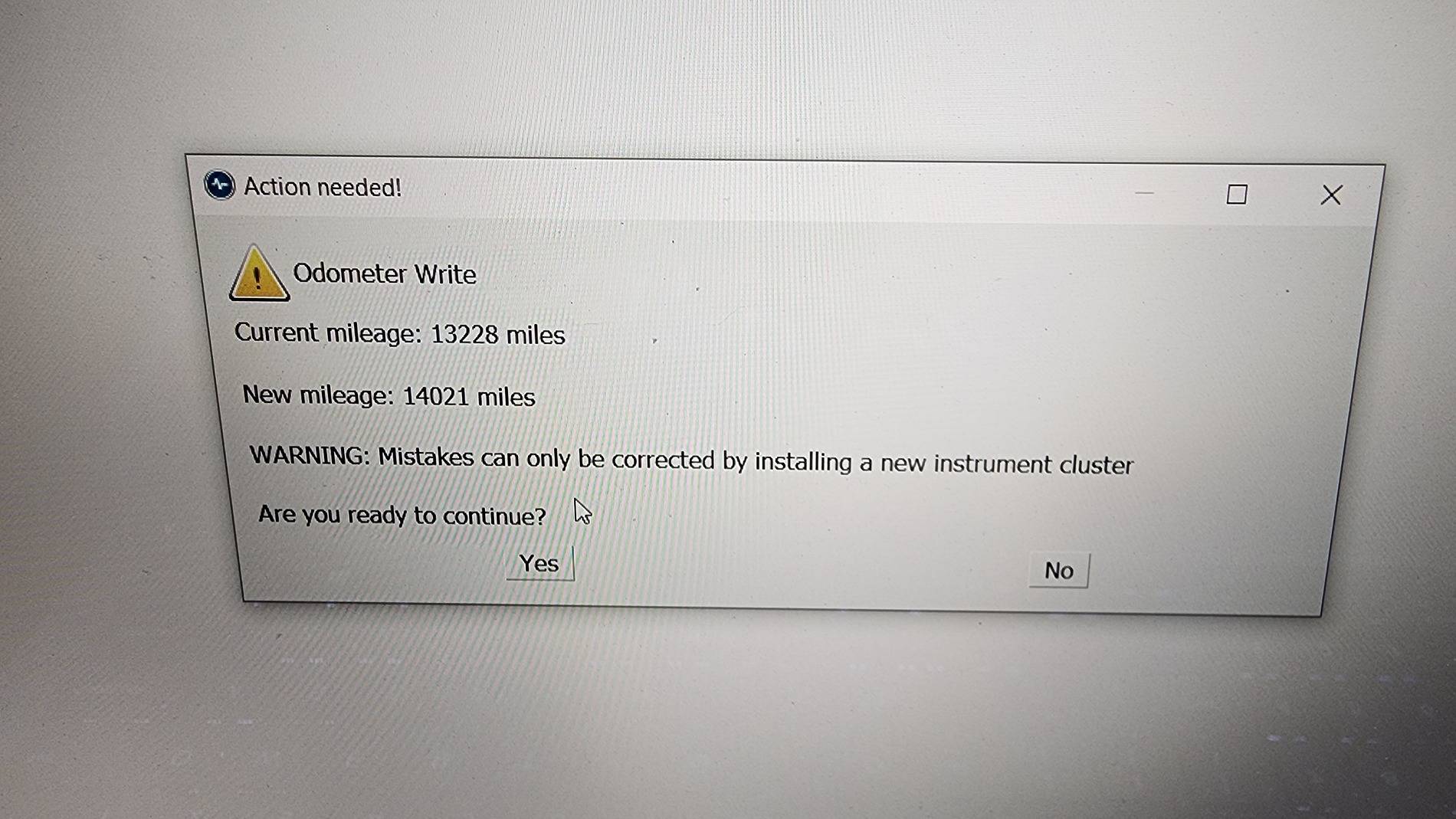
Write the setting. If you used a profile, it will not work.
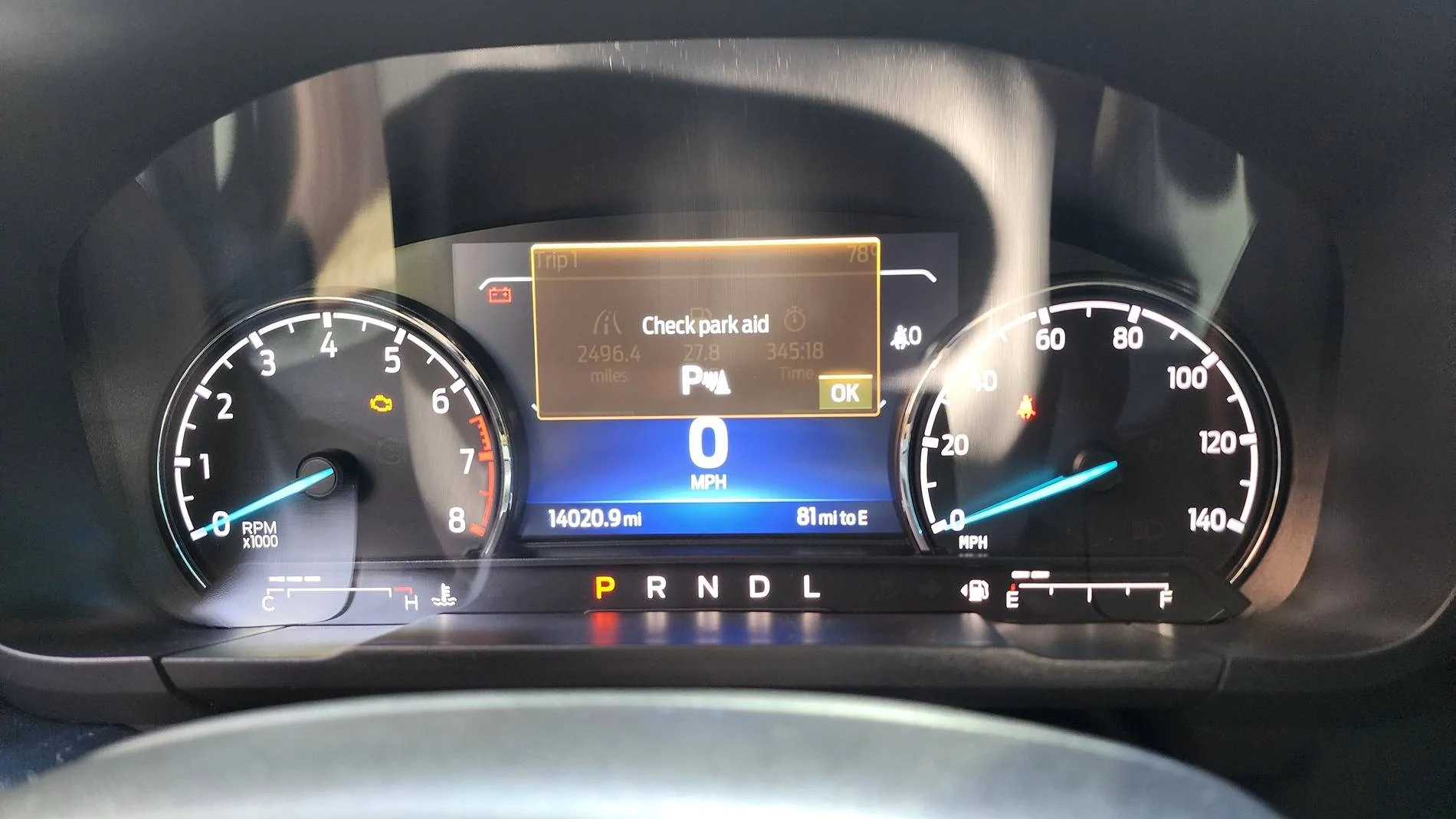
Now for my question. Does any one know how to get rid of the "Check Park Aid" error I get on startup? Aside from that, it all works perfectly. And I swear the turn signal sounds different from my XLT cluster. Strange. It's not bad, just different.
*** You will also need a clear cluster cover because the XL/XLT version doesn't not fit the Lariat!! Make sure your new cluster comes with it, and if it doesn't, the part number is M1PZ10890A and runs about $30.
First off, take note of your mileage.
CHAPTER 1 Hardware:
Pull out your telescopic steering all the way and move the steering wheel down to create some space. Look under the vinyl on both sides of the cluster. You will see a black screw, one on each side. Unscrew these.
Remove your cluster "hood." which is the part circled in the pic. This is not easy to remove but you can do it with some pulling once those 2 screws are removed. Get a good grip on the sides and move from one side to the other. Once one end pops out, work on the other. Once you get it, you will realize the vinyl cover is hindering it from removing all the way. Nope, you just have to unclip the bottom of the hood. Look carefully and you'll see where it unclips. (See pic where it's circled in yellow) Then, set the hood somewhere safe like the passenger side floor.
Once the hood is gone, now remove the 2 screws that hold in the top of your old cluster. Good. Now you'll see that you're stuck and they somehow built the damn truck around the cluster because you can't get it out. Relax. Shove it to the left, and you can squeeze it out on the right side if you push the dash area circled in green.
Now you should be able to remove it. Unclip the harness in the back. This is what it looks like behind your cluster.
What's the pink connector? From my experience, it's something to do with the radio but I wasn't able to tell. Maybe you can.
Plug in your new cluster and it should come on.
Reinstall the 2 top screws to hold in the cluster. Set the hood back on and carefully put the 2 remaining screws back in.
It's a little fiddly, but put the lower part of the hood back in that holds the vinyl. Should just snap on either side.
________________________________________________________________________________________________________
CHAPTER 2 FORSCAN
Get your laptop and make sure your extended license is good in Forscan. All of that info can be found here.
When you open Forscan, DO NOT USE YOUR VEHICLE PROFILE. Odometer correction won't work if you do.
Go the the wrench icon. Go to IPC module and then go to Odometer settings. I think it's called that or Odometer correction... something like that.
Write the setting. If you used a profile, it will not work.
Now for my question. Does any one know how to get rid of the "Check Park Aid" error I get on startup? Aside from that, it all works perfectly. And I swear the turn signal sounds different from my XLT cluster. Strange. It's not bad, just different.
Sponsored
Last edited: