
Sponsored

Maverick Black Oval Kit

Tbone289

2.0L EcoBoost
Well-known member
First Name
Terry
Joined
Jul 18, 2024
Threads
0
Messages
1,982
Reaction score
3,352
Location
MO
Vehicle(s)
'24 Mav FX4, '12 Focus SE Sport, '01 Focus ZX3, '00 Jeep XJ, '67 Bronco
Engine
2.0L EcoBoost
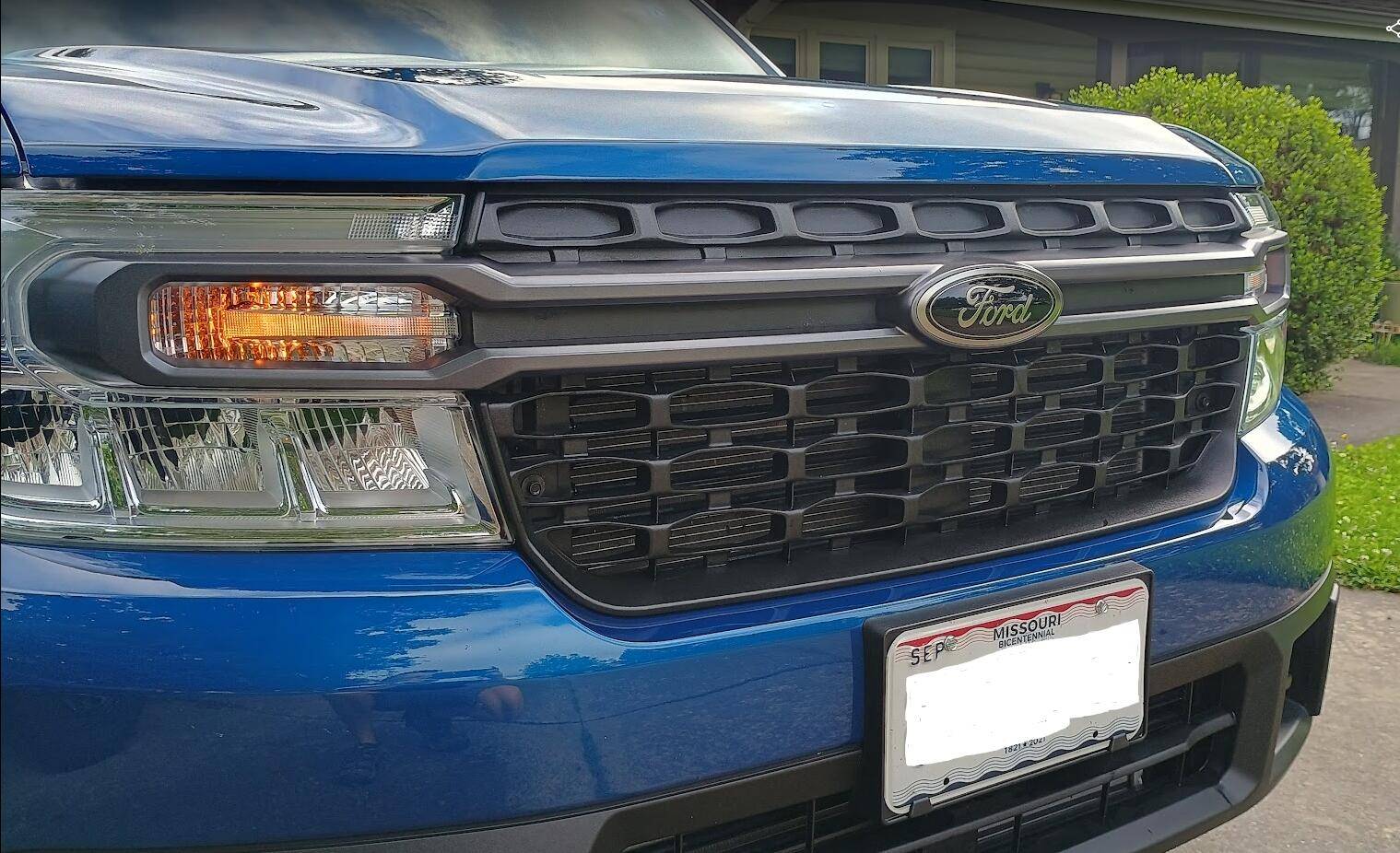
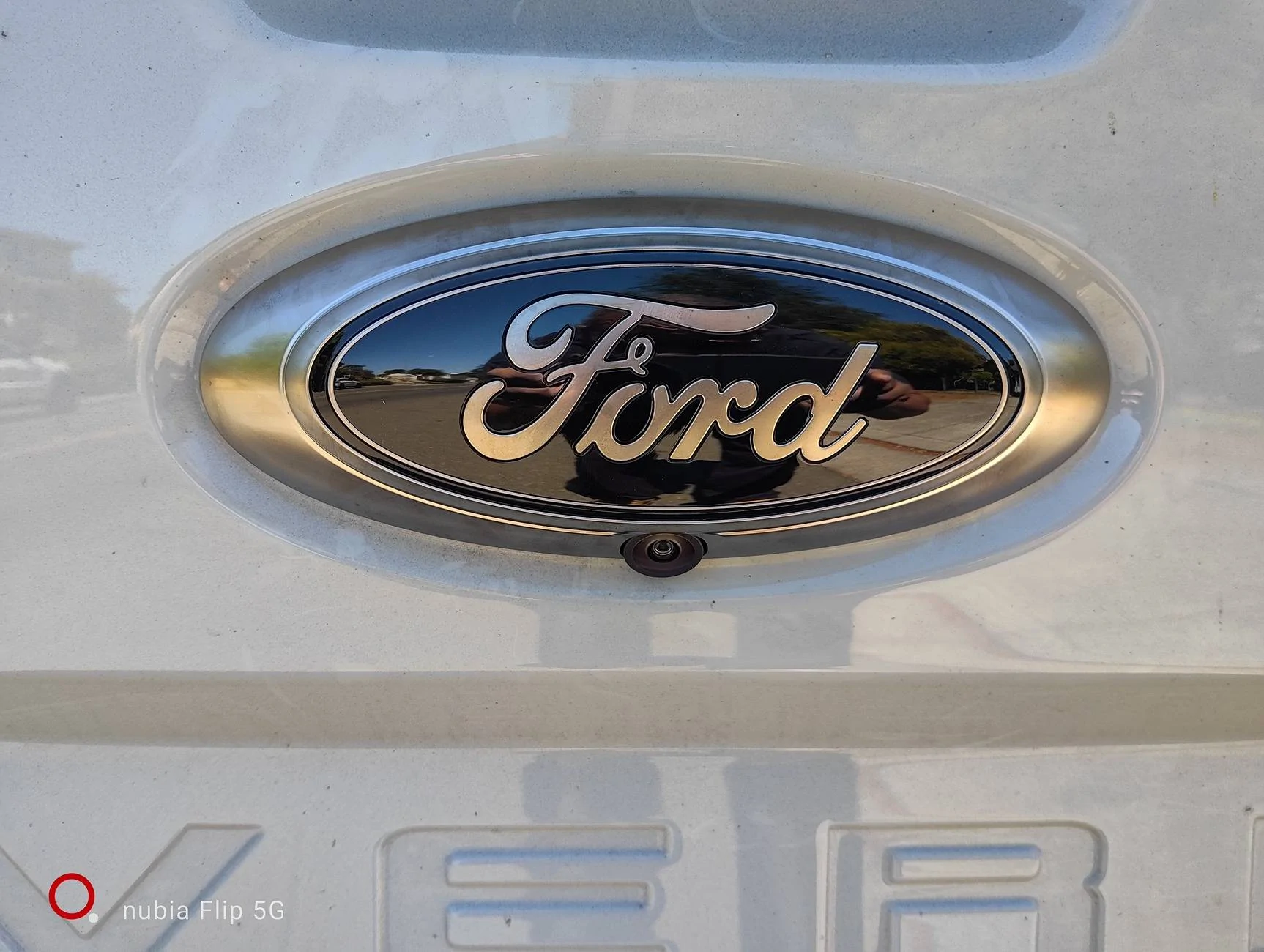
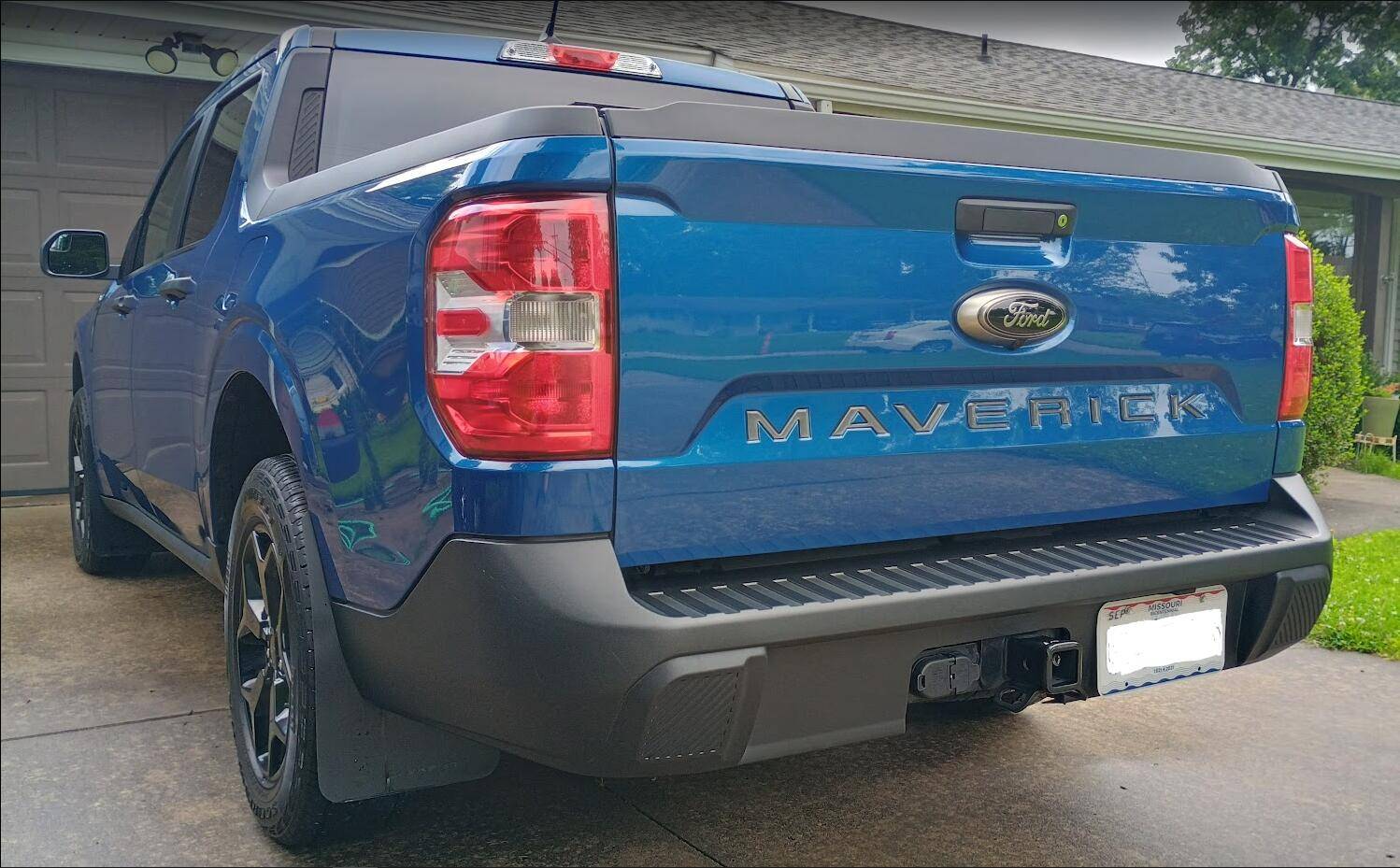
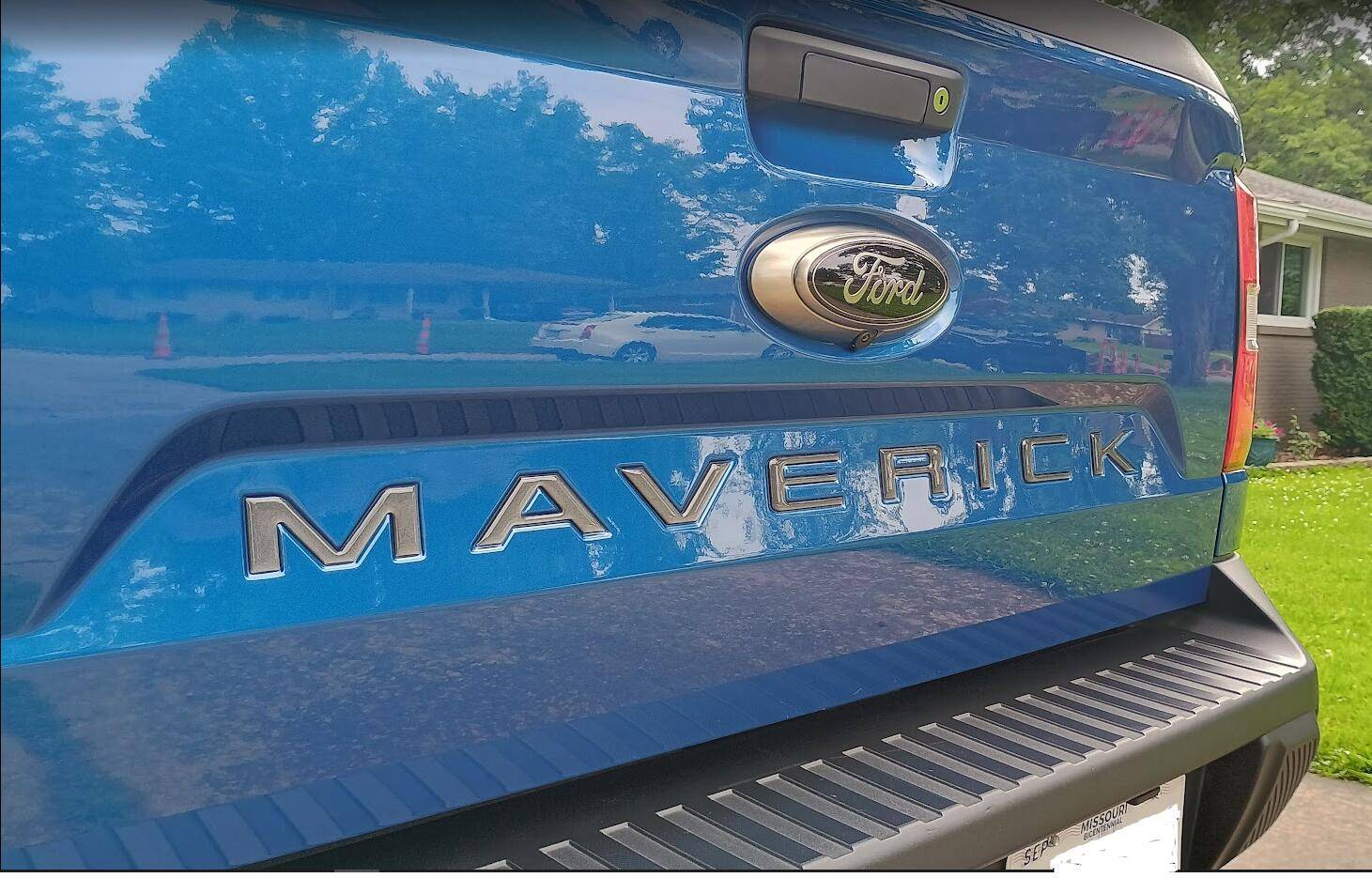
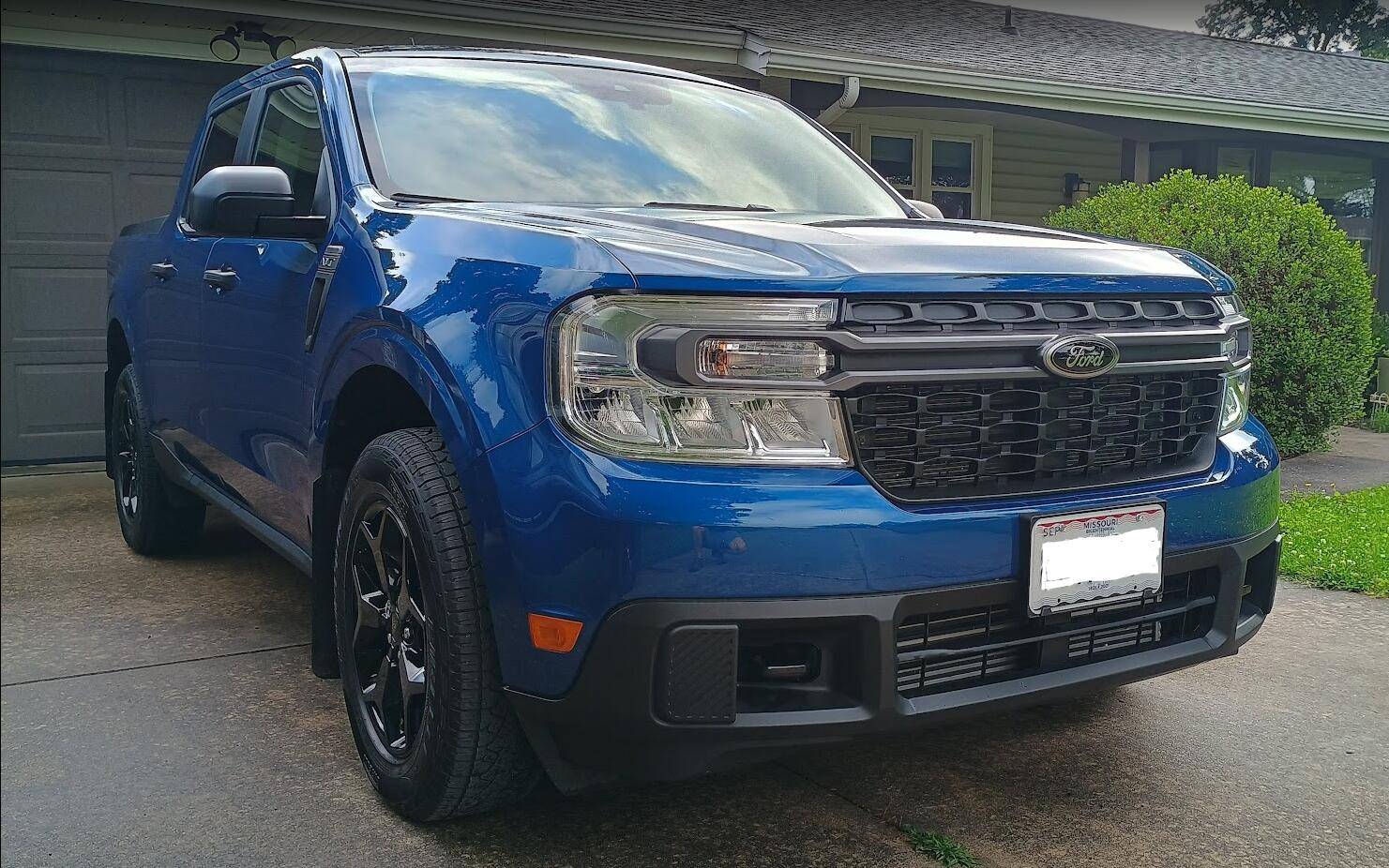
I would describe these as more of a "satin nickel" finish than "smoked chrome". They have the duller finish of stainless, with a slight bronze tint. They don't have a mirror finish at all like chrome. I think they fit in much better with the metallic gray of the XLT grill bar than the OEM chrome ovals.

It's difficult to take a picture that represents how they actually look. I think the comparison above where I'm holding the black oval next to the OEM one does that best.
Ford Maverick Maverick Black Oval Kit 1749996043134-x6


Ford Maverick Maverick Black Oval Kit 1749996134832-rb


Ford Maverick Maverick Black Oval Kit 1749996271846-a0


Ford Maverick Maverick Black Oval Kit 1749996476998-m7
Sponsored

 
Last edited:
OP
OP
k2rizzle

k2rizzle

2.0L EcoBoost
Well-known member
First Name
Kevin
Joined
Apr 9, 2023
Threads
12
Messages
260
Reaction score
332
Location
Walton, KY
Vehicle(s)
2024 Ford Maverick Tremor XLT - Atlas Blue CP360
Engine
2.0L EcoBoost
Clubs
 
I would describe these as more of a "satin nickel" finish than "smoked chrome". They have the duller finish of stainless, with a slight bronze tint. They don't have a mirror finish at all like chrome. I think they fit in much better with the metallic gray of the XLT grill bar than the OEM chrome ovals.

It's difficult to take a picture that represents how they actually look. I think the comparison above where I'm holding the black oval next to the OEM one does that best.
1749996043134-x6.jpg


1749996134832-rb.jpg


1749996271846-a0.jpg


1749996476998-m7.jpg
Thanks for the photos....looks good! Agreed much better fit with that grill bar.

Happy Father's Day to everyone!
 

raspann

2.5L Hybrid
Member
First Name
Richard
Joined
Jul 8, 2024
Threads
2
Messages
14
Reaction score
15
Location
Terra
Vehicle(s)
2024 Ford Maverick XL Hybrid Cactus Gray
Engine
2.5L Hybrid

raspann

2.5L Hybrid
Member
First Name
Richard
Joined
Jul 8, 2024
Threads
2
Messages
14
Reaction score
15
Location
Terra
Vehicle(s)
2024 Ford Maverick XL Hybrid Cactus Gray
Engine
2.5L Hybrid
Just ordered a Maverick Black Oval Kit

https://www.ford.com/product/maverick-black-oval-kit-p4000207161

Redeemed some points from when I bought the truck, was able to apply a promo code, totally coolio!

Going to try the Redneck Garage install method, will report my outcome.
Alrighty then, I have received the package of front and rear emblems with the camera. I paid a dollar more for the FedEx overnight shipping. So less than $20 out of pocket after points redemption.

Looks like I need a heat gun, ratchet with metric hex sockets and an extender, plastic trim removal tools.

Going to follow the Red Neck Garage video at


This is for the front oval replacement. I saw other posts where the owner simply heated the emblem then pulled it loose, placed the black oval using the pre-supplied adhesive. The Red Neck Garage gentleman had to remove the grill because he was installing a lighted emblem and needed to drill a hole to feed the wires for power through. I will first try to simply remove the blue oval using heat. The caution is that there are bolts in addition to adhesive holding the blue oval in place.

For the rear with the camera assembly seems a lot easier. Drop the tailgate, remove screws holding the cover, unbolt the piece, disconnect the camera harness, swap them out, connect the camera, reinstall the cover.

I will start with the rear because it seems easier than the front.

Documentation with images coming soon.
 

Tbone289

2.0L EcoBoost
Well-known member
First Name
Terry
Joined
Jul 18, 2024
Threads
0
Messages
1,982
Reaction score
3,352
Location
MO
Vehicle(s)
'24 Mav FX4, '12 Focus SE Sport, '01 Focus ZX3, '00 Jeep XJ, '67 Bronco
Engine
2.0L EcoBoost
You will need to take those nuts behind the front oval off. The Redneck garage method is the only "shortcut" way to do this properly without taking the whole bumper cover and grille off.
 

Sponsored

raspann

2.5L Hybrid
Member
First Name
Richard
Joined
Jul 8, 2024
Threads
2
Messages
14
Reaction score
15
Location
Terra
Vehicle(s)
2024 Ford Maverick XL Hybrid Cactus Gray
Engine
2.5L Hybrid
You will need to take those nuts behind the front oval off. The Redneck garage method is the only "shortcut" way to do this properly without taking the whole bumper cover and grille off.
Thanks for the clarification, the full monty it is.
 

raspann

2.5L Hybrid
Member
First Name
Richard
Joined
Jul 8, 2024
Threads
2
Messages
14
Reaction score
15
Location
Terra
Vehicle(s)
2024 Ford Maverick XL Hybrid Cactus Gray
Engine
2.5L Hybrid
Ford IS created a document for part M-1447-MVBC. Attached as a PDF. I hope they add it to the instruction sheet page.
 

Attachments

raspann

2.5L Hybrid
Member
First Name
Richard
Joined
Jul 8, 2024
Threads
2
Messages
14
Reaction score
15
Location
Terra
Vehicle(s)
2024 Ford Maverick XL Hybrid Cactus Gray
Engine
2.5L Hybrid
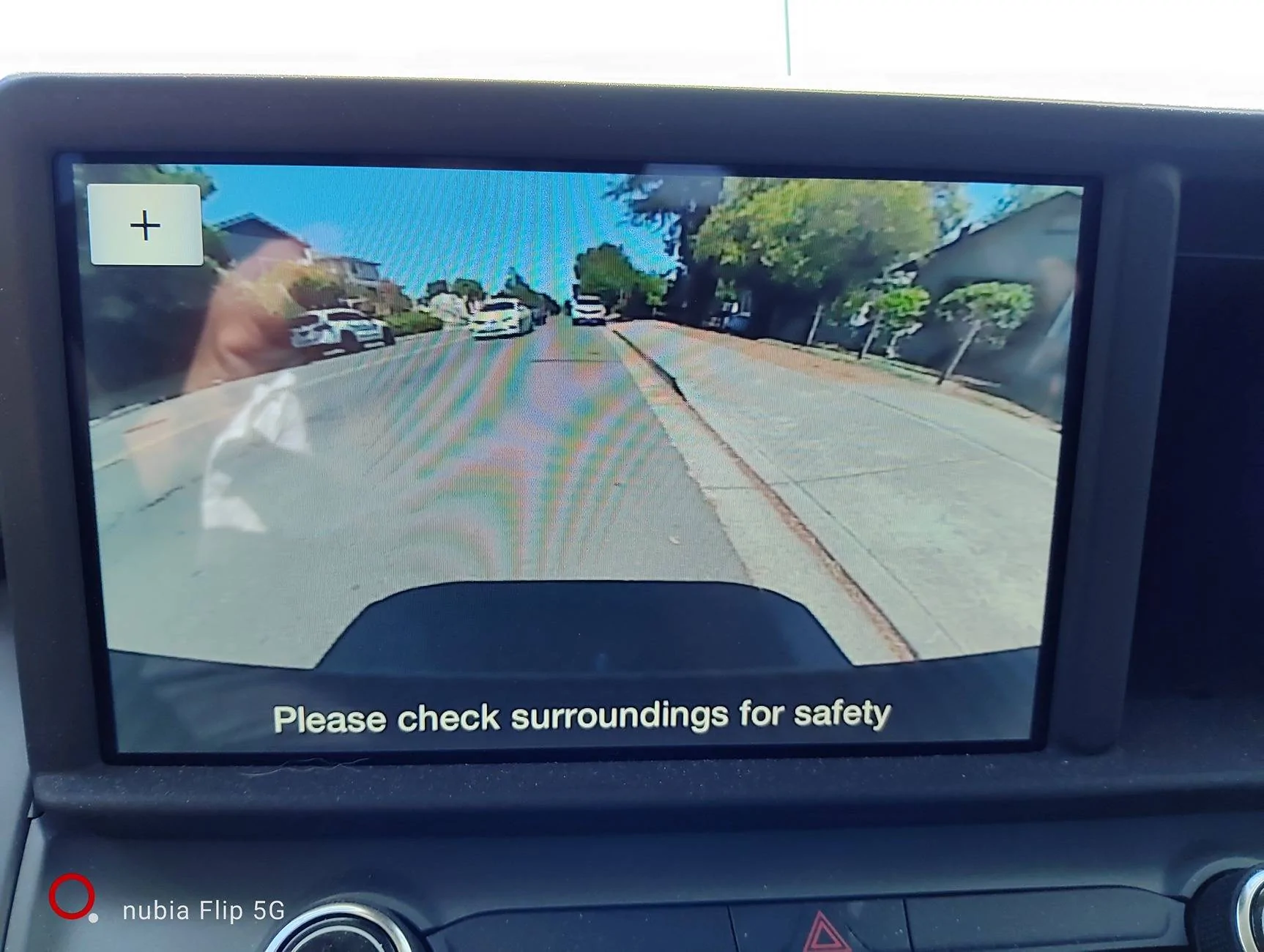
I completed the replacement of the rear black oval rear camera assembly. It works, but I no longer have the red/green/yellow guides and the black perforated one down the middle. Looking into how to fix, seems I need to reinit or reset the camera?

Anyway, need small slot head screwdriver, T20 torx, needle nose pliers, and 10mm socket.

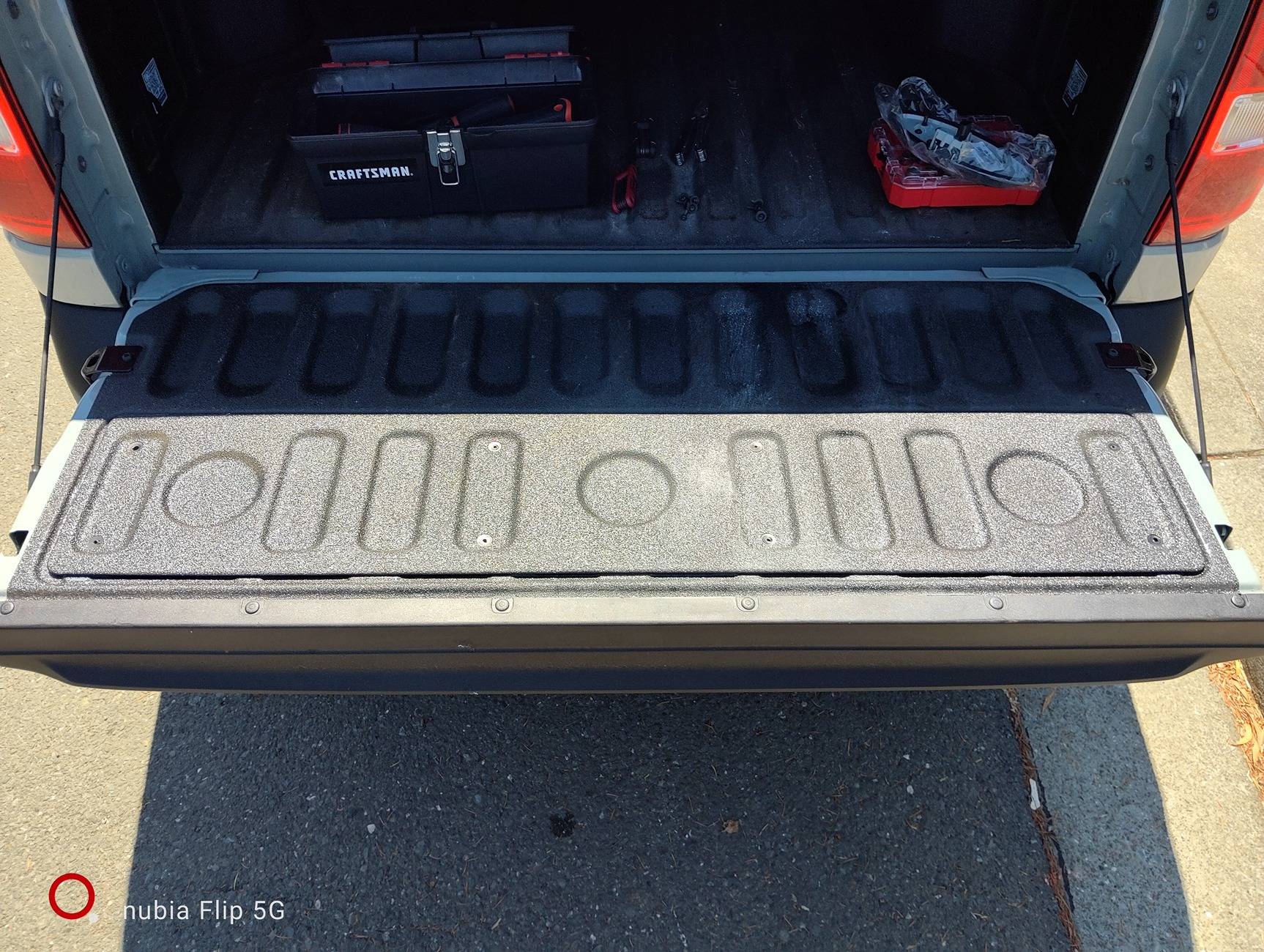
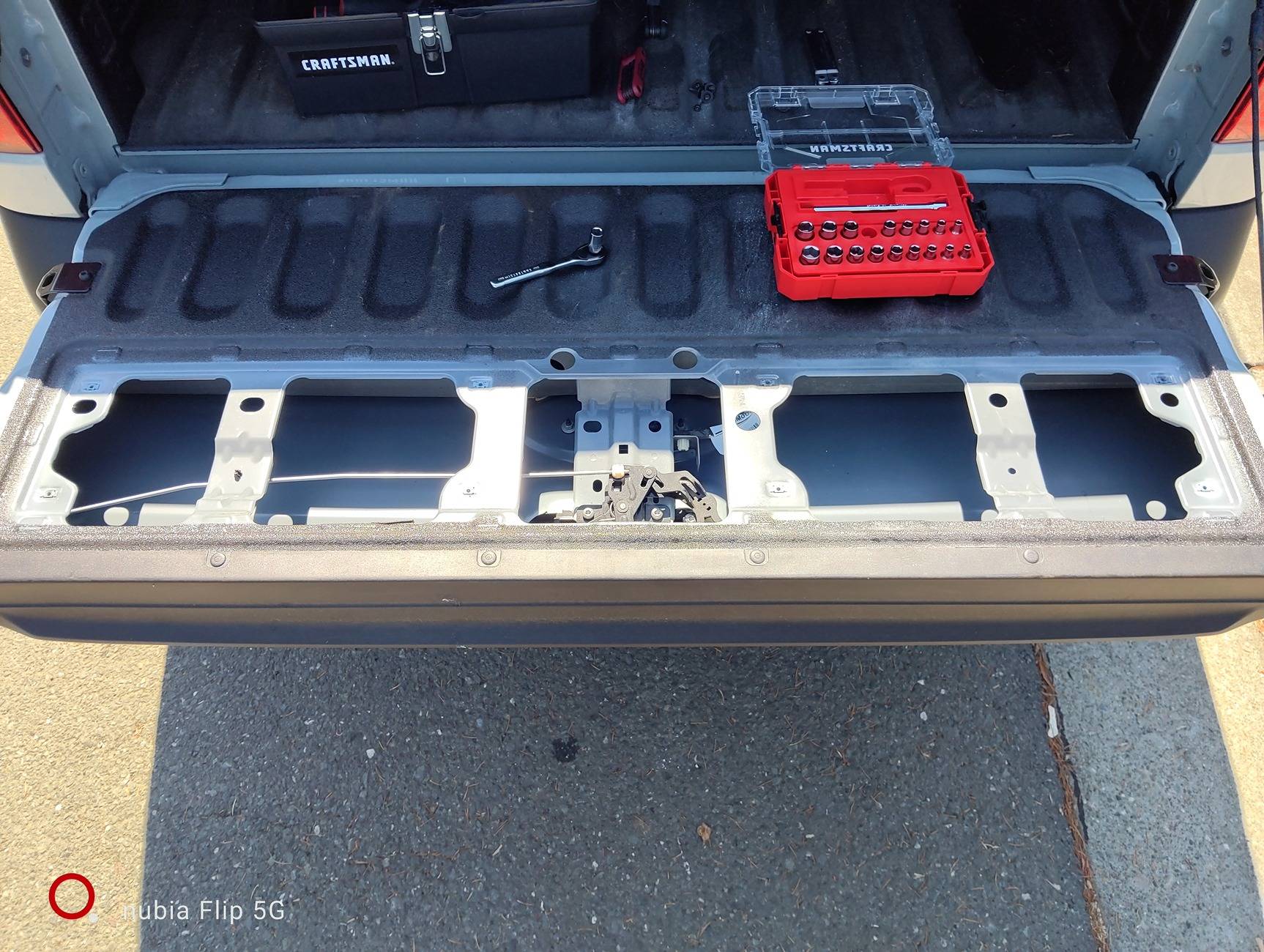
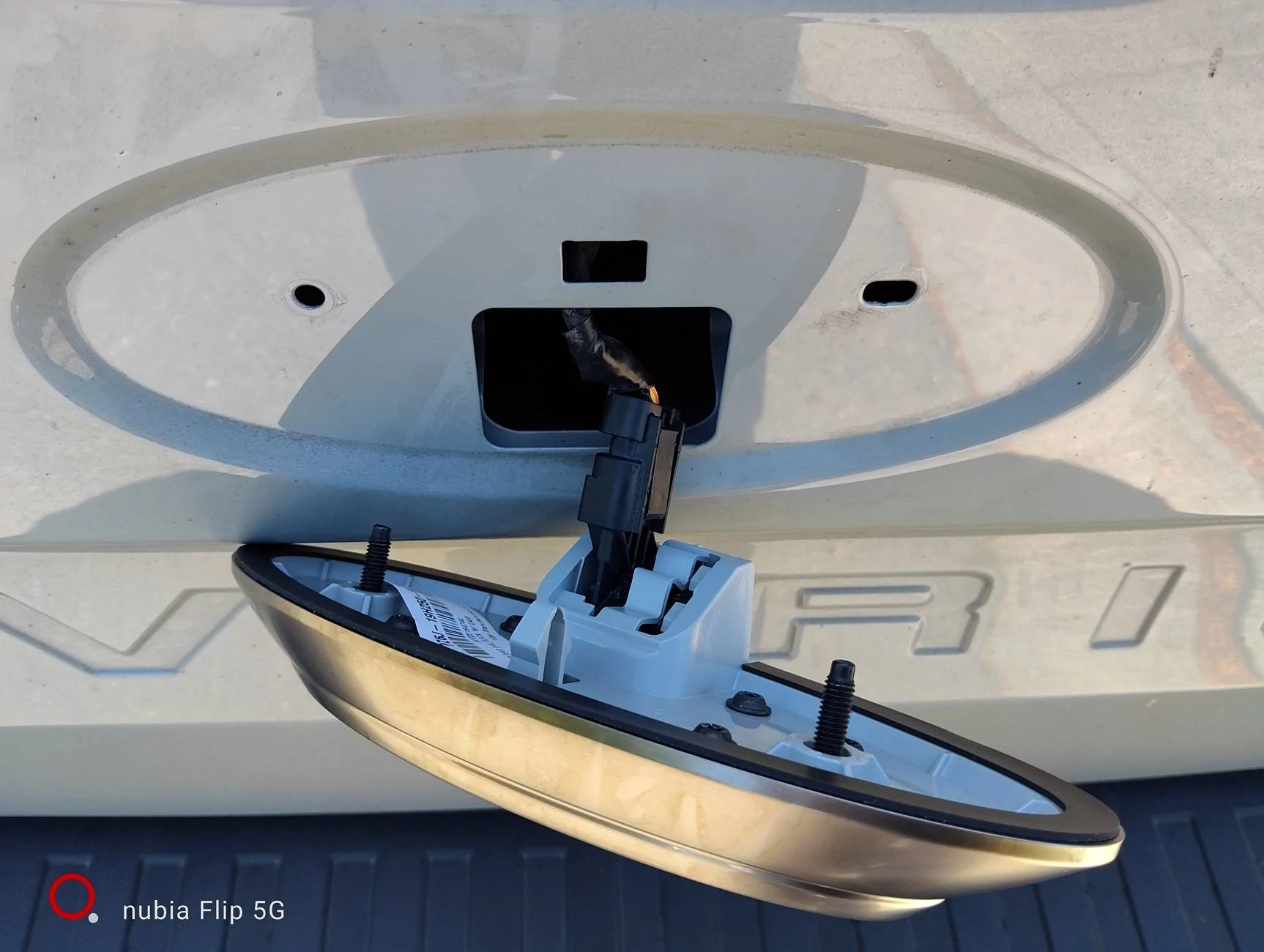
Drop the tailgate. There is a cover bolted to the tailgate. Remove the 8x torx bolts and washers. Take the cover off.
Ford Maverick Maverick Black Oval Kit IMG_20250628_110510

Ford Maverick Maverick Black Oval Kit IMG_20250628_104651

There are two nuts and a plastic clip holding the assembly to the outside of the tailgate. Remove the nuts. I used a small ratchet without extension to fit under the mounting bar for the tailgate lock that covers the camera assembly.

Use needle nose pliers to fit under the mounting bar then release the plastic clip. The camera assembly will drop away, held by the connecting cable.
Ford Maverick Maverick Black Oval Kit IMG_20250628_104621


Close the tailgate. Carefully disconnect the exposed cable from the camera assembly. Note there is a latch on the connector, use a small slot head screwdriver or equivalent to lift the latch. Look at the new assembly to see which part comes away from the connector stem and how the latch lifts.
Ford Maverick Maverick Black Oval Kit IMG_20250628_110105

Connect the cable to the new assembly. NOTE the way the pins line up. Push the new part into place on the tailgate surface, engaging the plastic clip.
Ford Maverick Maverick Black Oval Kit IMG_20250628_110404

Drop the tailgate.

Put the nuts back onto the assembly bolt stems. Don't tighten up too far, you will crack or warp the plastic housing.

Put the cover back into place. Will have to slide it around a bit to line up the holes with the tailgate screw points. Insert then snug up the T20 torx bolts.

Close the tailgate then test the camera. As I said at the top, I no longer have the colored lines and middle perforated one. I have had the camera software update recently, so I hope it is simply a matter of resetting the system. I saw one post that said the camera will reset on its own after driving for a stretch.
Ford Maverick Maverick Black Oval Kit IMG_20250628_111509


Next is the front emblem, a lot more work. I will report back on how I reset the backup camera.
 

raspann

2.5L Hybrid
Member
First Name
Richard
Joined
Jul 8, 2024
Threads
2
Messages
14
Reaction score
15
Location
Terra
Vehicle(s)
2024 Ford Maverick XL Hybrid Cactus Gray
Engine
2.5L Hybrid
Update on the camera reset. One post said to use a button combo on the steering wheel to reset the screen, in turn refreshing the camera. Another owner said he inadvertently reset the camera after disconnecting the battery. But I saw another post where the owner wanted to get rid of the lines and markers. I do kind of like the straight image, so,,,
 

Tbone289

2.0L EcoBoost
Well-known member
First Name
Terry
Joined
Jul 18, 2024
Threads
0
Messages
1,982
Reaction score
3,352
Location
MO
Vehicle(s)
'24 Mav FX4, '12 Focus SE Sport, '01 Focus ZX3, '00 Jeep XJ, '67 Bronco
Engine
2.0L EcoBoost
Update on the camera reset. One post said to use a button combo on the steering wheel to reset the screen, in turn refreshing the camera. Another owner said he inadvertently reset the camera after disconnecting the battery. But I saw another post where the owner wanted to get rid of the lines and markers. I do kind of like the straight image, so,,,
Everything you need is already in this discussion. Read posts #23-30 of this thread for the two ways to get the camera working properly. It is also addressed in the PDF document in the post before your second post in this thread, #37.

In short, you either have to swap the cameras, or use a scan tool to calibrate the new camera to the truck.
 
Last edited:
Sponsored

raspann

2.5L Hybrid
Member
First Name
Richard
Joined
Jul 8, 2024
Threads
2
Messages
14
Reaction score
15
Location
Terra
Vehicle(s)
2024 Ford Maverick XL Hybrid Cactus Gray
Engine
2.5L Hybrid
Everything you need is already in this discussion. Read posts #23-30 of this thread for the two ways to get the camera working properly. It is also addressed in the PDF document in the post before your second post in this thread, #37.

In short, you either have to swap the cameras, or use a scan tool to calibrate the new camera to the truck.
Thanks, understood I should read the thread history. I will try using FORScan. Have ordered the Vgate vLinker FS USB.
 

raspann

2.5L Hybrid
Member
First Name
Richard
Joined
Jul 8, 2024
Threads
2
Messages
14
Reaction score
15
Location
Terra
Vehicle(s)
2024 Ford Maverick XL Hybrid Cactus Gray
Engine
2.5L Hybrid
I was able to replace the front blue oval emblem with the black.

I have a 2024 XL Hybrid, so the front grille and the piece holding the oval emblem is a single assembly.

I used a combination of the Red Neck Garage method and the IS M-1447-MVBC.pdf document in post #37.

You need a heat gun (loosen the adhesive holding the emblem on), plastic trim removal tool (release the clips on the front grille assembly), 7mm and 10mm hex sockets, a ratchet extension.

Follow the Red Neck Garage procedure. Note that for me there were 11x 7mm bolts holding the shroud covering to the back of the grille. Once the shroud was removed with the grille pulled forward, I was able to get at the back of the emblem. There were no further screws holding the trim where the blue oval was mounted as described by David in the Red Neck Garage video. After removing the nuts from the holding posts, I used a heat gun to loosen the glue backing, then slipped a small sharp blade under the emblem and worked it around the piece to pry it loose.

During reassembly be careful not to tighten anything up too far, the components are plastic and may become warped or cracked. Note the 3x guideposts for the new oval. The two for the backing nuts are smooth. Hold the emblem in place while putting the nuts back on as you need some force to form the grooves.

Thanks for all the advice and guidance, much appreciated.

Still waiting for the FORScan cable so I can calibrate the backup camera from my rear oval replacement.
 

raspann

2.5L Hybrid
Member
First Name
Richard
Joined
Jul 8, 2024
Threads
2
Messages
14
Reaction score
15
Location
Terra
Vehicle(s)
2024 Ford Maverick XL Hybrid Cactus Gray
Engine
2.5L Hybrid
Alright I was able to initialize the rear backup camera. I used FORscan, Windows 11 laptop, and the vGate vLinker FS USB cable.

I installed the ftdiChip driver as suggested by the cable instruction guide.

Connect the cable to the OBD port and the laptop. Turn the car on, but don't start, turn clockwise to the second stop. Boot up the laptop. Green and blue LEDs lit on the cable. Launch FORscan.

There were a few initial messages, mainly iinformational.

One wanted to adjust the baud rate for optimal performance, I chose Yes. Another wanted to update the cable firmware, I selected OK.

If necessary, go to Settings (the gear icon) and select debug, not demo.

The app announced successful connection with the vehicle, then the car info screen listed all modules installed.

Next click on the wrench icon, Service Procedures. Highlight BdyCM Local Interconnect Network New Module Calibration.

Click on the play button at lower left to start the procedure. Note the description about what will be performed on the camera. Follow the prompts. There will be a directive to turn the car off, then to turn the car on. This reboots the camera to apply the settings.

Once completed there will be a message that the service procedure completed successfully.

Turn the car off, quit FORscan, unplug the cable.

Last, I drove the car 1.1 miles to enable the white guidelines that curve with steering turns. The black perforated line down the middle and the red/green/yellow guides were visible.
Sponsored


Top