

- First Name
- Tim
- Joined
- Sep 21, 2022
- Threads
- 13
- Messages
- 73
- Reaction score
- 158
- Location
- Shawnee, KS
- Vehicle(s)
- Atlas Blue 2024 Ford Maverick Lariat
- Engine
- 2.5L Hybrid
- Thread starter
- #1
Sorry if this is long-winded...
I have a 2023 Maverick XLT Lux, and I have mounted a Garmin 67W Dashcam on the windshield.
Keep in mind, this is NOT the Maverick Lariat Lux that I ordered (I don't expect the one I ordered until fall at the earliest) so I got this one, well, because I wanted to.
So I have a decision when the Lariat that I ordered shows up, whenever that may be. Keep this one or sell it and get the Lariat? I like this one but some of the features on the Lariat are very appealing.
So, back to my, admittedly minor, dilemma.
My goal is to have the Garmin Dashcam turn on when I start the vehicle and turn off when I shut the vehicle off. This is because we had a Garmin Dashcam in our Subaru Outback that was "on all the time" that, when we didn't use the car for several days, would draw down the battery enough that it wouldn't start. But I digress.
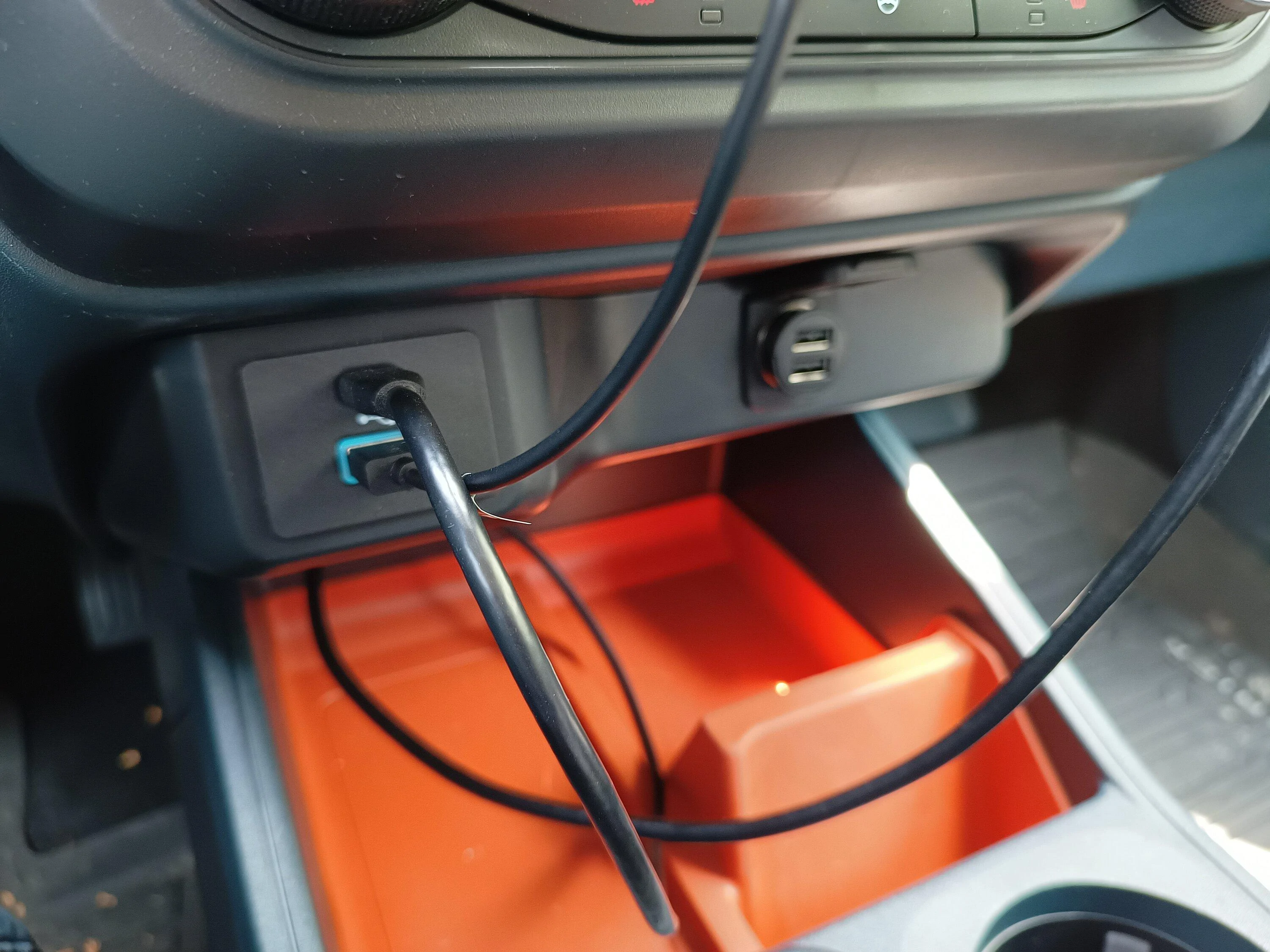
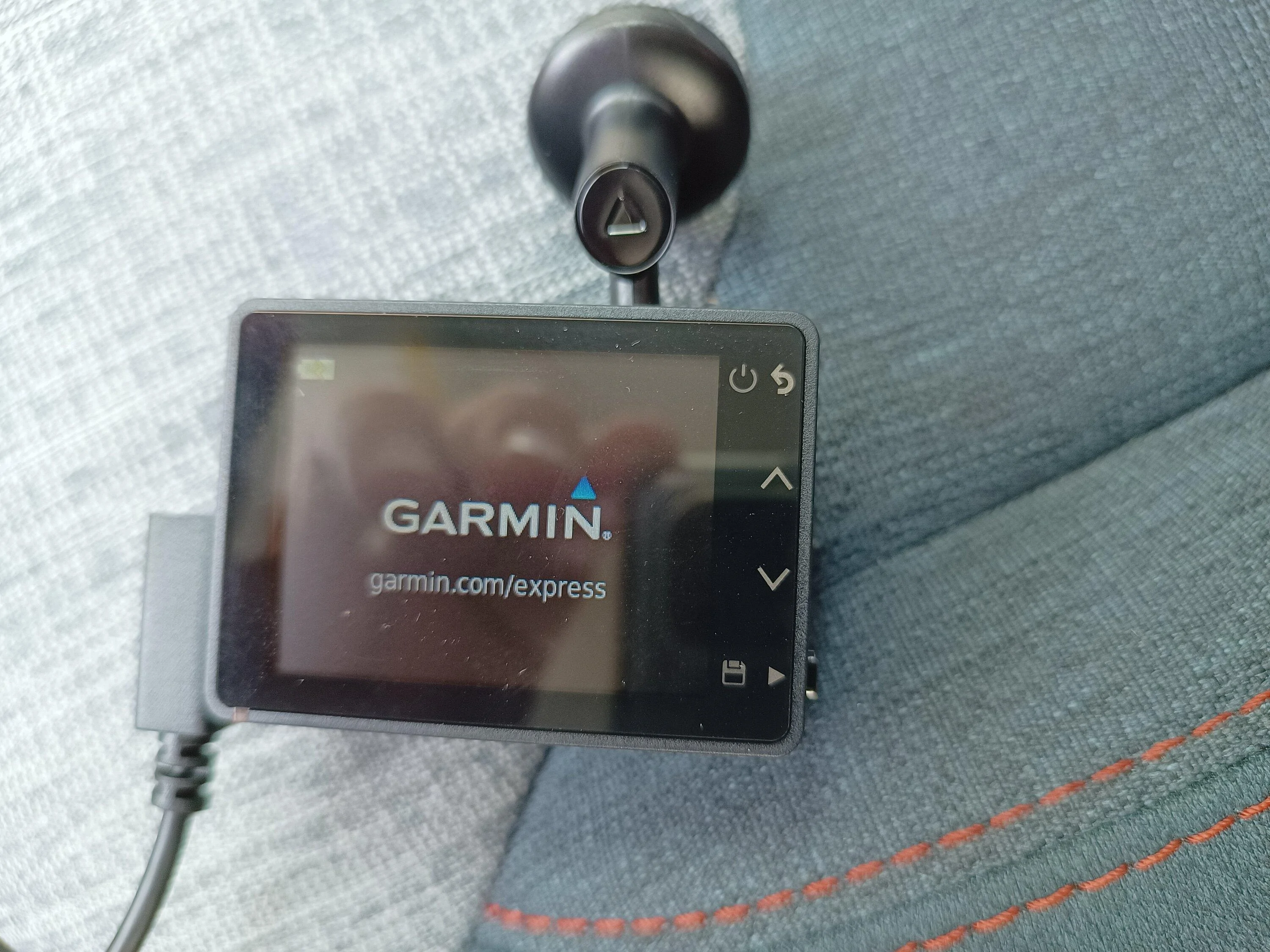
When I plug the Garmin into the USB-A port on the dashboard below the climate controls (see first photo) the Garmin starts when I turn on the vehicle, but never goes into "camera mode" and stays stuck on the screen shown in the second photo.
When I plug the Garmin into the cigarette lighter, it works fine, but stays on even after I shut off the vehicle. Apparently the cigarette lighter socket is "on all the time."
Which, is not the worst thing in the world, I just need to remember to shut the Garmin off when I shut off the vehicle. (As we age, memory is the second thing to "go." I forget what the first thing was...)
I use the USB-C port on the dashboard to connect my cell phone, and it works fine. When it is plugged in the main dashboard screen above the radio controls go straight to my cell phone's Waze mapping app (I have to open the cell phone first so it talks to the Maverick but that's a minor inconvenience.)
But not the Garmin. It just stays stuck on that screen below.
Suggestions?
Am I doing something wrong?
My plan, once I decide which Maverick will be the "permanent" one, is to have someone (who knows what they are doing because I don't want to get into the wiring) route the power source to a switched circuit. But I don't want to do that just yet.
I have a 2023 Maverick XLT Lux, and I have mounted a Garmin 67W Dashcam on the windshield.
Keep in mind, this is NOT the Maverick Lariat Lux that I ordered (I don't expect the one I ordered until fall at the earliest) so I got this one, well, because I wanted to.
So I have a decision when the Lariat that I ordered shows up, whenever that may be. Keep this one or sell it and get the Lariat? I like this one but some of the features on the Lariat are very appealing.
So, back to my, admittedly minor, dilemma.
My goal is to have the Garmin Dashcam turn on when I start the vehicle and turn off when I shut the vehicle off. This is because we had a Garmin Dashcam in our Subaru Outback that was "on all the time" that, when we didn't use the car for several days, would draw down the battery enough that it wouldn't start. But I digress.
When I plug the Garmin into the USB-A port on the dashboard below the climate controls (see first photo) the Garmin starts when I turn on the vehicle, but never goes into "camera mode" and stays stuck on the screen shown in the second photo.
When I plug the Garmin into the cigarette lighter, it works fine, but stays on even after I shut off the vehicle. Apparently the cigarette lighter socket is "on all the time."
Which, is not the worst thing in the world, I just need to remember to shut the Garmin off when I shut off the vehicle. (As we age, memory is the second thing to "go." I forget what the first thing was...)
I use the USB-C port on the dashboard to connect my cell phone, and it works fine. When it is plugged in the main dashboard screen above the radio controls go straight to my cell phone's Waze mapping app (I have to open the cell phone first so it talks to the Maverick but that's a minor inconvenience.)
But not the Garmin. It just stays stuck on that screen below.
Suggestions?
Am I doing something wrong?
My plan, once I decide which Maverick will be the "permanent" one, is to have someone (who knows what they are doing because I don't want to get into the wiring) route the power source to a switched circuit. But I don't want to do that just yet.
Sponsored