
Sponsored

generalmgr

2.0L EcoBoost
Well-known member
First Name
Wes
Joined
May 29, 2023
Threads
12
Messages
213
Reaction score
336
Location
Clarion, PA
Vehicle(s)
2023 Maverick XLT EB
Engine
2.0L EcoBoost
Clubs
 
I haven't made any progress on this. I haven't had the time to dedicate to it recently. I think it should be possible, just have to find the right setting in forscan. Hopefully soon I'll get some time here in the next couple weeks to mess around with it.
I just watched a YT video explaining how the ST cluster works. The speedo only shifts to the left when the adaptive cruise is turned on. Maybe try dus
I haven't made any progress on this. I haven't had the time to dedicate to it recently. I think it should be possible, just have to find the right setting in forscan. Hopefully soon I'll get some time here in the next couple weeks to mess around with it.
I just watched a YT video explaining how the ST cluster works. The Speedo shifts left when the adaptive cruise is turned on. Check in forscan to see if it’s enabled in your cluster…. Maybe disable that and see if things change.
Sponsored


awscheetz

2.0L EcoBoost
Well-known member
First Name
Aaron
Joined
Jan 13, 2022
Threads
15
Messages
112
Reaction score
51
Location
Calhoun,Ga
Vehicle(s)
2022 Maverick
Engine
2.0L EcoBoost
I've been using this cluster for a while, I had about 7 drive modes enabled. But I did a test on a escape cluster and in the process I deleted some. Can you tell me what your drive modes settings are and we can compare?

I can tell you I have 5 modes currently but I have no mud or snow. Or gravel.

I have normal, tow, slippery,eco,sport.
 

Iakona

2.0L EcoBoost
Well-known member
First Name
Jason
Joined
Jan 30, 2022
Threads
4
Messages
108
Reaction score
76
Location
Elgin, North Dakota
Vehicle(s)
2023 Maverick Tremor
Engine
2.0L EcoBoost
That's very nice work. At one time, I had swapped an all digital cluster from an Escape and encountered the same issue you did. With not being able to use any of the drive modes and the fact that I have a Tremor, I went back to the factory cluster because I lost WAY too many functions. However, I wish there was a digital cluster available from a similar Ford vehicle that would work with the Maverick Tremor as it is something I would desperately love to have in mine. Oh well I guess. LOL
 

Grammaton

2.0L EcoBoost
Active member
First Name
Ross
Joined
Mar 16, 2023
Threads
2
Messages
34
Reaction score
28
Location
Covina, CA
Vehicle(s)
2023 Ford Maverick AWD Lariat BAP 4K CP360+Assist
Engine
2.0L EcoBoost
I posted this in the escape cluster thread, but figured it probably deserves its own thread because it is not an escape swap.

I finally got a chance to install my explorer platinum 12” cluster. I started off with an escape 12” cluster that I got cheap locally. It worked great and was only 600 miles more than my odometer at the time. So I waited until I was over the escape’s mileage and then installed it in my 2024 Maverick XLT FX4. I was able to increase the mileage on the escape cluster to match my current odometer. I didn’t realize at first that I would lose tow/haul mode and snow/sand mode. I struggled to get the drive modes to work on my truck. I followed all of the recommendations in this post with forscan and spen at least another hour trying different settings. I could select a drive mode and it would work as long as the truck wasn’t started. Once I started the truck I couldn’t change the drive mode. Not even go back to normal.

So with that issue and losing the 2 modes I decided to find an explorer cluster. It was harder to find a deal on the explorer one, but got a decent deal on eBay. Unfortunately they didn’t list mileage on the listing, so I didn’t know what I was getting. When I received it I found that the mileage was about 30,000 more than my current odometer. I messaged Dave with @Clusters by Livnitup. I had Dave do 2 previous clusters for me in the past for my F-150s. He said he wasn’t sure if he could correct the explorer mileage, but would give it a shot. Luckily he was able to adjust the mileage to match my predicted odometer reading when I would receive it back.

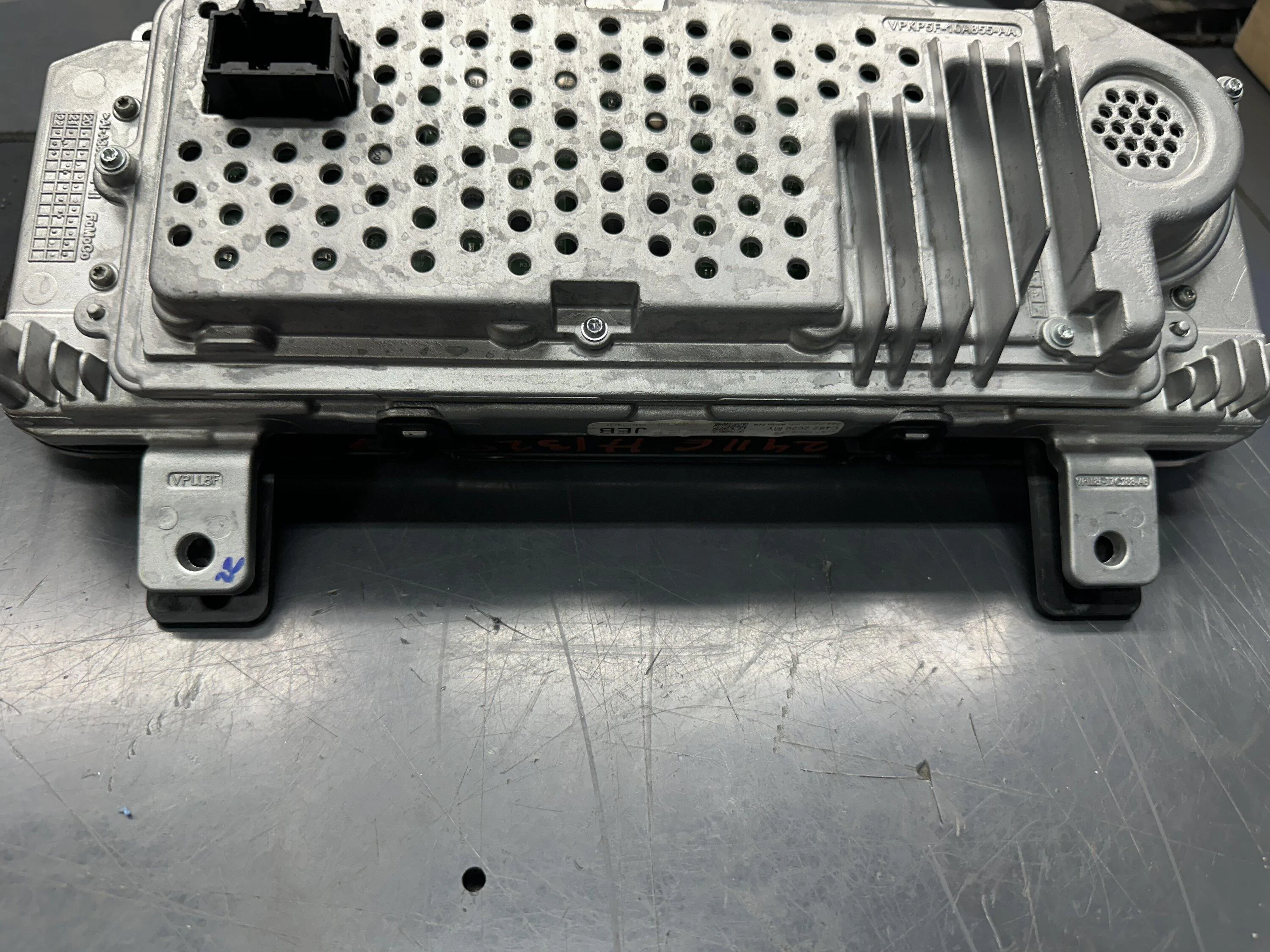
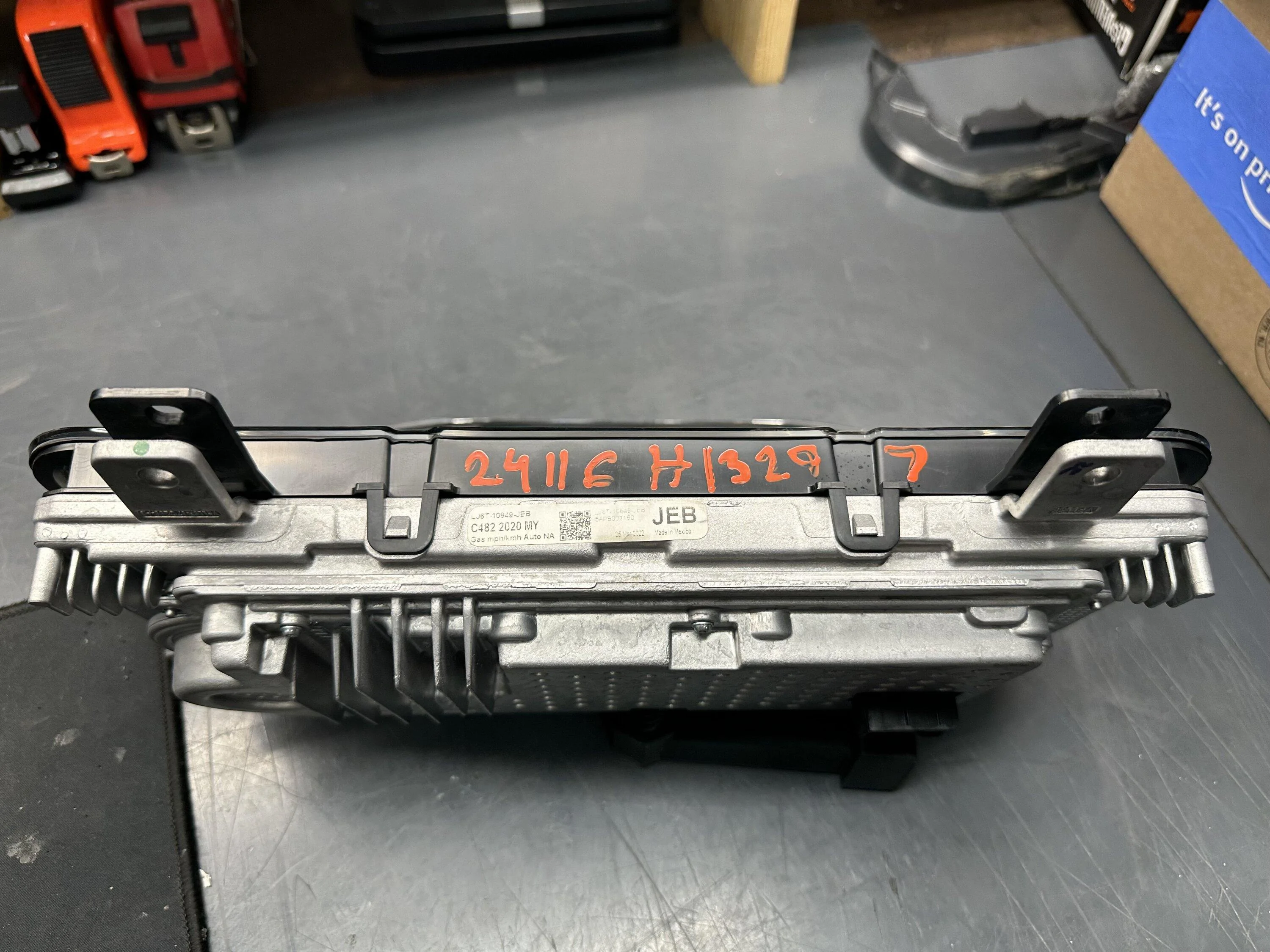
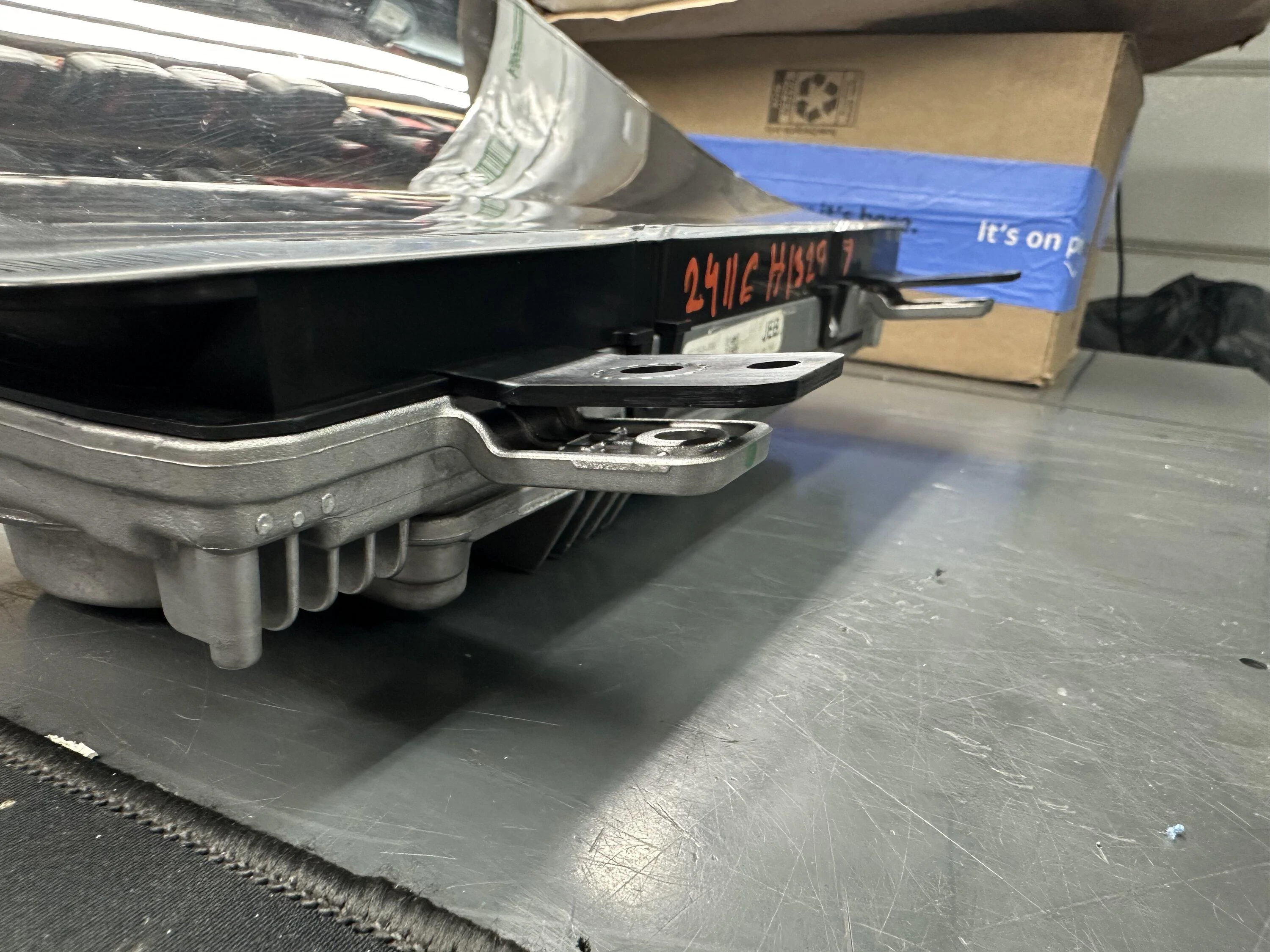
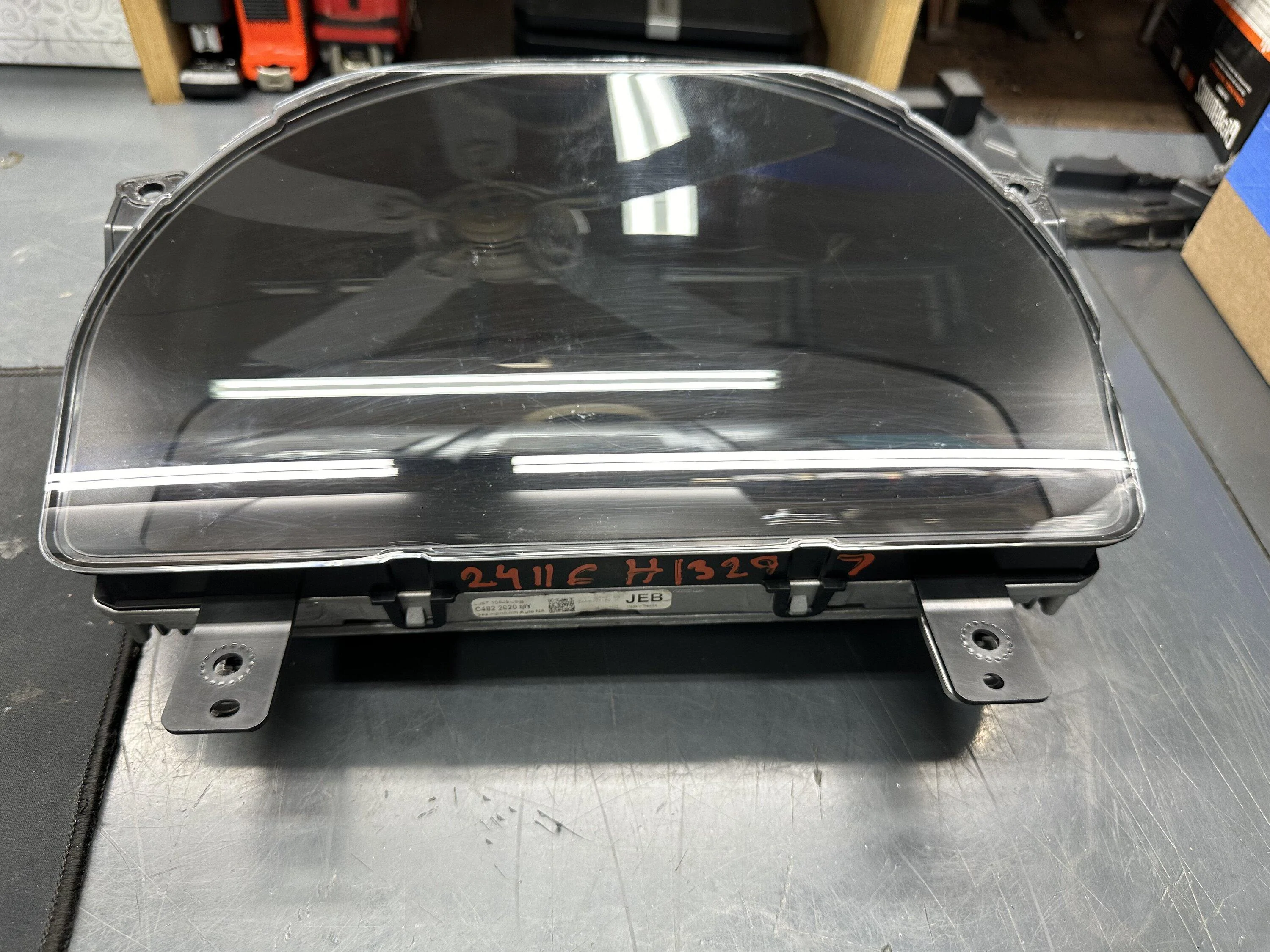
Last night I removed the escape cluster and tried to install the explorer cluster. I kind of had a feeling based on other people’s experience the explorer cluster wouldn’t mount with out some modifications. The main issue with the explorer cluster is the clear lens housing for some reason is a little bigger than the escape/maverick cluster. I figured it was worth a shot to swap the lens from the escape cluster to the explorer cluster. That worked with a little trimming of the plastic tabs where the bottoms bolts mount to the dash. I also had to make the aluminum tabs for the bottom bolts a little smaller. The explorer cluster has 2 bolt holes in the bottom tabs and the escape/ maverick only have one bolt hole. I used a cut off wheel on a dremel to trim the aluminum tabs. After cleaning the cluster and lens really good to remove the debris from the cutoff wheel I test fit it. Luckily with the slight modifications it fit just as it should.

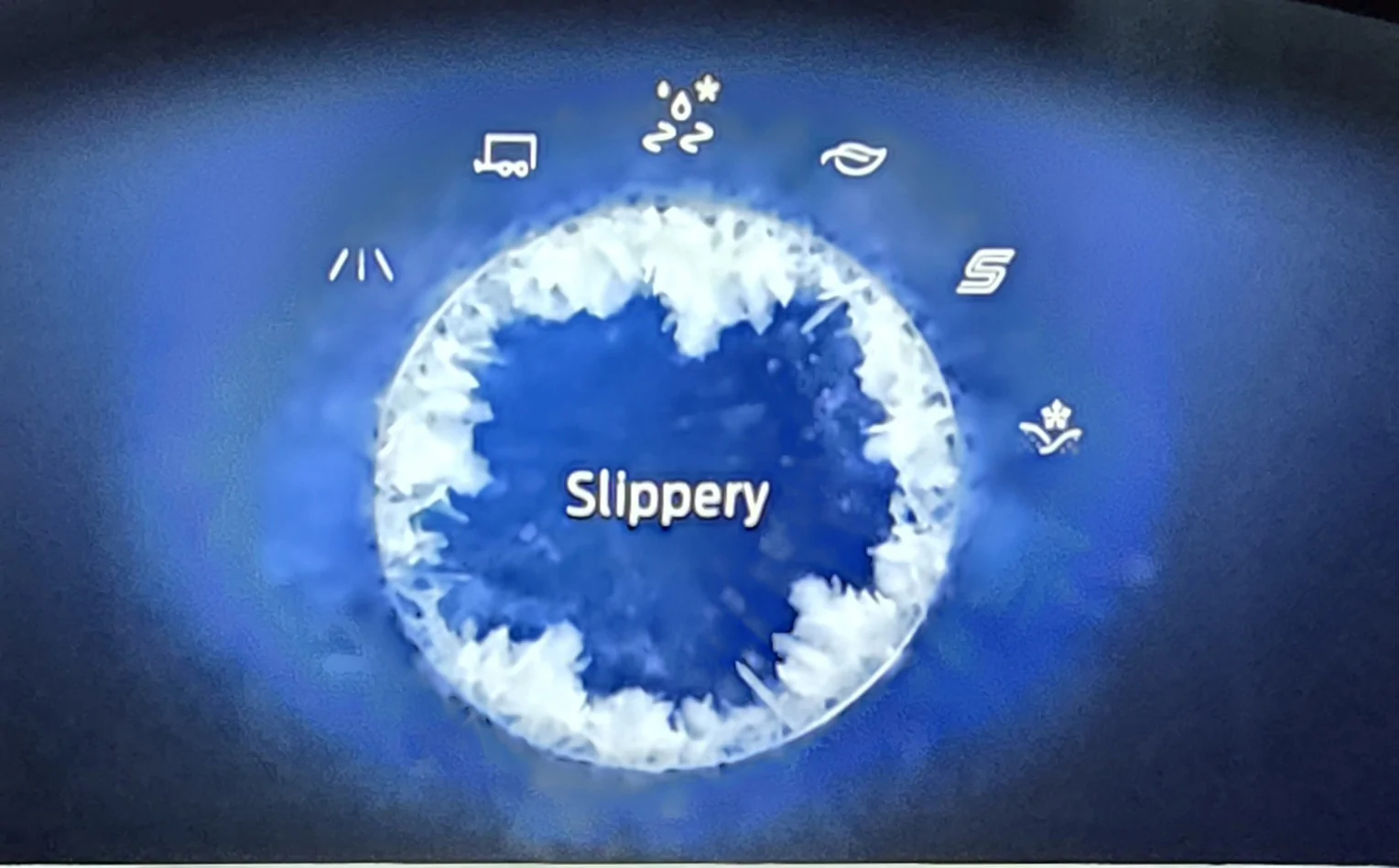
Once installed I tested the drive modes and all of the drives modes were there as they would be on a stock maverick cluster. I also test starting the truck and selecting and going thru the drive modes. Everything worked as it should.

So for anyone curious the explorer cluster will work with all drive modes. Down side is the slight modifications. I preferred not to modify the truck and that’s why I modified the cluster.

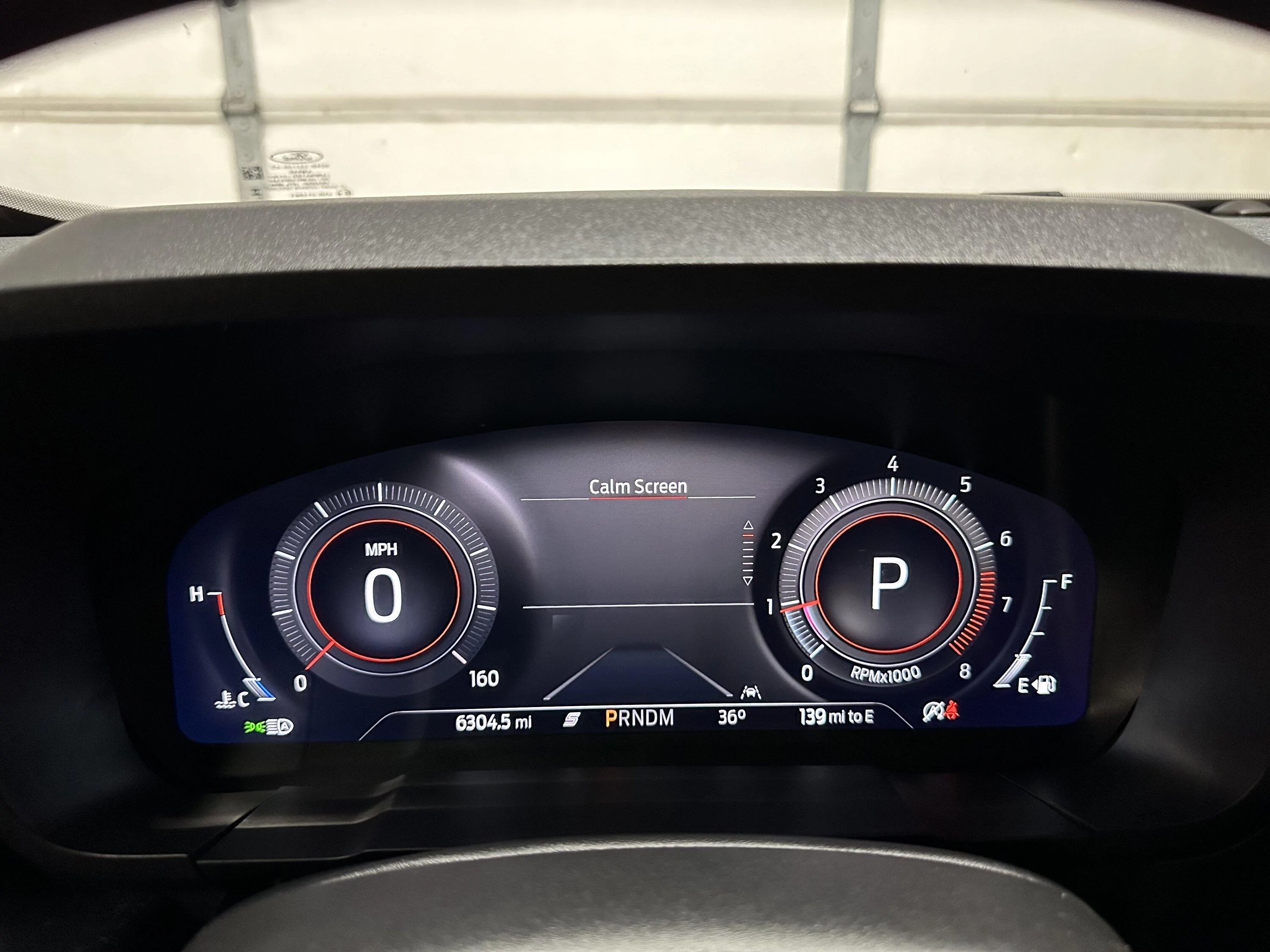
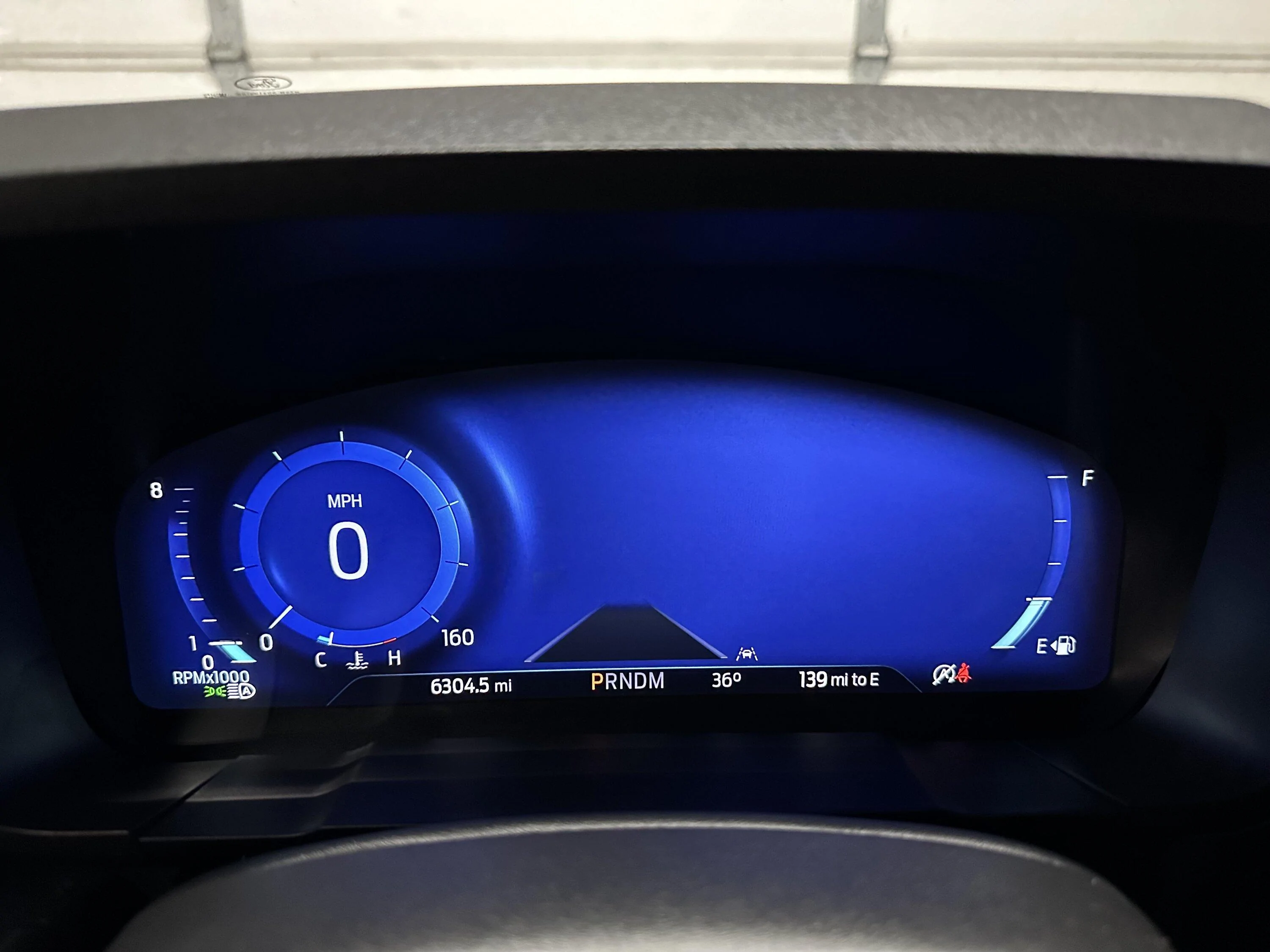
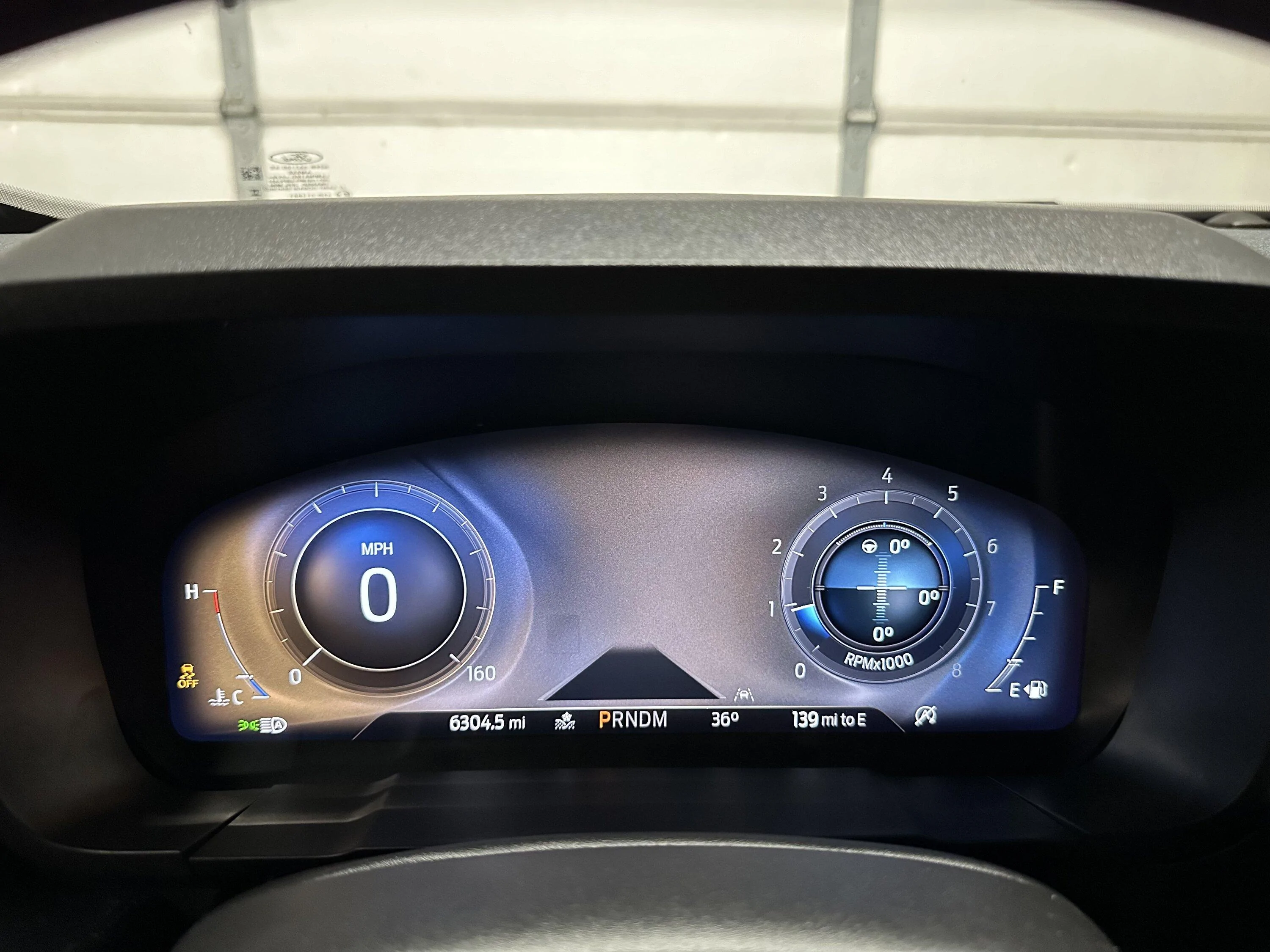
I'm attaching some photos, I wish I would’ve taken more pics. But you can see in some of them how the bottom tabs are different between the two vehicles. The pictures of the cluster removed show the explorer Lens on the escape

My only real gripe is that the normal mode doesn’t have the tach on the right side like the escape cluster does. Different modes have it on the right. But not normal or eco mode. I’m wondering if a firmware update would change that. But I doubt I’ll ever be able to get the firmware updated.

IMG_5791.webp


IMG_5799.webp


IMG_5798.webp


IMG_5789.webp


IMG_5800.webp


IMG_5813.webp


IMG_5814.webp


IMG_5810.webp


IMG_5809.webp
Can you list the drive modes you have on your Explorer Cluster?
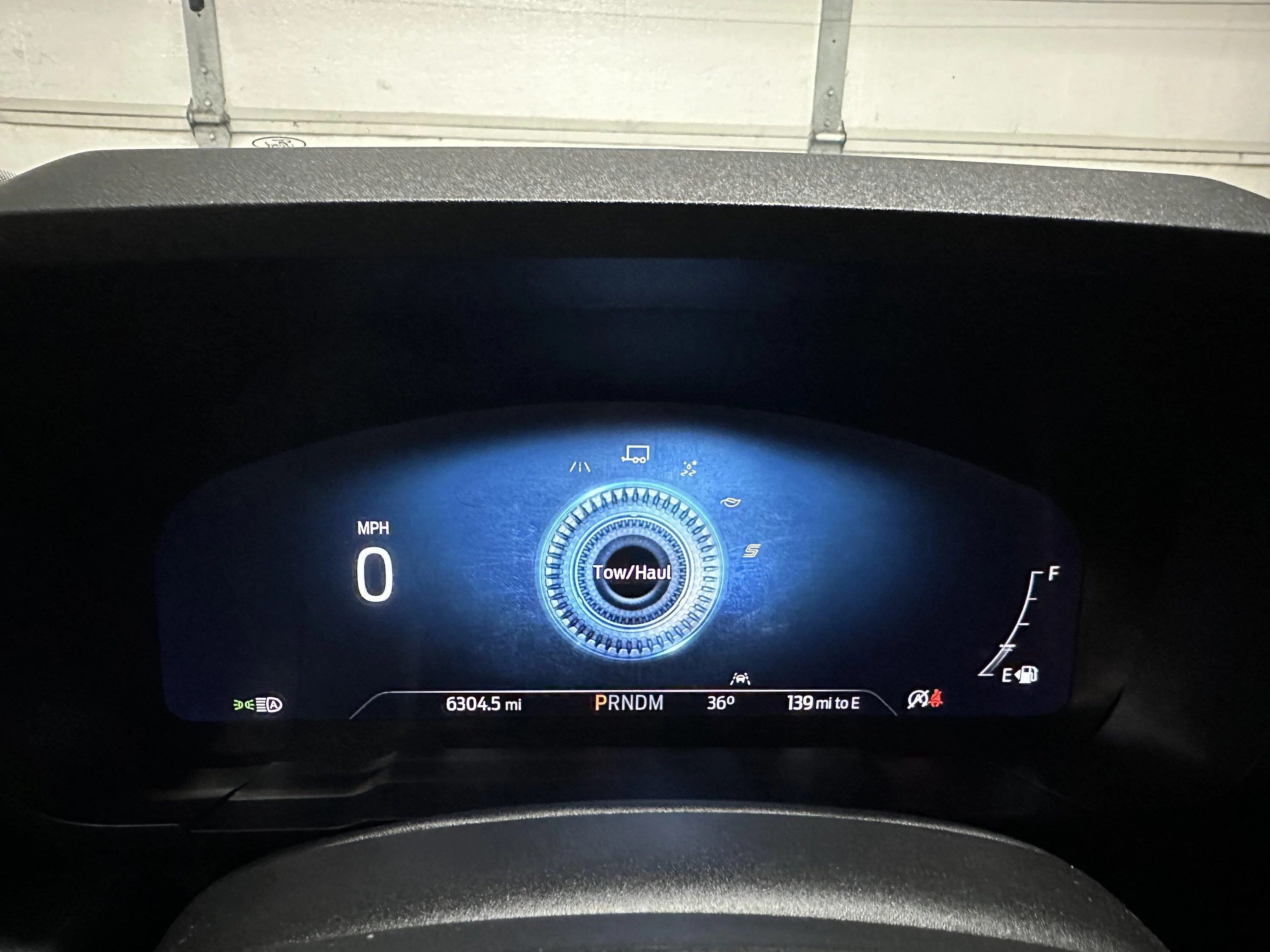
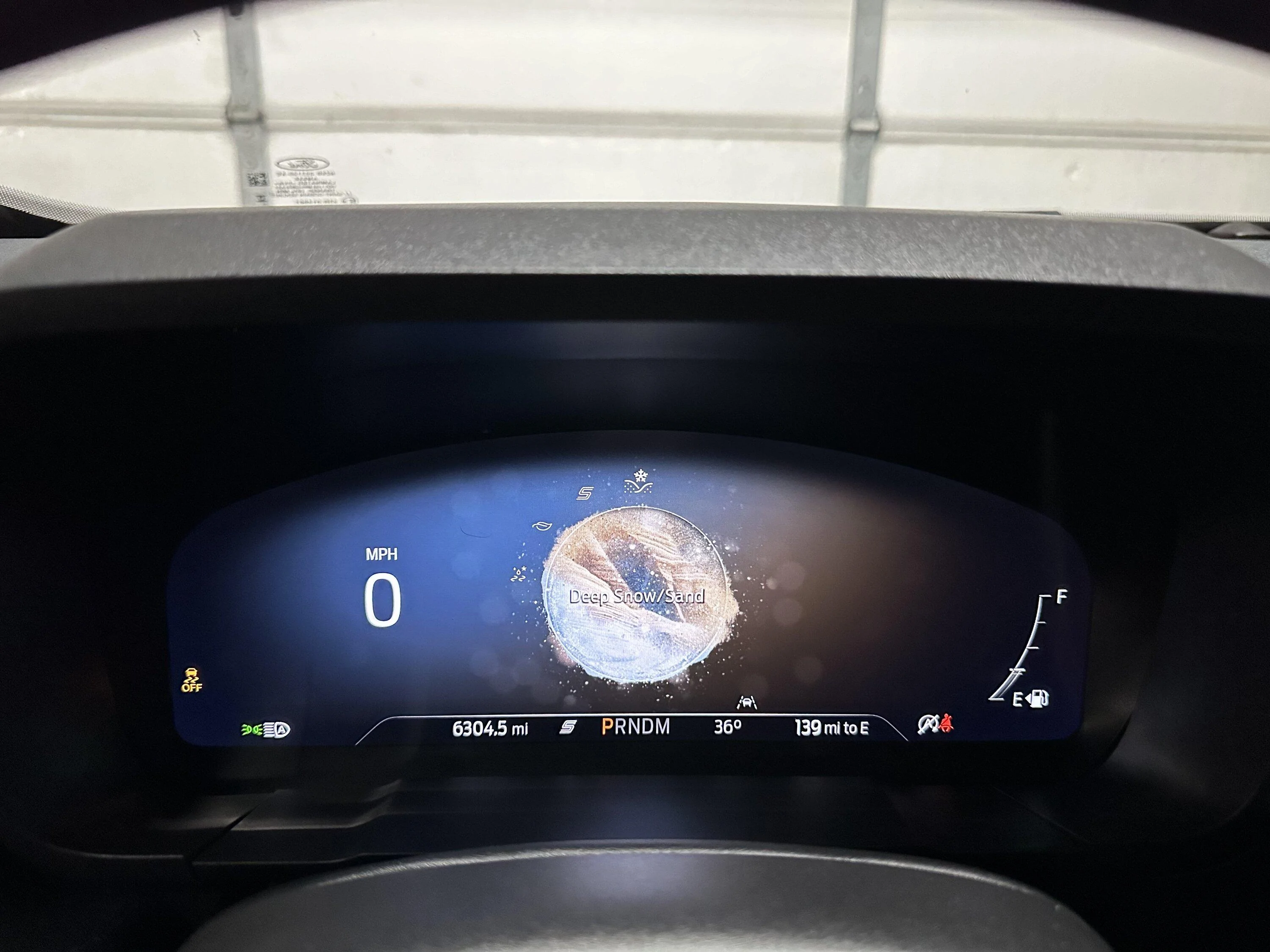
I have an 23 Maverick Lariat with Lux 4K EB and just did an Explorer Digital LB5T10849YE (King Ranch) upgrade from a Escape Digital LJ6T10849JEB which I had all 5 drives working minus Tow/Haul & Mud/Ruts.
On the Explorer Digital I have 6 modes only, I believe I'm missing Trail?
I currently have:
Normal,
Tow/Haul,
Slippery,
Eco,
Sport,
Deep Snow/Sand.

Ford Maverick Explorer 12” digital instrument cluster installed in my 2024 Maverick Drive Modes Explorer Cluster
 

PepperMav

2.0L EcoBoost
Member
First Name
Mike
Joined
Jan 17, 2026
Threads
0
Messages
21
Reaction score
15
Location
St. Charles MO
Vehicle(s)
86 Mustang, 04 Ranger, 21 Explorer Hybrid, 22 Maverick XLT, 24 Mustang Mach E
Engine
2.0L EcoBoost
What gets me is how the odometer data is within the cluster. Seems like an easy way for fraud if not for Ford Pass.
Your statement has me worried. I never thought about Ford Pass. What happens if it senses an unexpected change to mileage before forscan adjusts the odometer up correctly. Do I need to disable the telemetry module before the swap? Disconnect the link for Ford Pass from the center screen before swapping?

I want to swap the XL/XLT cluster for the Lariat, and was searching for a physical how-to writeup of opening the dash board and instrument panel and came upon this post.
 

Sponsored

Grammaton

2.0L EcoBoost
Active member
First Name
Ross
Joined
Mar 16, 2023
Threads
2
Messages
34
Reaction score
28
Location
Covina, CA
Vehicle(s)
2023 Ford Maverick AWD Lariat BAP 4K CP360+Assist
Engine
2.0L EcoBoost
Your statement has me worried. I never thought about Ford Pass. What happens if it senses an unexpected change to mileage before forscan adjusts the odometer up correctly. Do I need to disable the telemetry module before the swap? Disconnect the link for Ford Pass from the center screen before swapping?

I want to swap the XL/XLT cluster for the Lariat, and was searching for a physical how-to writeup of opening the dash board and instrument panel and came upon this post.
Ford Pass is of no concern, so I would forgetaboutit! No disabling of any modules or disconnecting from Ford Pass. I've done two Cluster exchanges, (1st was a Escape, 2nd a Explorer) without issues concerning Ford Pass. Not that I even bother to look at my Ford Pass app when doing these Cluster swaps! So don't worry about it!

Yes, the mileage is stored in the Cluster and can be viewed in the IPC Mileage Module and the Configuration Tab of Forscan shown in Kilometers. I like to use the Kilometer reading over Miles for better accuracy. Then you want to screenshot or note that mileage shown before you do the cluster swap.

Note its best if you acquire a replacement cluster with less mileage than you current mileage. Forscan will not allow you to decrease your current mileage (to prevent fraud), you can only advance it unless you go to Clusters By Livnitup and pay a fee with proof of current mileage to reduce the mileage on the replacement cluster to match your existing cluster.
So after the replacement cluster is installed, go back into Forscan and go back to the IPC Mileage Module and enter the your current mileage as noted before the cluster exchange after that do another reset and now your replacement cluster will have your current mileage. Next would be to load your backup IPC As-Built and then reset. You will probaly have a ton of DTC codes from the differences between the Lariat and XLT/XL option packages configurations you didn't have that a Lariat would!
 

PepperMav

2.0L EcoBoost
Member
First Name
Mike
Joined
Jan 17, 2026
Threads
0
Messages
21
Reaction score
15
Location
St. Charles MO
Vehicle(s)
86 Mustang, 04 Ranger, 21 Explorer Hybrid, 22 Maverick XLT, 24 Mustang Mach E
Engine
2.0L EcoBoost
Ford Pass is of no concern, so I would forgetaboutit! No disabling of any modules or disconnecting from Ford Pass. I've done two Cluster exchanges, (1st was a Escape, 2nd a Explorer) without issues concerning Ford Pass. Not that I even bother to look at my Ford Pass app when doing these Cluster swaps! So don't worry about it!

Yes, the mileage is stored in the Cluster and can be viewed in the IPC Mileage Module and the Configuration Tab of Forscan shown in Kilometers. I like to use the Kilometer reading over Miles for better accuracy. Then you want to screenshot or note that mileage shown before you do the cluster swap.

Note its best if you acquire a replacement cluster with less mileage than you current mileage. Forscan will not allow you to decrease your current mileage (to prevent fraud), you can only advance it unless you go to Clusters By Livnitup and pay a fee with proof of current mileage to reduce the mileage on the replacement cluster to match your existing cluster.
So after the replacement cluster is installed, go back into Forscan and go back to the IPC Mileage Module and enter the your current mileage as noted before the cluster exchange after that do another reset and now your replacement cluster will have your current mileage. Next would be to load your backup IPC As-Built and then reset. You will probaly have a ton of DTC codes from the differences between the Lariat and XLT/XL option packages configurations you didn't have that a Lariat would!
Thanks. Has anyone done the actual write up on how to remove the cluster without busting a bunch of trim clips?
 

Grammaton

2.0L EcoBoost
Active member
First Name
Ross
Joined
Mar 16, 2023
Threads
2
Messages
34
Reaction score
28
Location
Covina, CA
Vehicle(s)
2023 Ford Maverick AWD Lariat BAP 4K CP360+Assist
Engine
2.0L EcoBoost
Thanks. Has anyone done the actual write up on how to remove the cluster without busting a bunch of trim clips?

Here's a YT Video below that shows you. First extend your steering wheel out closest to you, then flip the low cluster trim piece to get to two bottom 7 mm bolts. Then pull back on the dash cluster bezel by pulling on the top forward piece, being careful about the right side clip. Then remove the two upper 7mm bolts. Then I like to pull the left side A/C vent to the left out of the way to get clearance to remove the cluster. Be careful on the right not to scratch any trim. Then unplug and swap in the replacement cluster. Here's the part number to the Dash Cluster Bezel in case....NZ6Z-26044D70-AB

Sponsored


Top