
Sponsored

Apple Car play sounds worse than Bluetooth?

Superg0

2.0L EcoBoost
Well-known member
Joined
Feb 1, 2024
Threads
9
Messages
1,060
Reaction score
1,498
Location
12020
Vehicle(s)
2024 XLT FX4 Azure Gray
Engine
2.0L EcoBoost
I'm having this issue where if I use the USB adapter to plug in my iPhone; the clarity, volume, and EQ settings are so much worse than if I use Bluetooth. Is there a setting somewhere in the phone or Mav that can make the USB sound as good as the Bluetooth? It seems like the USB should sound better? If you want to use maps or another app.....why does the music have to suffer? It would be such a pain if I wanted to listen to music via Youtube and have to unplug the usb and go to Bluetooth, then plug another charger into the non usb jack?!?!?!?!

When plugged into this port, it sounds half as good as Bluetooth
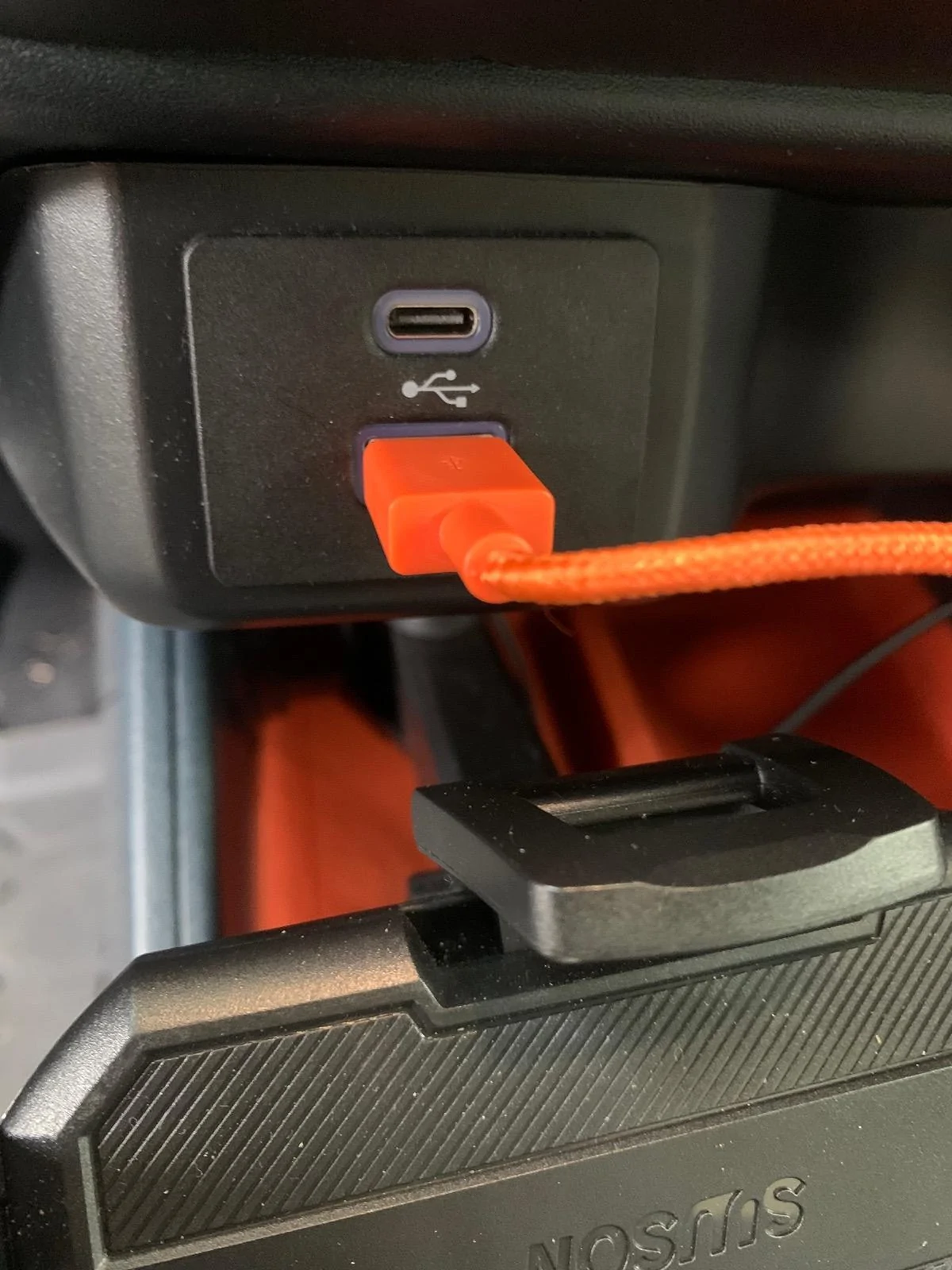
Ford Maverick Apple Car play sounds worse than Bluetooth? IMG_5139
Sponsored


Ozarkbeard

Well-known member
Joined
May 22, 2022
Threads
14
Messages
4,344
Reaction score
5,477
Location
.
Vehicle(s)
.
Engine
Undecided
Have you tried using the top USB port (USB-c)? That's the port I use for my Pixel phone. The sound volume and quality are fine.
 

mdsalemi

2.5L Hybrid
Well-known member
First Name
Michael
Joined
Aug 1, 2023
Threads
10
Messages
182
Reaction score
221
Location
Davidson NC
Vehicle(s)
2023 Maverick Lariat Hybrid
Engine
2.5L Hybrid
My sound quality is fine...however I have a Lariat with B&O sound system AS DELIVERED. It's wonderful in any mode, no matter how you connect a phone, Sirius, radio, etc.
 

shipmack

2.0L EcoBoost
Active member
First Name
Chris
Joined
Feb 29, 2024
Threads
2
Messages
32
Reaction score
28
Location
SE MI
Vehicle(s)
2022 Maverick XLT Lux Pkg 4K COPilot360 Area 51
Engine
2.0L EcoBoost
Clubs
 
I have the same issue with Android Auto. Connecting to both the USB-A and USB-C ports of the truck do not compare to the volume and sound quality over bluetooth. I even bought a better USB cable that stated it had a 10gbps data rate and specifically for Android Auto thinking it would be better. It wasn't.
 

Alwright

2.5L Hybrid
Member
First Name
Alex
Joined
Feb 6, 2024
Threads
1
Messages
12
Reaction score
3
Location
Alabama
Vehicle(s)
2024 Hybrid Ford Maverick Lariat
Engine
2.5L Hybrid
B&O sound system and iPhone 15 user here. I have found that Sirius quality is much better through the Ford system. Apple play reduces volume significantly
 

Sponsored

Ozarkbeard

Well-known member
Joined
May 22, 2022
Threads
14
Messages
4,344
Reaction score
5,477
Location
.
Vehicle(s)
.
Engine
Undecided
I have the same issue with Android Auto. Connecting to both the USB-A and USB-C ports of the truck do not compare to the volume and sound quality over bluetooth...
What phone and what music apps do you use?

I typically use Pandora ad-free account for streaming and Pulsar+ for music stored on my phone.
 

shipmack

2.0L EcoBoost
Active member
First Name
Chris
Joined
Feb 29, 2024
Threads
2
Messages
32
Reaction score
28
Location
SE MI
Vehicle(s)
2022 Maverick XLT Lux Pkg 4K COPilot360 Area 51
Engine
2.0L EcoBoost
Clubs
 
What phone and what music apps do you use?

I typically use Pandora ad-free account for streaming and Pulsar+ for music stored on my phone.
My phone is a Samsung S23. I use Sirrus and Samsung Music. Am I right in assuming that the two apps you use do not degrade the sound quality and volume campared to over bluetooth?
 

HeyBales

2.5L Hybrid
Well-known member
First Name
Mike
Joined
May 3, 2024
Threads
4
Messages
4,947
Reaction score
4,549
Location
KC Metro area
Vehicle(s)
2005 Toyota RAV4, 2024 XLT Hybrid
Engine
2.5L Hybrid
I have the same issue with Android Auto. Connecting to both the USB-A and USB-C ports of the truck do not compare to the volume and sound quality over bluetooth. I even bought a better USB cable that stated it had a 10gbps data rate and specifically for Android Auto thinking it would be better. It wasn't.
I doubt it's going to be a speed issue of the cable, but rather the phone assuming a bit-rate or compression using Android Auto should be lower for some reason.
Perhaps it assumes with other info going back and forth like video it needs to auto-compress the audio to leave bandwidth available.

Or maybe it is auto-checking and the bandwidth limit isn't the cable but the Mav side, so it's reducing audio for potential video and back and forth requirements.

Bluetooth being audio only though, much better.

I thought I recalled someone tracing down the USB-C port and it was direct tie-in to the USB-A cable, meaning both actually USB-A speeds, I don't see blue on port so likely 2.x version - so 480 Mbps.

I'll see if I can find a speedtest app I had.
 

Ozarkbeard

Well-known member
Joined
May 22, 2022
Threads
14
Messages
4,344
Reaction score
5,477
Location
.
Vehicle(s)
.
Engine
Undecided
My phone is a Samsung S23. I use Sirrus and Samsung Music. Am I right in assuming that the two apps you use do not degrade the sound quality and volume campared to over bluetooth?
AFAICT, no, they do not.

That being sad, typically I do not connect the phone with a cable because I rarely use Android Auto unless on a long trip. And I don't find the need to charge my phone while driving because it usually goes all day without needing a charge. Plus, it's not good for phone's battery health to keep it at 100% charge all the time.
 
OP
OP
Superg0

Superg0

2.0L EcoBoost
Well-known member
Joined
Feb 1, 2024
Threads
9
Messages
1,060
Reaction score
1,498
Location
12020
Vehicle(s)
2024 XLT FX4 Azure Gray
Engine
2.0L EcoBoost
I have run into some reddit posts and Apple forum posts that this an actual issue. Not with just Ford products either.

The below is actuall from 3 years ago


CarPlay pro tip if your audio sounds muffled / loses its bass & volume


I've been struggling with Spotify audio via CarPlay ever since I upgraded by 2017 GT almost a year ago. Finally realized that Siri is the problem.
If your audio sounds like its playing in the background of another audio stream (no bass, poor highs, very quiet)...there's a simple fix -> press the Siri button (Audio assistant button on the left side of the steering wheel) and then press it again for Siri to go away. After Siri is dismissed, audio returns to its normal levels.
3.1.24 UPDATE: I think I finally figured it out the actual fix
  • There are two places you need to change the settings, Google Maps AND Apple Maps (even if you only use Google Maps)
  • Apple Maps
    • Even if you use Google Maps, the settings in Apple Maps impact Car Play
    • Open Apple Maps Settings (via Settings)
    • Go To Spoken Directions
    • Turn OFF Directions Pause Spoken Audio
  • Google Maps
    • Go to Settings >> Navigation
    • Turn OFF Play Voice over BlueTooth
  • Problem Solved!!!
12.6.23 UPDATE: 3 years later this is still a problem.
The two workable solutions that have been found are
  1. Uninstall Google Maps and Waze, then reinstall Google Maps but do NOT grant it microphone permissions. It seems like it's a Google Assistant / Apple Carplay / Siri collision.
  2. Switch the location services of the Alexa app from “always use” to “only while using the app”. This fixed it for u/holodoctor1
Sponsored


Top