Sponsored

BigT

2.0L EcoBoost
Well-known member
First Name
Todd
Joined
Aug 10, 2021
Threads
9
Messages
76
Reaction score
83
Location
South Dakota
Vehicle(s)
Ford Maverick
Engine
2.0L EcoBoost
Ford Maverick šŸ“± Scriptable FordPass Widget For Maverick (iOS, iPad, MacOS) 1639590834555

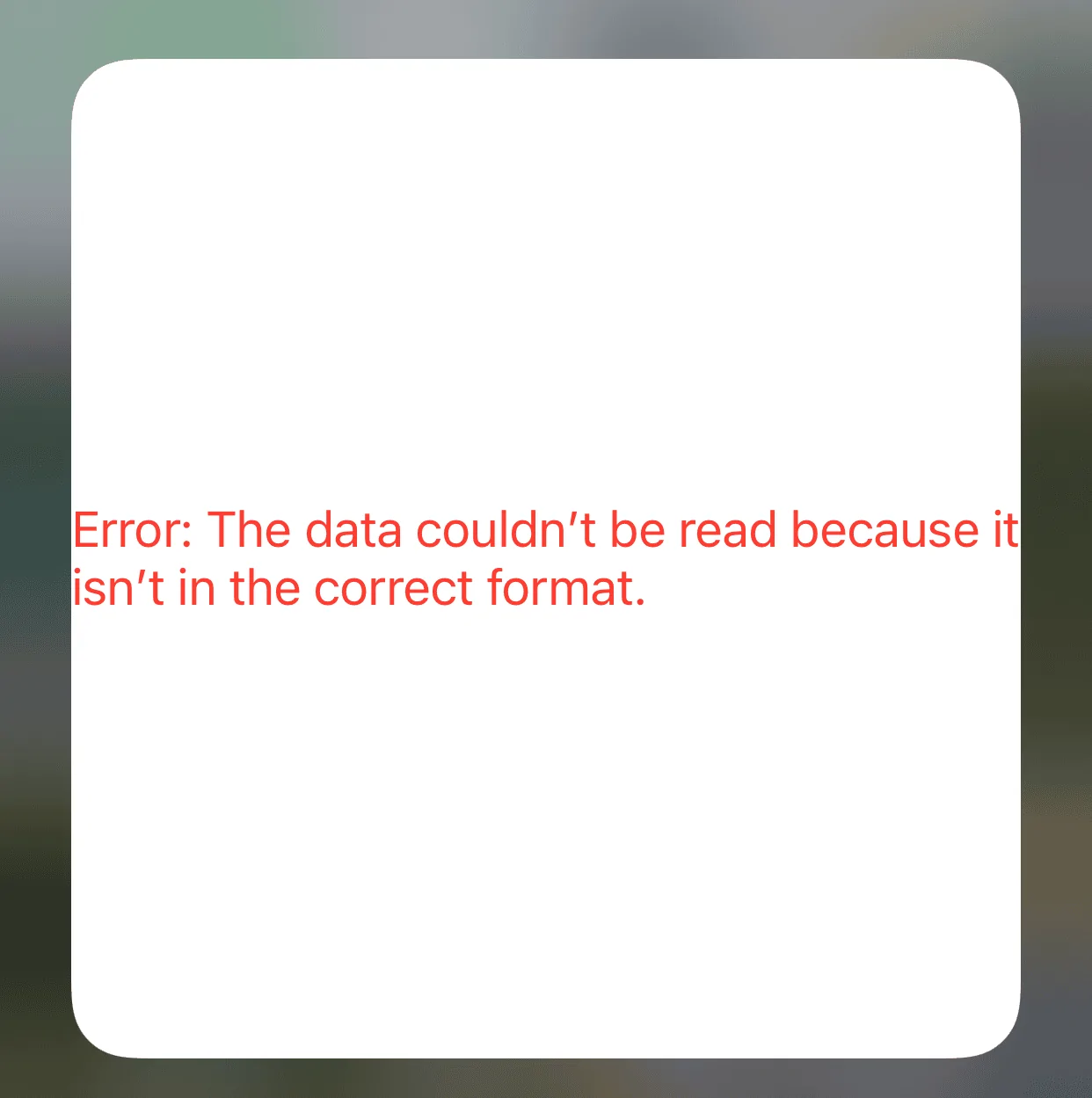
What would cause this error?

additionally, is it safe to say that if I haven’t taken delivery yet the script won’t work?
Sponsored


 

Captain

2.0L EcoBoost
Well-known member
First Name
Jim
Joined
Sep 19, 2021
Threads
13
Messages
896
Reaction score
1,185
Location
Union County, NJ
Vehicle(s)
63 Nova Convertible /
Engine
2.0L EcoBoost
Clubs
 
I am honestly impressed, but I don't understand what I'm reading here. Could you please explain what this does? I'd appreciate it very much... I thinking my age is showing.
 

OldMavGuy

2.5L Hybrid
Member
Joined
Oct 28, 2021
Threads
0
Messages
21
Reaction score
44
Location
FL
Vehicle(s)
Hyundai Santa Fe
Engine
2.5L Hybrid
I am honestly impressed, but I don't understand what I'm reading here. Could you please explain what this does? I'd appreciate it very much... I thinking my age is showing.
For an IOS device (Apple) you would download an app in the AppStore called Scriptable. This app allows you to interact with the operating system in a non-invasive (I think) way to create widgets. There are hundreds or more scripts out there that you can run, not just Ford. Once you download this code and run in Scriptable, you can run different widgets/features (again, new to this script and don't have my Maverick yet, so just speculation). If you have an Apple device, download the free app and give it a try. Just understand that anytime you run code like that presented here, be sure you know where it comes from to be sure it doesn't do more than you want, like steal info or plant a virus in your device. Just use caution and enjoy!

Edit: This works with Ford Pass.
 
Last edited:

Captain

2.0L EcoBoost
Well-known member
First Name
Jim
Joined
Sep 19, 2021
Threads
13
Messages
896
Reaction score
1,185
Location
Union County, NJ
Vehicle(s)
63 Nova Convertible /
Engine
2.0L EcoBoost
Clubs
 
For an IOS device (Apple) you would download an app in the AppStore called Scriptable. This app allows you to interact with the operating system in a non-invasive (I think) way to create widgets. There are hundreds or more scripts out there that you can run, not just Ford. Once you download this code and run in Scriptable, you can run different widgets/features (again, new to this script and don't have my Maverick yet, so just speculation). If you have an Apple device, download the free app and give it a try. Just understand that anytime you run code like that presented here, be sure you know where it comes from to be sure it doesn't do more than you want, like steal info or plant a virus in your device. Just use caution and enjoy!

Edit: This works with Ford Pass.
Thank you, so I could use my iPhone to do things like, start, lock/unlock? Won’t I be able to do that with Ford Pass?
 

hopsnbarley91

2.5L Hybrid
Well-known member
First Name
Aaron
Joined
Sep 27, 2021
Threads
1
Messages
158
Reaction score
178
Location
St. Louis, MO
Vehicle(s)
2014 Toyota Sienna, 2022 Ford Maverick XL
Engine
2.5L Hybrid
Clubs
 

Sponsored

Mllombardi

Well-known member
Joined
Oct 21, 2021
Threads
4
Messages
151
Reaction score
289
Location
New England
Vehicle(s)
XL
Engine
Undecided
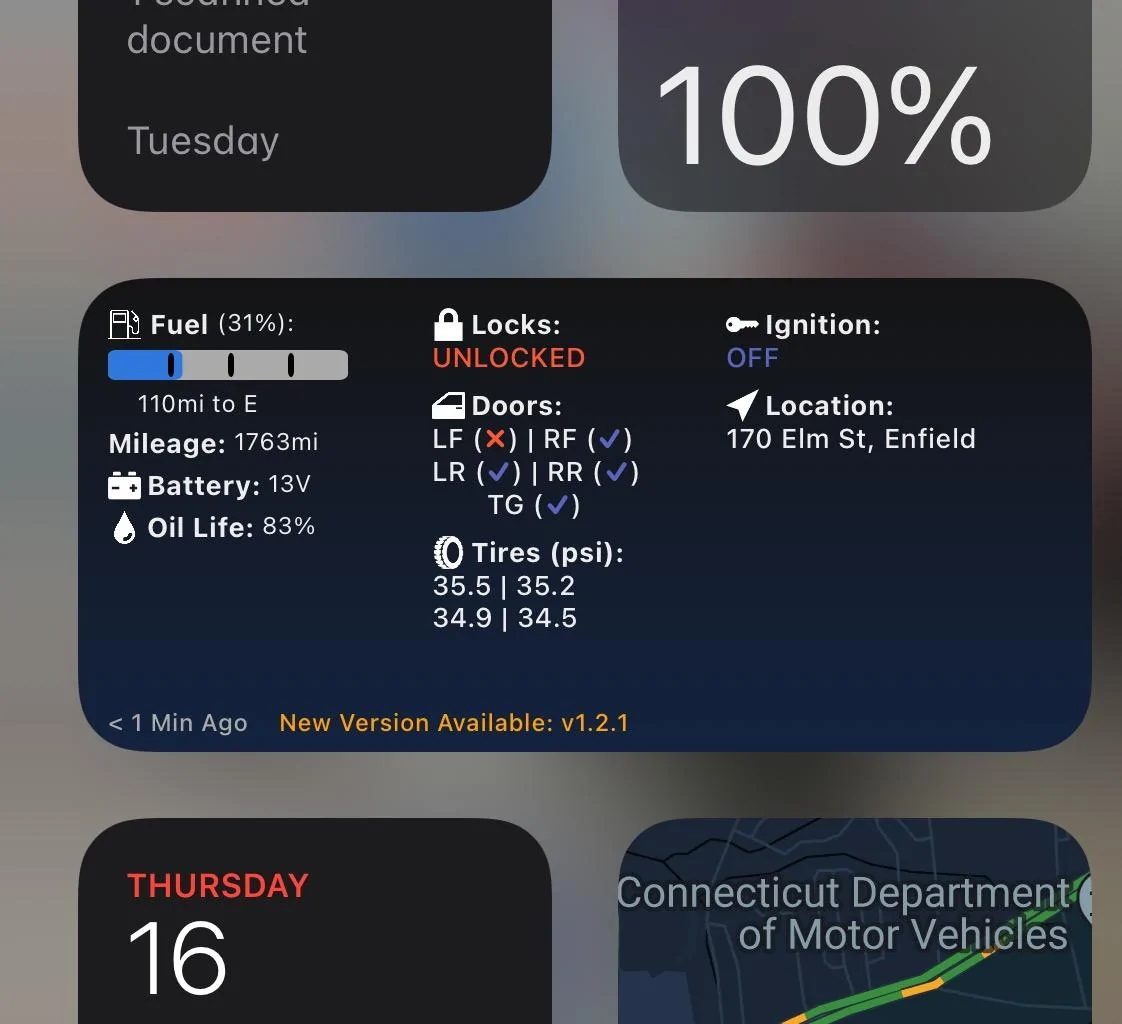
The widget is announcing that a new version 1.2.1 is available but I think the version those of us using it have been using is modified to work on the maverick.
Has anyone gotten the newest release to work on the maverick?

Ford Maverick šŸ“± Scriptable FordPass Widget For Maverick (iOS, iPad, MacOS) A5AC8625-2827-484B-BEB3-B53913D10E34
 

rtkegger

Active member
First Name
Tom
Joined
Dec 2, 2021
Threads
3
Messages
34
Reaction score
62
Location
Blue Springs, Missouri
Vehicle(s)
2013 Silverado
Reposted from sister sites F150gen14 and MachEForum
Original post by @tonesto7:
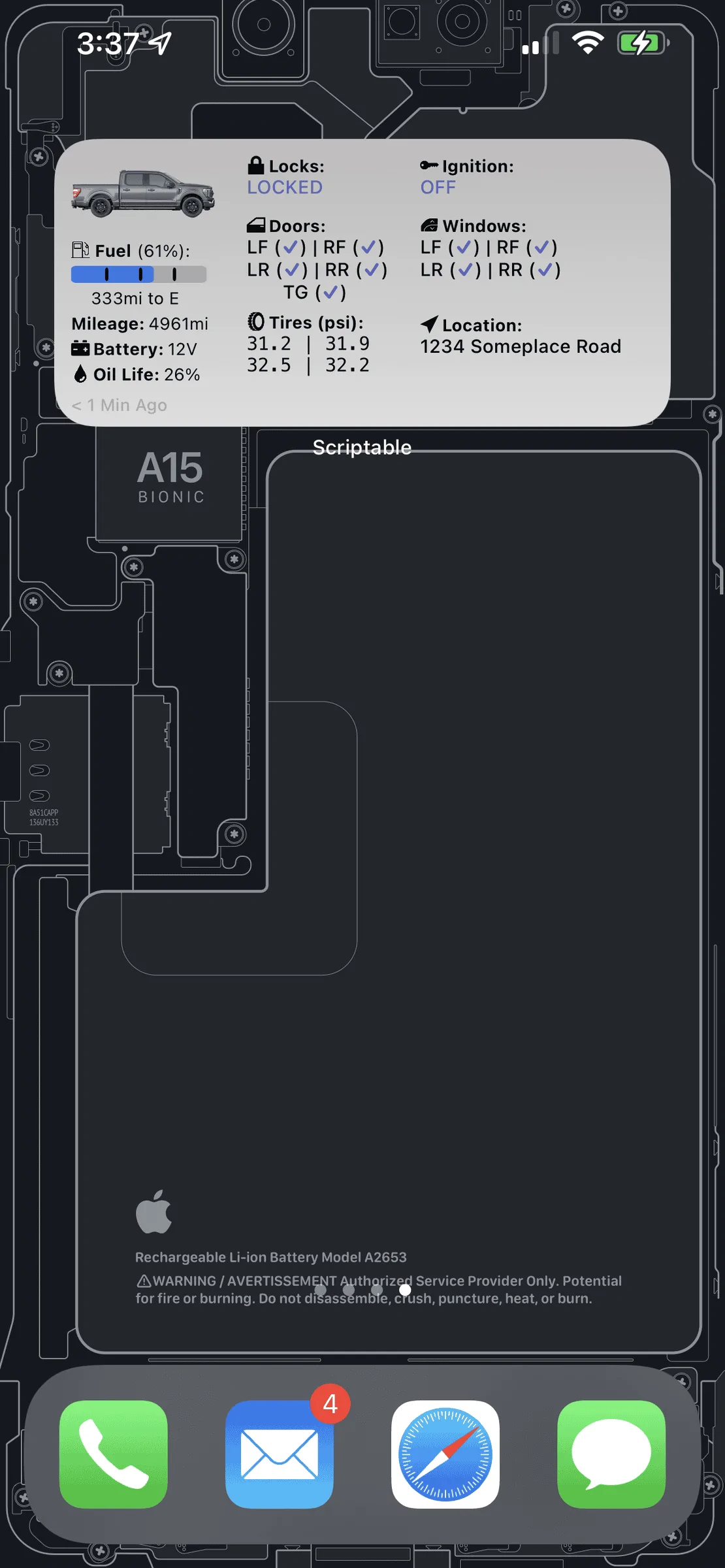
I figured I would share something I've been working on.
Many months ago I found a fordpass widget while searching for some Ford pass API stuff.
At the time I didn't even know what Scriptable was...
I work with Javascript every day so this was an amazing find for me and it allowed me to interface with my truck without having to use the FP app.
So I completely refactored the entire script into an alternative control to FordPass.
Take a look at the readme file and you will see what it does...
It stills needs more work to be very easy to show the right icons and names for the entire ford lineup but it will get there.
1639255355685-png-png-png.png
Please open up issues or feature requests here https://github.com/tonesto7/fordpass-scriptable/issues
If you are a coder yourself please submit pull requests and I will gladly merge them if they make sense.
Thanks again to dschablowsky for all his work on the original script...
I may have to change to an IPhone
 

tonesto7

Member
First Name
Anthony
Joined
Dec 20, 2021
Threads
1
Messages
8
Reaction score
45
Location
Ann Arbor, MI
Vehicle(s)
2021 F150 Lariat 502A
Sorry I didn't realize the admin shared this here as well :)
Time to play catchup on the release notes (There's a lot)

Release v1.1.0: (12/13/2021)
  • Pulls in your actual vehicle image from Ford
  • Now collects your vehicle's actual capabilities so I can make sure to only show you menu items supported by your vehicle.
  • Support for Trailer Light Check (trucks only)
  • Cleaned up the menu items
  • Lot's of fixes to prevent a loop if the wrong credentials are entered.
  • More items that I can't remember :)
Release v1.1.1: (12/14/2021)
  • Initial support of Electric Vehicles (battery charge, and range)
  • Added screen size detection to adjust the font size on iPhones with smaller displays. (Will be used later to fine-tune the padding of the widget).
  • Added a version check to show you on the widget and main menu if there is a new version available.
  • Low Voltage Battery Text now shows up as a red when it is low.
  • Status Text is displayed at the bottom of the widget. When a vehicle is in deep sleep mode, the firmware update is in progress, or the vehicle is in a low voltage battery state, the status text will be displayed.
  • Fixed bug in using metric and defining psi tire pressure.
  • Tweak the padding of the widget to make it more consistent.
  • Fixed tire pressure font so it matches the rest of the widget.
Release V1.2.1 (12/15/2021)
  • Refactored the entire authentication mechanism to get the newer token required for advanced commands and API data calls.
  • Added support for advanced commands like SecuriAlert, and likely any future commands.
  • Fixes for passwords with special characters (hopefully)
  • Updated menu navigation labels and menus so that you can go back to previous menus instead of exiting each time.
  • Added a debug menu under the widget settings menu. It will allow you to save all vehicle data to your device clipboard for easy sharing with me or others.
  • Added an OTA API page under the debug menu as well. (it's just the output in JSON)
  • Added a Vehicle Data page under the debug menu as well.
  • Fixed the way that door status is captured and hopefully fixes errors and will accommodate 2-door vehicles better.
  • Lots of other little fixes.
Release v1.2.3 (12/17/2021)
  • Added in a placeholder image for vehicles that don't have an image.
  • Fixed a bug for using psi tire pressure and metric units.
  • Automatically determine measurement units like distance, pressure, and locale from your Ford account. This should allow support for users outside North America.
  • Added Light/Dark mode to OTA and vehicle data pages.
  • Many more bug fixes and optimizations.
Release v1.3.0 (12/18/2021)
  • Modified the VIN field to store VIN as an uppercase string.
  • Added additional VIN format validations to setup prompt (Makes sure it's the right length and doesn't have any special characters).
  • Fixes and additional error handling for reported issues in the forums.
  • Modified the widget timestamp to reflect the last time the vehicle checked in and matches the last communication in the FordPass App (It's more descriptive now as well)
  • Added the ability to hardcode an id into the script to allow for multiple instances for multiple vehicles. See the SCRIPT_ID in the script header (Not fully tested).
  • Reworked the way all the window, door, and tire details are generated. They should now be laid out symmetrically.
  • Tire pressure numbers will change color based on different pressures states for low or critical. (see the widgetConfig.tirePressureThresholds parameter in the script header to define custom values)
  • Restructured the bottom of the widget to display events like low battery, deep sleep, firmware update, and any other errors. (It's also on a different line than the timestamp now).
  • Updated the widget generation logic to support the different iOS widget layouts [small, medium, large, extraLarge] (Actually layout changes coming soon).
  • Started working on the small widget layout working (needs a lot more work)
Release v1.3.1 (12/19/2021)
  • Fixed Oil Life showing no data.
  • Fixes for timestamp offset text at the bottom are offset too much.
  • Shows warning for Low Oil Life and low oil.
  • Fixed issue with advanced control menu going to wrong sections when only certain items were shown due to the vehicle capabilities.
  • Fixed the Alerts not allowed in widget error (this is really shown because the saved VIN is invalid)
  • Fixed repeated login prompt because of the `deviceLanguage` variable missing from the setUserPrefs call. Removed the requirement as it's not being used right now
Release v1.3.2 (12/20/2021)
  • Fixed issues with distance and pressure units not matching those set in FordPass app settings (Only refreshes when values are missing and every 5 minutes).
  • Fixed vehicle image when multiple versions of the script are selected.
  • Fixed the status message left offset when there were any messages.
  • Fixed some unhandled variables errors.
  • Updated the WebView titles to remind users that their personal info (VIN, address, position, etc) has been scrubbed from the data they are viewing.
Release v1.3.3 (12/20/2021)
  • Fix for some vehicles reporting rear windows with a status of undefined and showing open in the widget.
  • Fix for some vehicles not having the windows status for front windows.
  • Other fixes to handle undefined values in the vehicle data.
Download Link:
https://raw.githubusercontent.com/tonesto7/fordpass-scriptable/main/Fordpass Widget.js

Instructions:
tonesto7/fordpass-scriptable: FordPass Widget for Scriptable (github.com)

What's Next?

  • Slowing down on features and focusing on stability.
  • Working on small widget layout.
  • Script Updater
Community:
Discord: https://discord.gg/VPw3zw9v
 

tonesto7

Member
First Name
Anthony
Joined
Dec 20, 2021
Threads
1
Messages
8
Reaction score
45
Location
Ann Arbor, MI
Vehicle(s)
2021 F150 Lariat 502A
I almost have an installer tool working which means no more copying the script anymore.
You will install a single script FordWidgetTool and it will install and update to the latest version on every run.

I hope to have it ready for testing by the end of the day today.
 
Sponsored
Joined
Oct 31, 2021
Threads
5
Messages
19
Reaction score
33
Location
Here
Vehicle(s)
Maverick
Engine
2.0L EcoBoost
I almost have an installer tool working which means no more copying the script anymore.
You will install a single script FordWidgetTool and it will install and update to the latest version on every run.

I hope to have it ready for testing by the end of the day today.
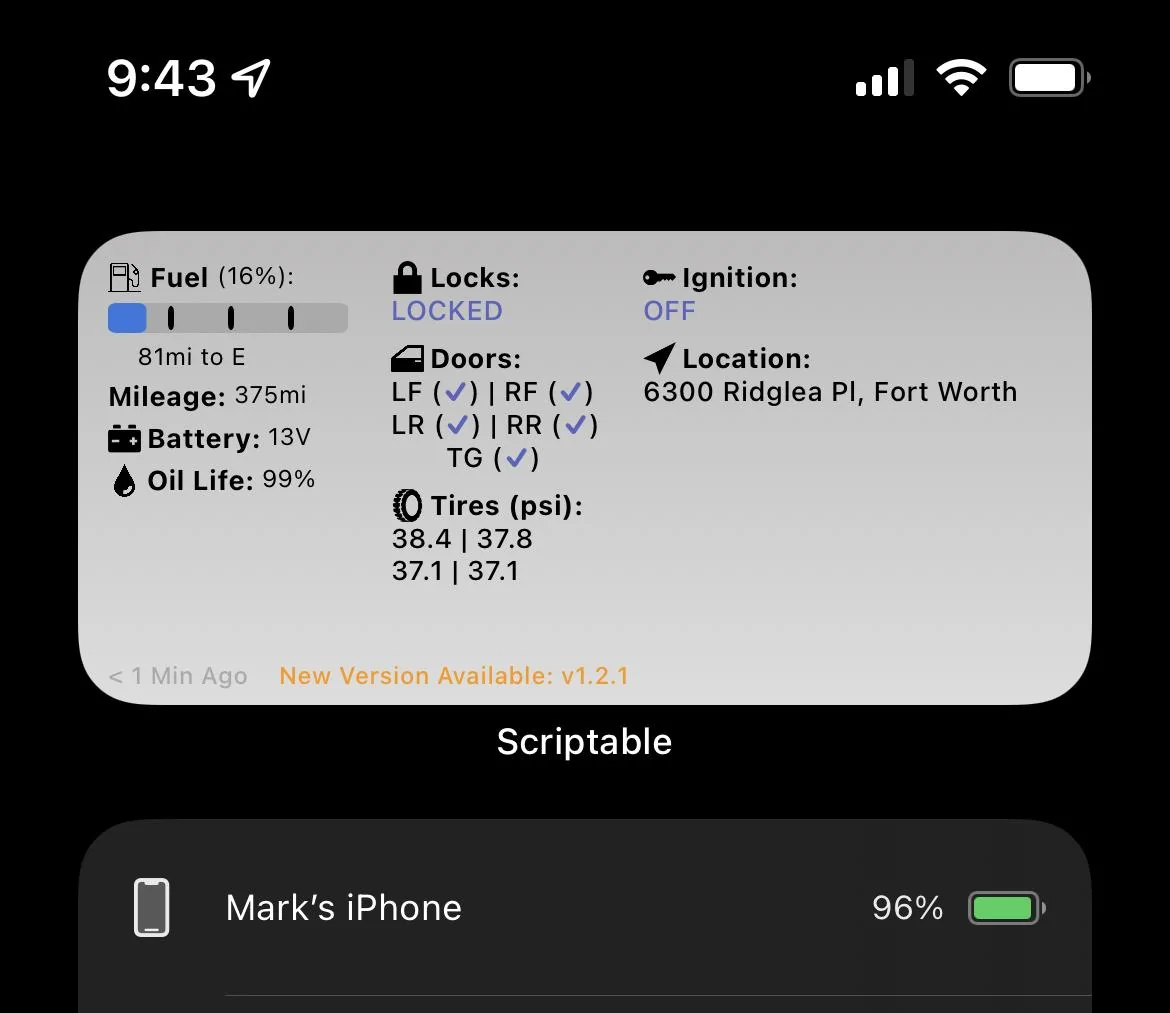
I used your installer this morning and it worked first try. Just needed my ford login info and VIN.

https://tonesto7.github.io/fordpass-scriptable#installation

Well done sir. I changed my refresh rate to 30 minutes.

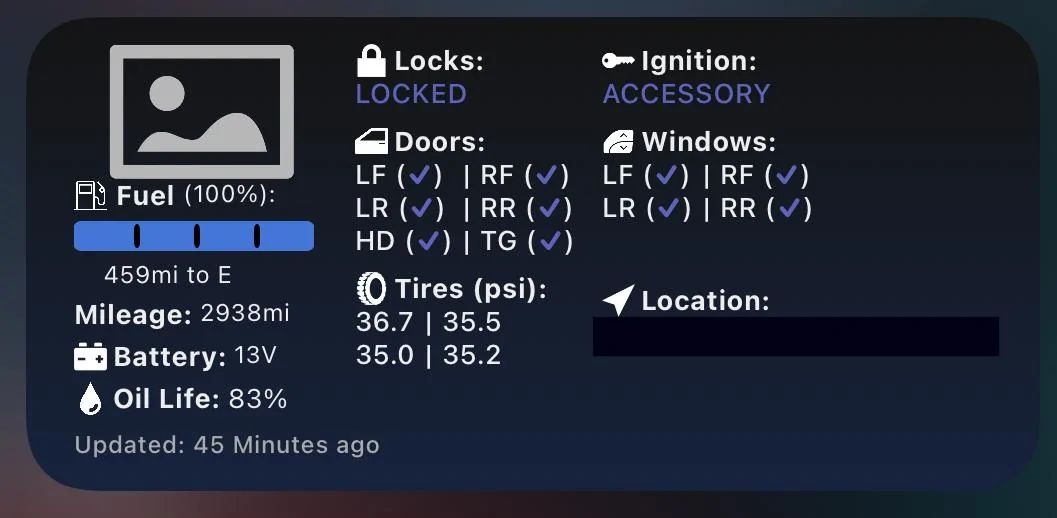
Ignition is showing Accessory, but my keys are in my pocket. EDIT, force refresh changed ignition to Off.

I assume the image will automatically update at some point?

Ford Maverick šŸ“± Scriptable FordPass Widget For Maverick (iOS, iPad, MacOS) 31E2E42D-4E68-41D2-8D95-540767E5431C


Shared on Reddit
 
Last edited:

tonesto7

Member
First Name
Anthony
Joined
Dec 20, 2021
Threads
1
Messages
8
Reaction score
45
Location
Ann Arbor, MI
Vehicle(s)
2021 F150 Lariat 502A
NEW Releases:

Fordpass Widget (v1.4.0)

  • Fixed local vehicle data file to support multiple instances.
  • Fixed data scrubber to scrub out relevantVin keys.
  • Removed the low oil life warning for now.
  • Menu optimization to reduce the number of menu items. Lock and remote start are now submenus and they are officially only shown to supported vehicles.
  • Added Horn/Lights control to the main menu for supported vehicles.
  • Fixed a lot of the text and image alignment in the widget.
  • Reworked the small widget to not show text on labels with icons.
  • Added door and window status to the small widget.
FordWidgetTool (v1.1.0)
  • Supports updating multiple instances and managing the SCRIPT_ID value.
  • It's now used to create and remove additional instances of the script.
  • It can now remove and clean up all widget instances and their data.
Please note that you will need to run the installer again to update the widget tool.
Once the widget tool is updated it will popup a menu offering to update you existing widgets.

Download | Upgrade Link:
Ford Widget Tool Installer (tonesto7.github.io)


Documentation:
tonesto7/fordpass-scriptable: FordPass Widget for Scriptable (github.com)

Community:

Discord: https://discord.gg/VPw3zw9v
 

wjohnson1186

2.0L EcoBoost
Member
Joined
Nov 10, 2021
Threads
2
Messages
23
Reaction score
34
Location
South Texas
Vehicle(s)
Ford Maverick Lariat/Lux/FX4/4k
Engine
2.0L EcoBoost

Mllombardi

Well-known member
Joined
Oct 21, 2021
Threads
4
Messages
151
Reaction score
289
Location
New England
Vehicle(s)
XL
Engine
Undecided
Thanks. Been using the Widget since first posted and I use it all the time.

The installer makes updates a piece of cake.

I never noticed that you can choose Google Maps instead of Apple. Not sure if that’s new. The menu is better this way too.

Can’t wait til we get a maverick image!
 

Mllombardi

Well-known member
Joined
Oct 21, 2021
Threads
4
Messages
151
Reaction score
289
Location
New England
Vehicle(s)
XL
Engine
Undecided
One more thing. Is it possible for the battery voltage to show xx.x instead of whole number volts?
With rounding 12v could be 12.4 😃 or 11.6 😳
Sponsored

 
Last edited:


Top