Sponsored

Please recommend a portable CD player for the Maverick

baseballchamps

2.0L EcoBoost
Well-known member
First Name
Randy
Joined
Oct 29, 2021
Threads
5
Messages
150
Reaction score
160
Location
NJ
Vehicle(s)
2001 Ford Taurus SES
Engine
2.0L EcoBoost
Serious point here... leaving an electronic device on the console or seat is just asking to have your car broken into. Tweakers won't know it's a relatively no-value CD player until it's too late.
I saw someone on Facebook use double sided tape and taped it vertically to the front of the center console. That seems to me to be the way to go.
Sponsored


Mightybeast

2.5L Hybrid
Well-known member
First Name
Adam
Joined
Dec 28, 2021
Threads
64
Messages
436
Reaction score
286
Location
Oklahoma
Vehicle(s)
Maverick hybrid
Engine
2.5L Hybrid
Clubs
 
I mean seriously, last time I saw cd/DVD receiver on even laptop was a decade ago.
 

Shakesbear

2.0L EcoBoost
Well-known member
First Name
J. R.
Joined
Jan 5, 2022
Threads
3
Messages
1,171
Reaction score
1,417
Location
Heart of the Texas Hill Country
Vehicle(s)
Lariat AWD, FX4, 4K, Lux, no CP360 assist
Engine
2.0L EcoBoost
OP
OP
Chicolini

Chicolini

2.0L EcoBoost
Well-known member
First Name
Larry
Joined
Jan 27, 2022
Threads
1
Messages
662
Reaction score
1,373
Location
East Virginia
Vehicle(s)
F150s, Mustang GT Convertible, Mazda B3000
Engine
2.0L EcoBoost
I mean seriously, last time I saw cd/DVD receiver on even laptop was a decade ago.
Fascinating! Thank you for your valuable contribution to this thread.
 

TheNightMare

2.0L EcoBoost
Active member
First Name
Vince
Joined
Jan 10, 2023
Threads
4
Messages
34
Reaction score
17
Location
North Texas
Vehicle(s)
Ford Maverick XL
Engine
2.0L EcoBoost
For 20 bucks, you can convert your portable CD player into a bluetooth device. I use this one for my iPod Classic with close to 12,000 tunes on it. Just set the device to transmit and have it plugged into the CD player's headphones jack. Also works as a bluetooth receiver if you have an older non-bluetooth stereo, etc. (just plug it into the AUX port if you want the stereo to receive from a bluetooth-equipped player).
www.amazon.com/UGREEN-Bluetooth-Transmitter-Receiver-Wireless/dp/B08TQSH636
I know this is a tad old, but this actually works? This one cheap Bluetooth transmitter? I’ve been trying transmitters left and right with my iPod classic and none of them will work. Either it doesn’t see it or it sees the device but sits in a forever loop trying to connect.
Please tell me this works? I’d love to use it with my Mave.
 

Sponsored

Darrel R. Ferguson

2.0L EcoBoost
Well-known member
First Name
Darrel
Joined
Mar 20, 2022
Threads
1
Messages
48
Reaction score
49
Location
Monroe WA.
Vehicle(s)
rancharos mustangs explores chevy
Engine
2.0L EcoBoost
Clubs
 
I miss my CD player! I would like to buy a portable CD player that can connect to the Maverick by BlueTooth or USB.

Has anyone else done this successfully?
i have put 150 albums [1775 songs] on a USB. it works great. we just got back from a 1962 mile round trip, on random we did not hear all the songs.
 

TheNightMare

2.0L EcoBoost
Active member
First Name
Vince
Joined
Jan 10, 2023
Threads
4
Messages
34
Reaction score
17
Location
North Texas
Vehicle(s)
Ford Maverick XL
Engine
2.0L EcoBoost
I know this is a tad old, but this actually works? This one cheap Bluetooth transmitter? I’ve been trying transmitters left and right with my iPod classic and none of them will work. Either it doesn’t see it or it sees the device but sits in a forever loop trying to connect.
Please tell me this works? I’d love to use it with my Mave.
This method does not. I found one at Best Buy, exact model. Will just NOT connect no matter what I do. So stupid the Maverick won’t allow anything but phones to connect.
 

FordDiehard

2.0L EcoBoost
Well-known member
First Name
Paul
Joined
Aug 9, 2022
Threads
17
Messages
373
Reaction score
416
Location
Central VA
Vehicle(s)
2017 Ford Focus, 2023 Maverick Lariat
Engine
2.0L EcoBoost
I miss my CD player! I would like to buy a portable CD player that can connect to the Maverick by BlueTooth or USB.

Has anyone else done this successfully?
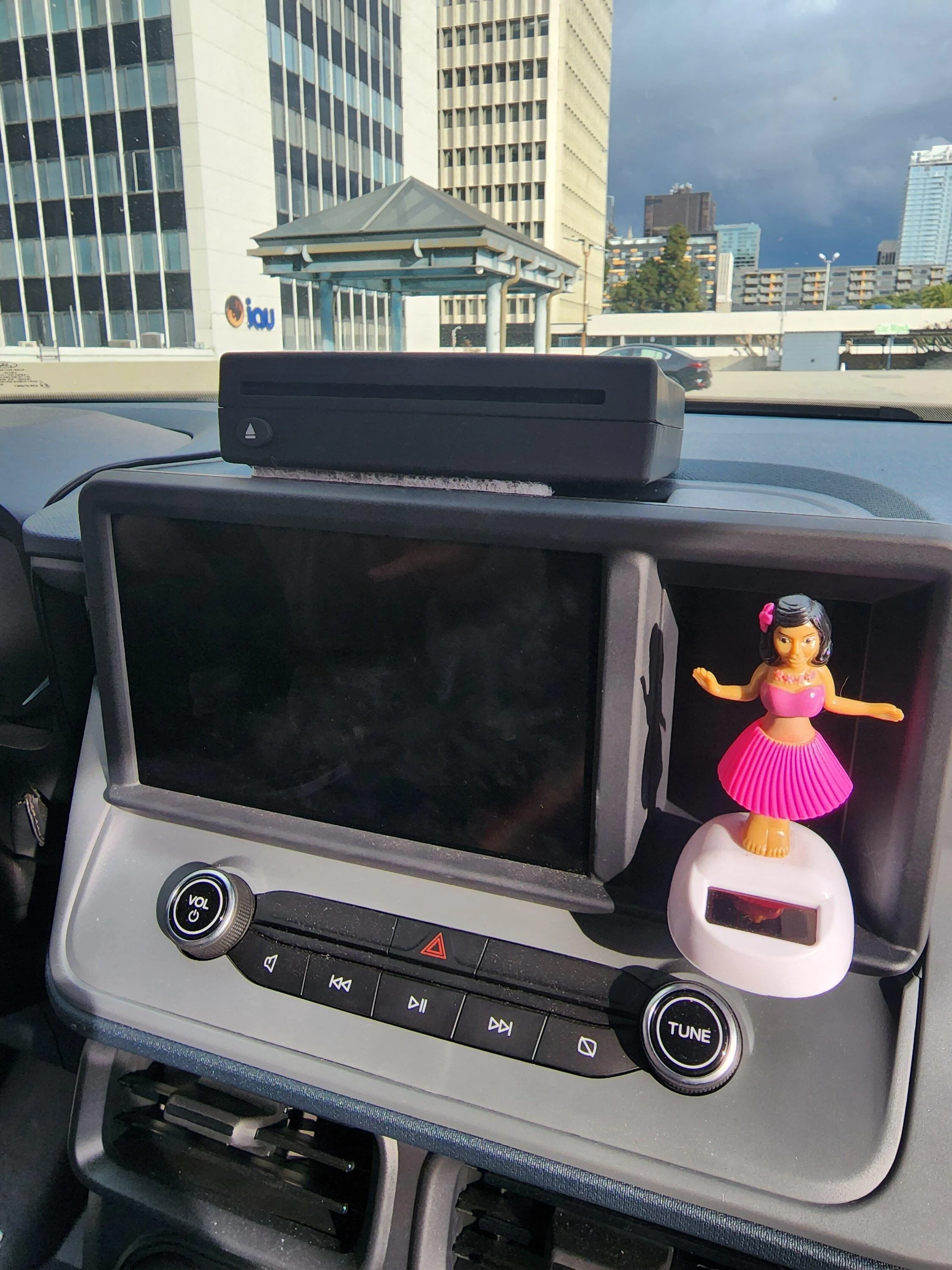
This is the model I bought off Amazon. There are several different sellers that have the same appearing unit. The first one I got worked a few times, then stopped. I was sent a free replacement with the stipulation I send the defective unit back within specific time frame. So far haven't had any problems with the replacement. The only thing I have noticed is that it won't be recognized as a source like a flash drive unless I put the CD in AFTER I have it connected to the USB port, then it will "detect" a USB device.

https://www.amazon.com/gp/product/B0BBMYCYRK/ref=ppx_od_dt_b_asin_title_s00?ie=UTF8&psc=1
 

FordDiehard

2.0L EcoBoost
Well-known member
First Name
Paul
Joined
Aug 9, 2022
Threads
17
Messages
373
Reaction score
416
Location
Central VA
Vehicle(s)
2017 Ford Focus, 2023 Maverick Lariat
Engine
2.0L EcoBoost
I got this one, pretty good!

I got it from Walmart online.

20221201_141629.webp
That looks exactly like the model I bought off Amazon. Do you sometimes have to eject the CD, then re-insert so the radio will recognize it as a source? I just sit mine on top of the console over the first cupholder, so it doesn't slide around, and then store it inside the console when not in use.
 
Last edited:

JT Maverick

2.5L Hybrid
Well-known member
First Name
Joe
Joined
Oct 17, 2022
Threads
2
Messages
138
Reaction score
90
Location
New Jersey
Vehicle(s)
2022 Ford Maverick
Engine
2.5L Hybrid
I know this is a tad old, but this actually works? This one cheap Bluetooth transmitter? I’ve been trying transmitters left and right with my iPod classic and none of them will work. Either it doesn’t see it or it sees the device but sits in a forever loop trying to connect.
Please tell me this works? I’d love to use it with my Mave.
Yes that Bluetooth transmitter does work, but for the Mav it requires one additional inexpensive component since (as you mention) the Mav's system doesn't see it or connect with it. In combination with the Bluetooth transmitter plugged into my iPod Classic, I use this FM Transmitter to solve the problem. With the FM transmitter, after simple set-up, the Mav's FM stereo simply needs to be set to the same FM dial # that you have set the FM Transmitter to (you purposely select the weakest, quietest dial # you can find on the FM dial). So this means you're then connecting the iPod to the Mav's stereo by way of the FM transmitter. Hope that isn't too confusing. For less than $20, this all-metal FM transmitter is real nice quality and works great for me: Amazon.com: FM Transmitter for Car Bluetooth 5.3, RIWUSI [All-Metal] PD 20W & QC3.0 18W Fast Car Charger, Wireless FM Radio Car Kit Bluetooth Car Adapter, Noise Cancelling Hands-Free Call, Hi-Fi Music, Blue Light : Electronics Note: This also works for portable CD players, portable cassette players, MP3 players, etc. (assuming they also have headphone jacks). Also, I presume the bluetooth transmitters you've been trying out would also work when using this FM transmitter.
 
Last edited:
Sponsored
OP
OP
Chicolini

Chicolini

2.0L EcoBoost
Well-known member
First Name
Larry
Joined
Jan 27, 2022
Threads
1
Messages
662
Reaction score
1,373
Location
East Virginia
Vehicle(s)
F150s, Mustang GT Convertible, Mazda B3000
Engine
2.0L EcoBoost

TheNightMare

2.0L EcoBoost
Active member
First Name
Vince
Joined
Jan 10, 2023
Threads
4
Messages
34
Reaction score
17
Location
North Texas
Vehicle(s)
Ford Maverick XL
Engine
2.0L EcoBoost
Yes that Bluetooth transmitter does work, but for the Mav it requires one additional inexpensive component since (as you mention) the Mav's system doesn't see it or connect with it. In combination with the Bluetooth transmitter plugged into my iPod Classic, I use this FM Transmitter to solve the problem. With the FM transmitter, after simple set-up, the Mav's FM stereo simply needs to be set to the same FM dial # that you have set the FM Transmitter to (you purposely select the weakest, quietest dial # you can find on the FM dial). So this means you're then connecting the iPod to the Mav's stereo by way of the FM transmitter. Hope that isn't too confusing. For less than $20, this all-metal FM transmitter is real nice quality and works great for me: Amazon.com: FM Transmitter for Car Bluetooth 5.3, RIWUSI [All-Metal] PD 20W & QC3.0 18W Fast Car Charger, Wireless FM Radio Car Kit Bluetooth Car Adapter, Noise Cancelling Hands-Free Call, Hi-Fi Music, Blue Light : Electronics Note: This also works for portable CD players, portable cassette players, MP3 players, etc. (assuming they also have headphone jacks). Also, I presume the bluetooth transmitters you've been trying out would also work when using this FM transmitter.
Whaaaa? So I’m using a Bluetooth transmitter to connect to a FM transmitter to play the music via FM stations that’s static? That’s a real frankstein method going on there.
It’s too late for me, I already returned it. I decided to use my cousins old Galaxy S8 plus. I’ll load it up with music and connect it via Bluetooth or droid auto.
 

JT Maverick

2.5L Hybrid
Well-known member
First Name
Joe
Joined
Oct 17, 2022
Threads
2
Messages
138
Reaction score
90
Location
New Jersey
Vehicle(s)
2022 Ford Maverick
Engine
2.5L Hybrid
Whaaaa? So I’m using a Bluetooth transmitter to connect to a FM transmitter to play the music via FM stations that’s static? That’s a real frankstein method going on there.
It’s too late for me, I already returned it. I decided to use my cousins old Galaxy S8 plus. I’ll load it up with music and connect it via Bluetooth or droid auto.
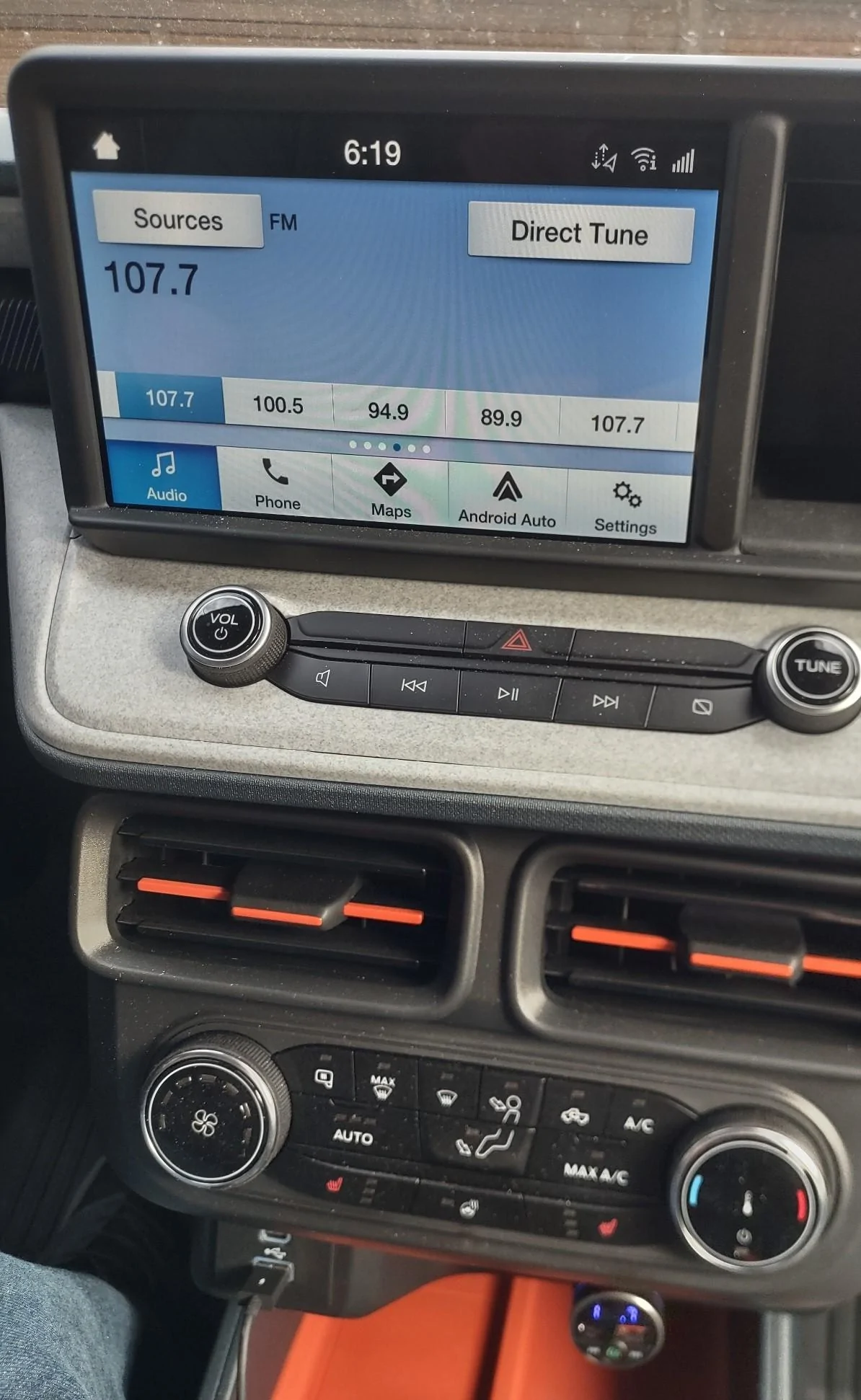
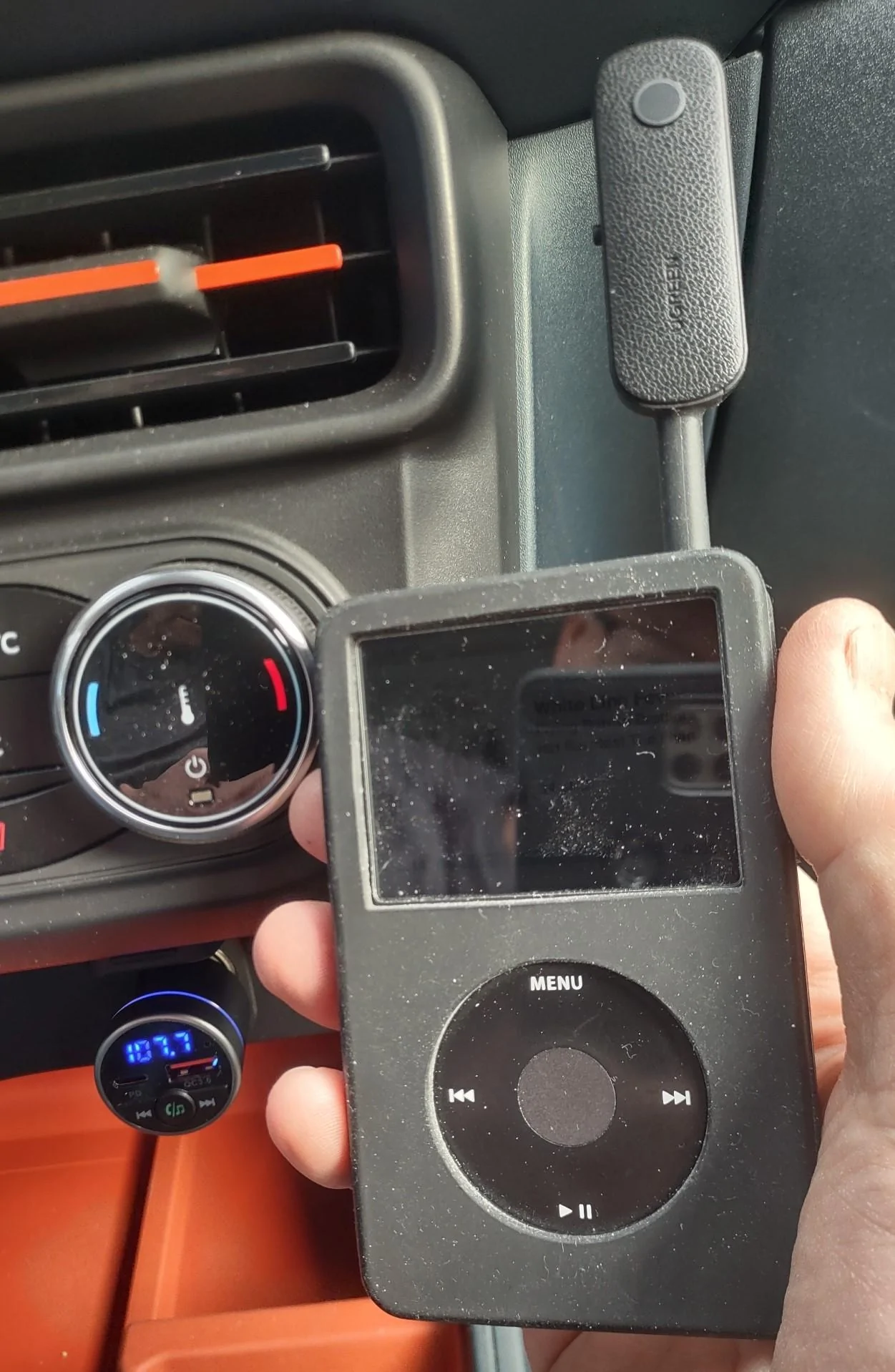
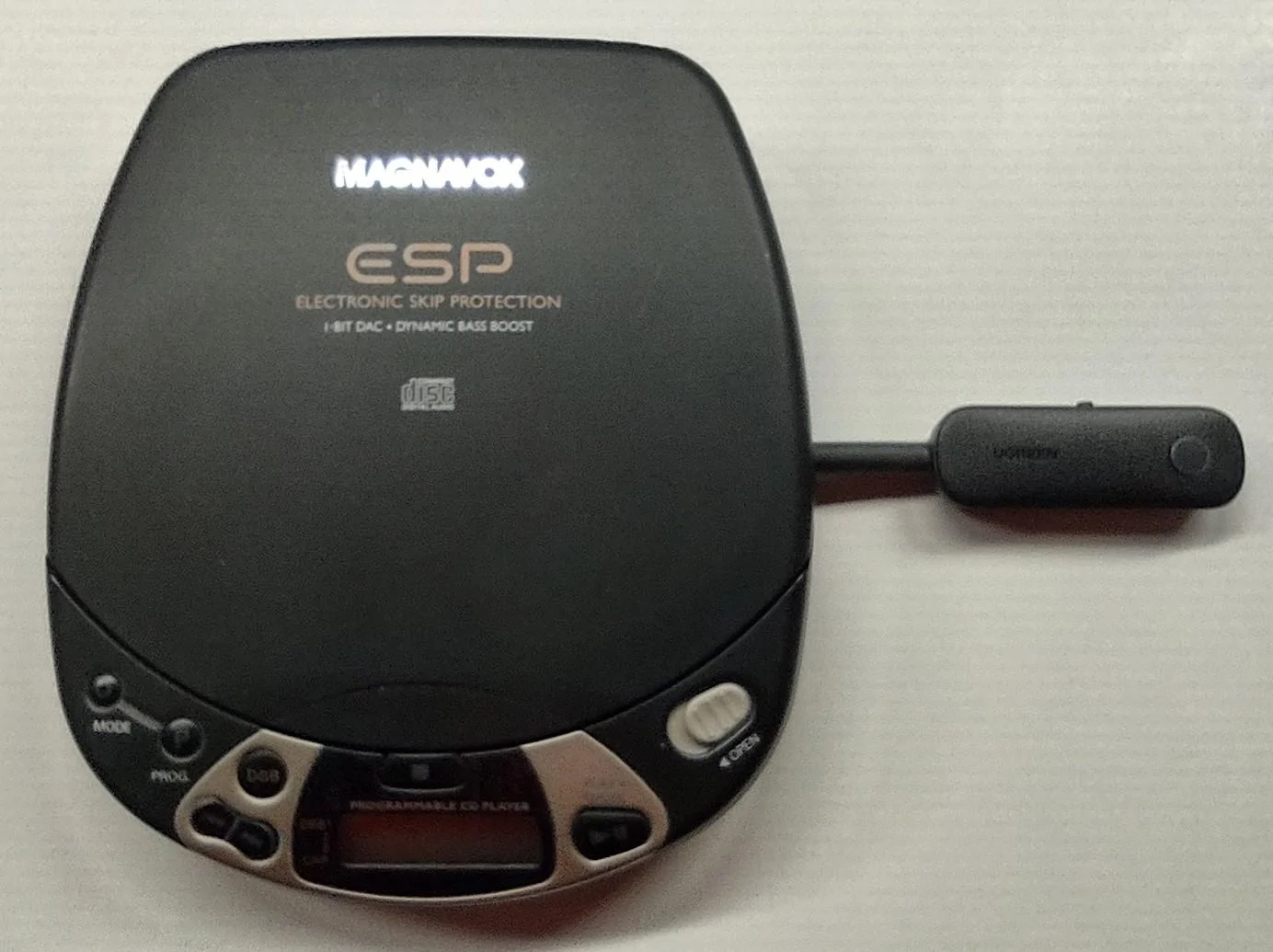
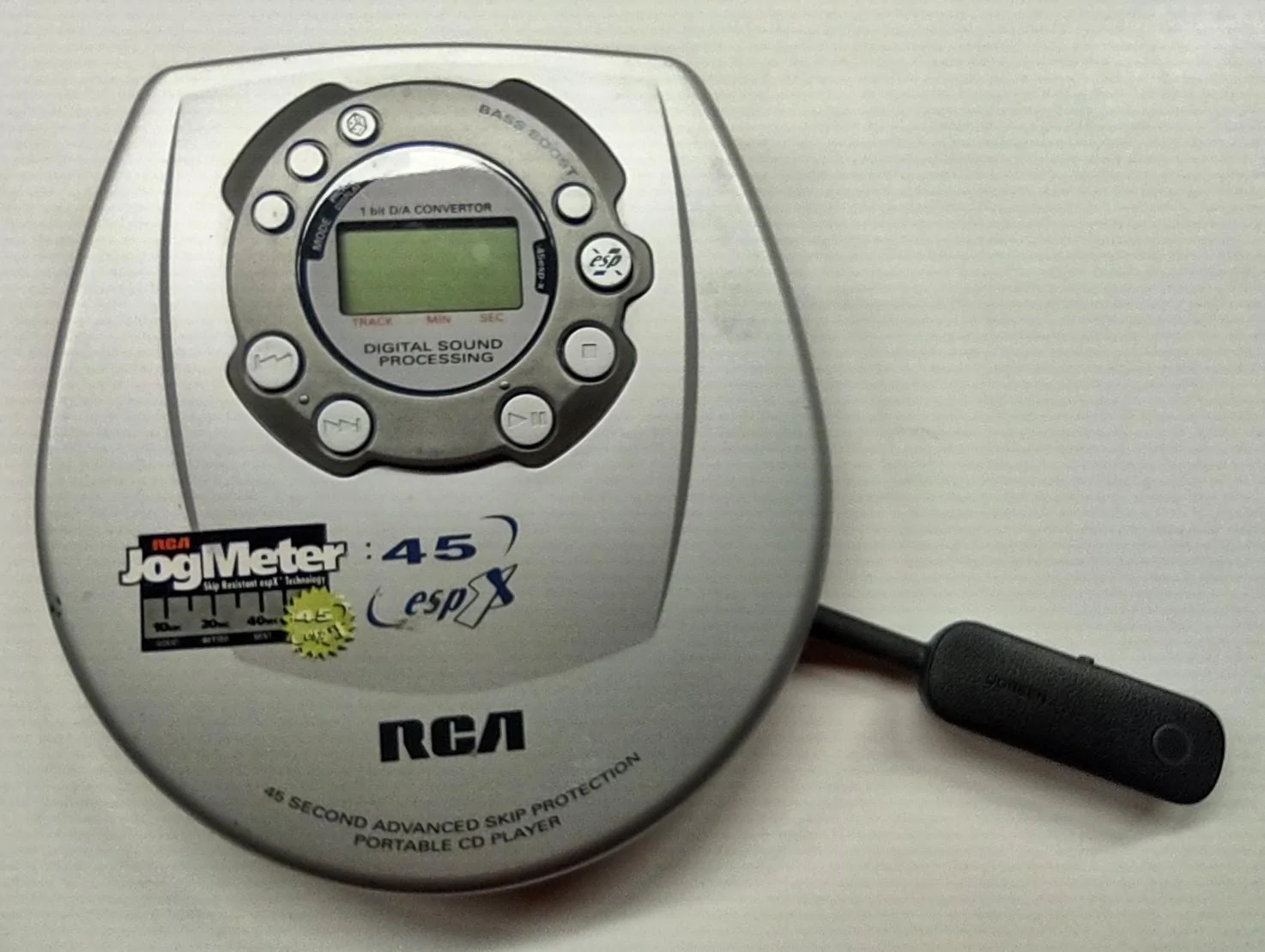
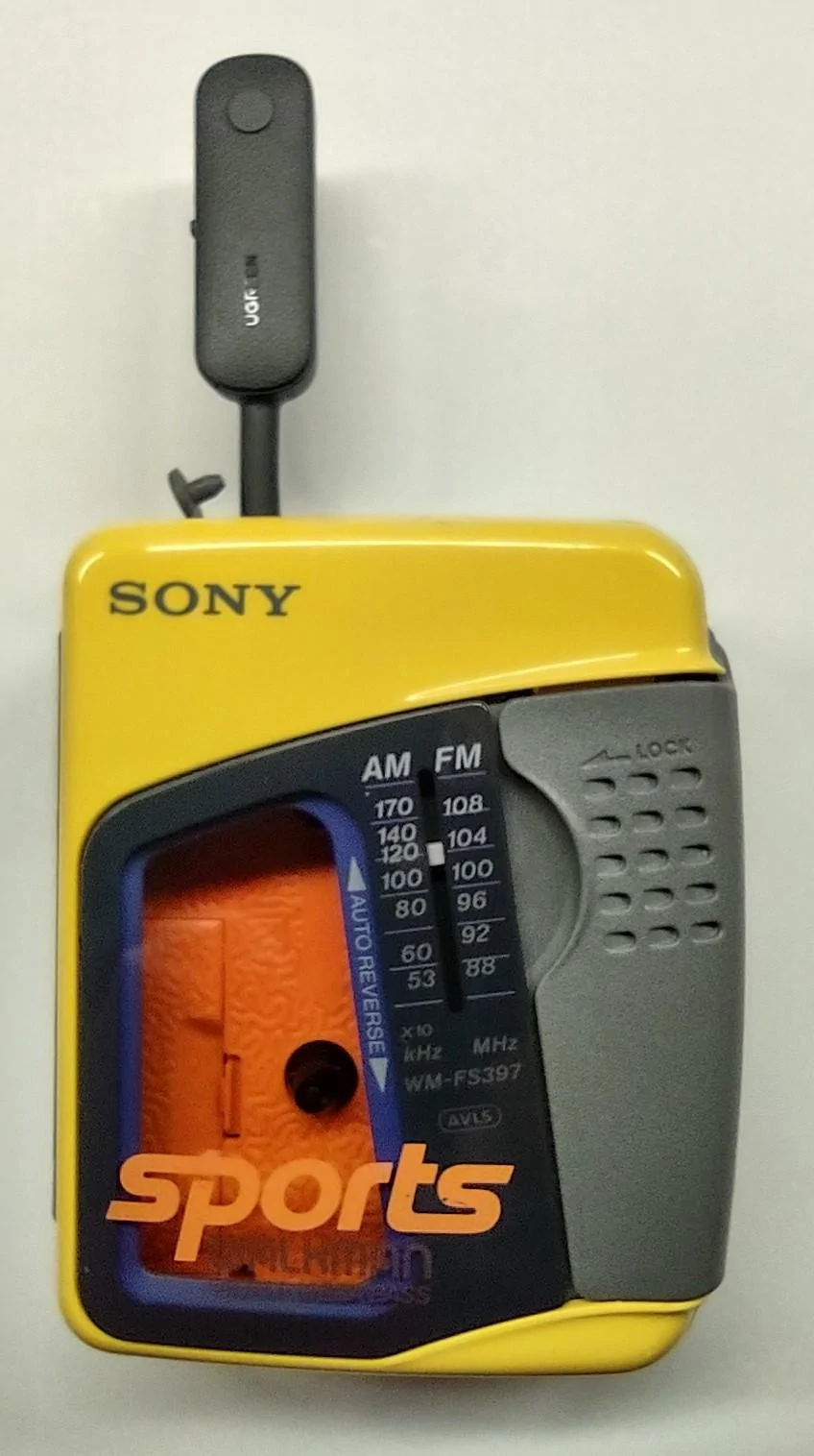
Wow, it's a "Frankenstein" method? Sorry this simple solution is apparently beyond your limited comfort zone. For others who do want to use their old iPod with its iTunes unique capabilies, portable CD player, or portable cassette player in the absence of an AUX port or the ability to connect directly via bluetooth, check out the attached images and decide for yourself. Given the circumstances, I view this simple wireless solution as being quite "clean". And I know for a fact that it works great. Decide for yourself, but no reason to get snarky like TheNightMere. Not sure what TheNightMere means by "FM stations that's static", but to be clear, there is ZERO static when I use my iPod in this manner (regardless of whether it's playing music, in-between songs or paused). As far as TheNightMere's plan to load his music onto a Galaxy S8, I've already done that as well for my ~12,000 song library. With my music library loaded onto a micro SD card in my android phone, I do use that method and have tried out multiple free (do you like ads and commercials?) music player applications as of course such an app is necessary. I've tried Rocket Player, Pi Music, Pulsar, and Musicolet (the latter perhaps being my favorite). However, I haven't used an app yet that works nearly as well as my commercial-free iPod with it's excellent iTunes capabilities (e.g., Genius Mixes, automatic playlists created based on individual preferences or based on current song you're listening to, music genres, etc.). Incidentally, when not being used as part of the discussed solution, the FM Transmitter also happens to be a nice 18W USB-A QC3.0 and 20W USB-C PD fast-charging device. LASTLY, let's not overlook the IMPORTANT FACT that this topic originated with the challenge being how to connect a portable CD player - TheNightMere's elementary plan does NOTHING for that. Anyway, decide for yourself, but don't let TheNightMere's "Frankenstein" comments scare you off! NOTE: Regarding the image that shows a device plugged into the USB port, that device has nothing to do with this discussion - that's simply my wireless Android Auto adapter/dongle.

Ford Maverick Please recommend a portable CD player for the Maverick FM Transmitter with FM Radio


Ford Maverick Please recommend a portable CD player for the Maverick FM Transmitter with iPod


Ford Maverick Please recommend a portable CD player for the Maverick FM Transmitter with Magnavox CD Player


Ford Maverick Please recommend a portable CD player for the Maverick FM Transmitter with RCA CD Player


Ford Maverick Please recommend a portable CD player for the Maverick FM Transmitter with Sony Cassette Player
 
Last edited:

TheNightMare

2.0L EcoBoost
Active member
First Name
Vince
Joined
Jan 10, 2023
Threads
4
Messages
34
Reaction score
17
Location
North Texas
Vehicle(s)
Ford Maverick XL
Engine
2.0L EcoBoost
Wow, it's a "Frankenstein" method? Sorry this simple solution is apparently beyond your limited comfort zone. For others who do want to use their old iPod with its iTunes unique capabilies, portable CD player, or portable cassette player in the absence of an AUX port or the ability to connect directly via bluetooth, check out the attached images and decide for yourself. Given the circumstances, I view this simple wireless solution as being quite "clean". And I know for a fact that it works great. Decide for yourself, but no reason to get snarky like TheNightMere. Not sure what TheNightMere means by "FM stations that's static", but to be clear, there is ZERO static when I use my iPod in this manner (regardless of whether it's playing music, in-between songs or paused). As far as TheNightMere's plan to load his music onto a Galaxy S8, I've already done that as well for my ~12,000 song library. With my music library loaded onto a micro SD card in my android phone, I do use that method and have tried out multiple free (do you like ads and commercials?) music player applications as of course such an app is necessary. I've tried Rocket Player, Pi Music, Pulsar, and Musicolet (the latter perhaps being my favorite). However, I haven't used an app yet that works nearly as well as my commercial-free iPod with it's excellent iTunes capabilities (e.g., Genius Mixes, automatic playlists created based on individual preferences or based on current song you're listening to, music genres, etc.). Incidentally, when not being used as part of the discussed solution, the FM Transmitter also happens to be a nice 18W USB-A QC3.0 and 20W USB-C PD fast-charging device. LASTLY, let's not overlook the IMPORTANT FACT that this topic originated with the challenge being how to connect a portable CD player - TheNightMere's elementary plan does NOTHING for that. Anyway, decide for yourself, but don't let TheNightMere's "Frankenstein" comments scare you off! NOTE: Regarding the image that shows a device plugged into the USB port, that device has nothing to do with this discussion - that's simply my wireless Android Auto adapter/dongle.

FM Transmitter with FM Radio.webp


FM Transmitter with iPod.webp


FM Transmitter with Magnavox CD Player.webp


FM Transmitter with RCA CD Player.webp


FM Transmitter with Sony Cassette Player.webp
Lol sorry my words hurt you. But it’s not worth it to me. I am glad it works for you and I hope those that want to spend the money using this method helps them. I’d rather not spend another dime when I have a free alternative for me (I got lucky is all, having a nice family member giving me his old S9 that was laying around.)

I just found this an easier solution of loading my music files into the S9 (sorry thought it was S8). No commercials, I’m just playing music and podcasts I’ve loaded up. Not sure where you are getting commercials from. It has zero cell data and I’m not using pandora or whatever.
Sponsored


Top