
- First Name
- Tom
- Joined
- Jan 12, 2022
- Threads
- 7
- Messages
- 101
- Reaction score
- 108
- Location
- New Mexico
- Vehicle(s)
- 2022 Maverick Lariat hybrid, Velocity Blue
- Engine
- 2.5L Hybrid
- Thread starter
- #1
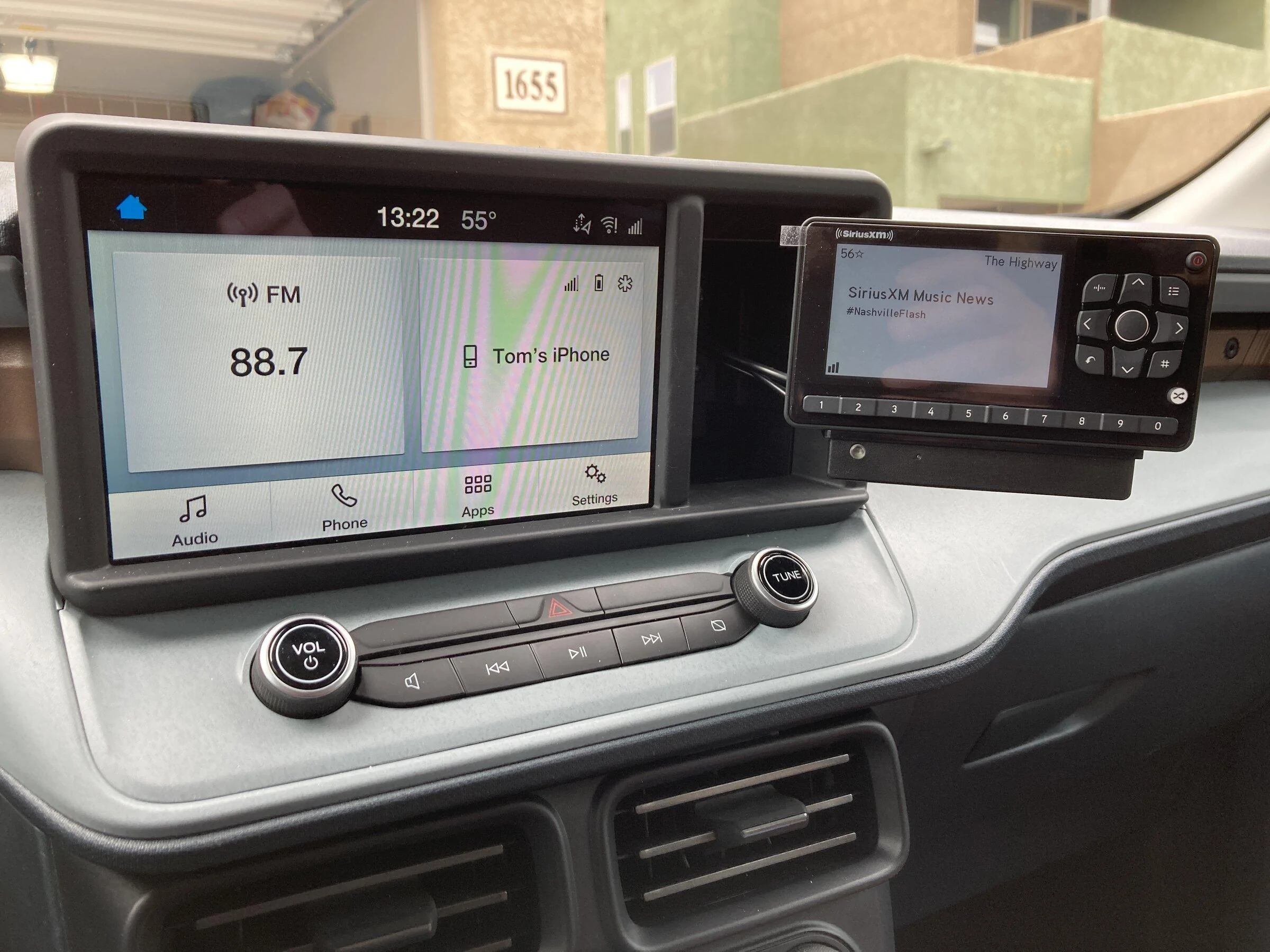
I recently completed installing Sirius/XM radio in my new truck. I thought I would document it for those wanting to install it in their Maverick. The mounting bracket is unique and uses the dash cubby next to the center screen.
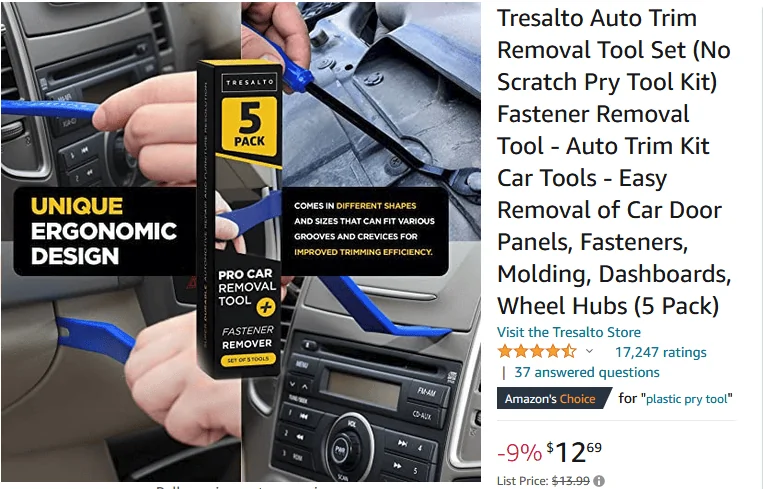
The first thing I ordered was a set of tools to remove different dash and console panels.
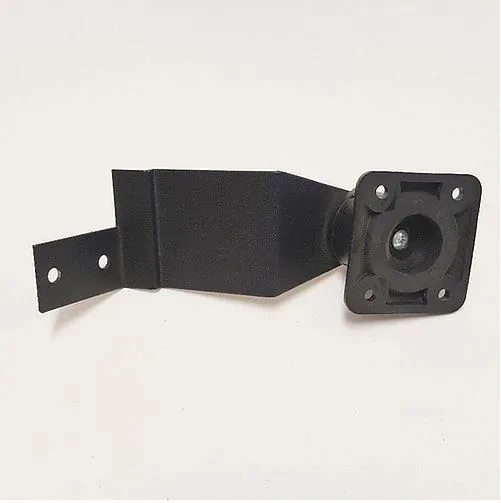
After ordering the Sirius radio, FM adapter, and Bluetooth dock. I started by ordering Pro.Fit bracket number FO-73-05-L for the Ford F350 Super Duty series of trucks. I wasn't sure if it would work and realized the long arm was probably not long enough to reach the front of the cubby. https://pro-fit-intl.com/products/2...duty-legend-mount?_pos=2&_sid=cb6761615&_ss=r
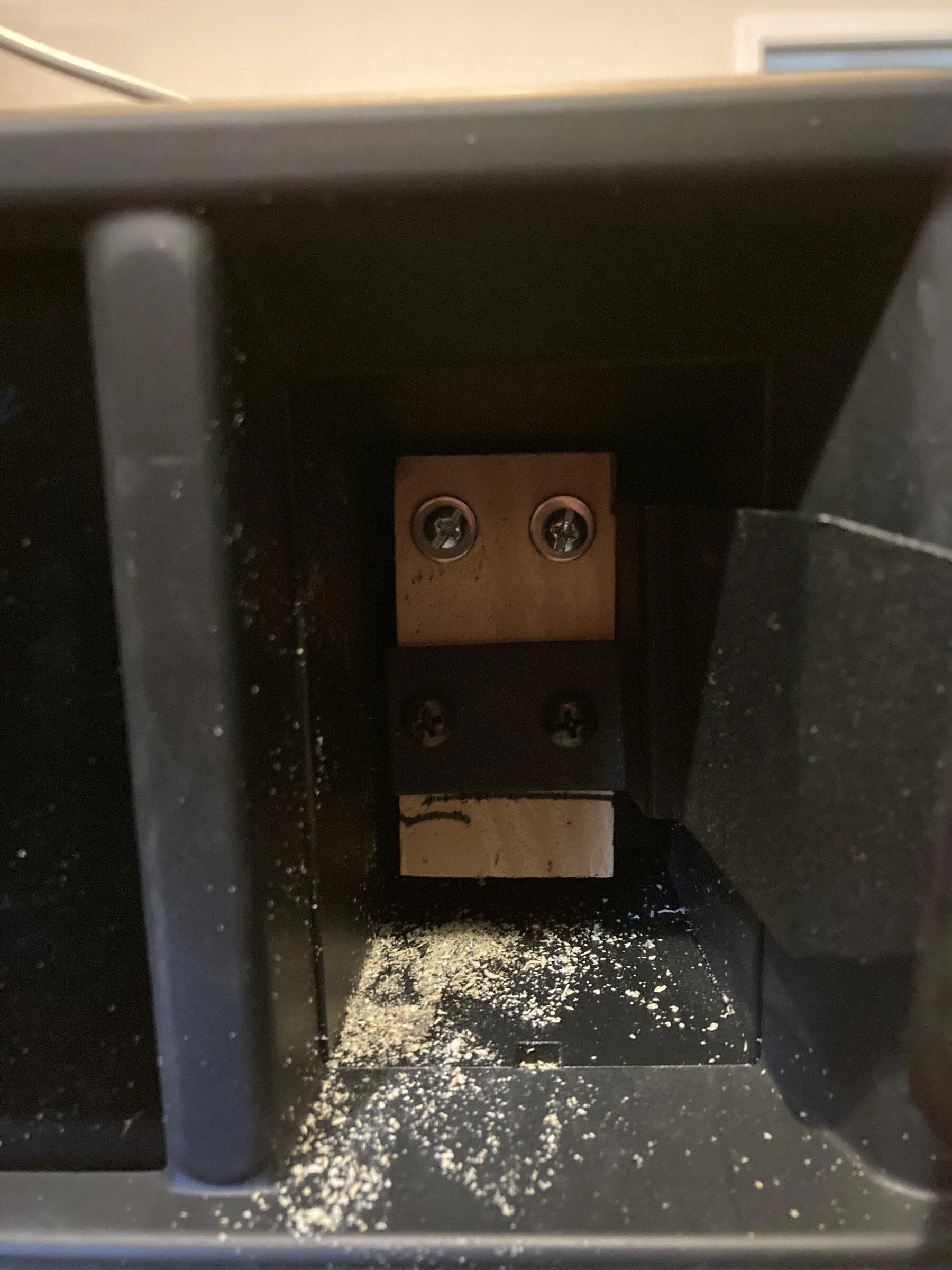
As expected it was not long enough. I solved the problem by using (2) 1x2 inch spacers cut to length and glued together to fit inside the cubby. I removed the top cubby behind the screen to figure out where to put the bolts for the spacers and run power, FM adapter wire, and antenna wire. The top half of the cubby is free and clear for bolts but the bottom half is restricted. I drilled holes in the wood spacers for #8 2 inch bolts and then using the wood spacers as a template drilled holes in the back of the cubby keeping the wood spacers as far left in the cubby as possible. This is important to keep the bracket from rubbing or rattling against the side of the cubby. I drilled a hole in the left side of and towards the top of the cubby large enough to fit the 3 wires I needed to feed in.
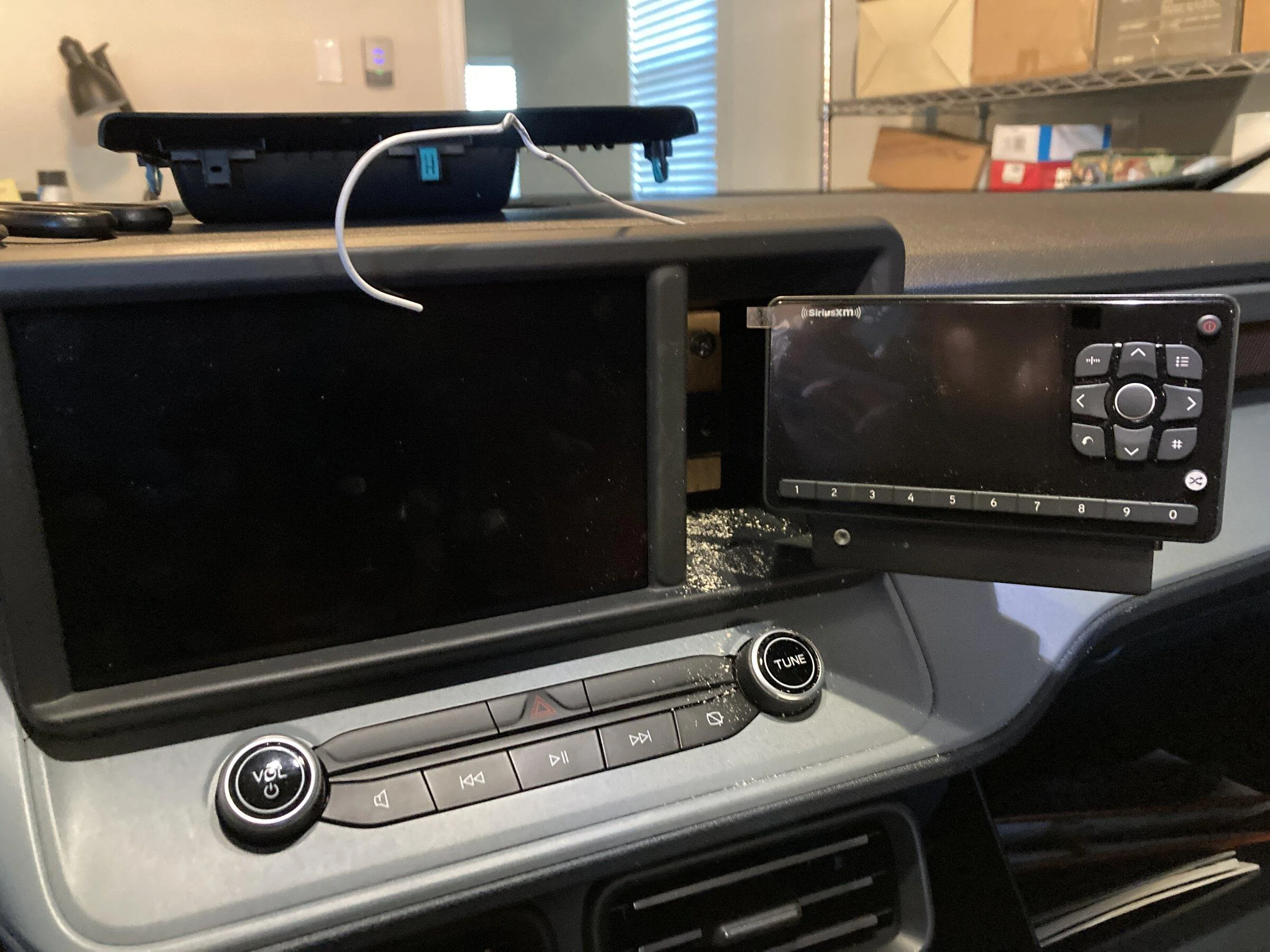
I painted the spacers black and drilled holes for the bracket screws again keeping them as far left as I could go then bolted the blocks to the back of the cubby. I mounted the bracket the spacers. The photo below was a test fit of everything before I painted the spacers.
I used a clothes hanger as a fish tape to bring the wires up from the passenger side to the top cubby and ran them into the previously drilled hole in the side of the cubby.
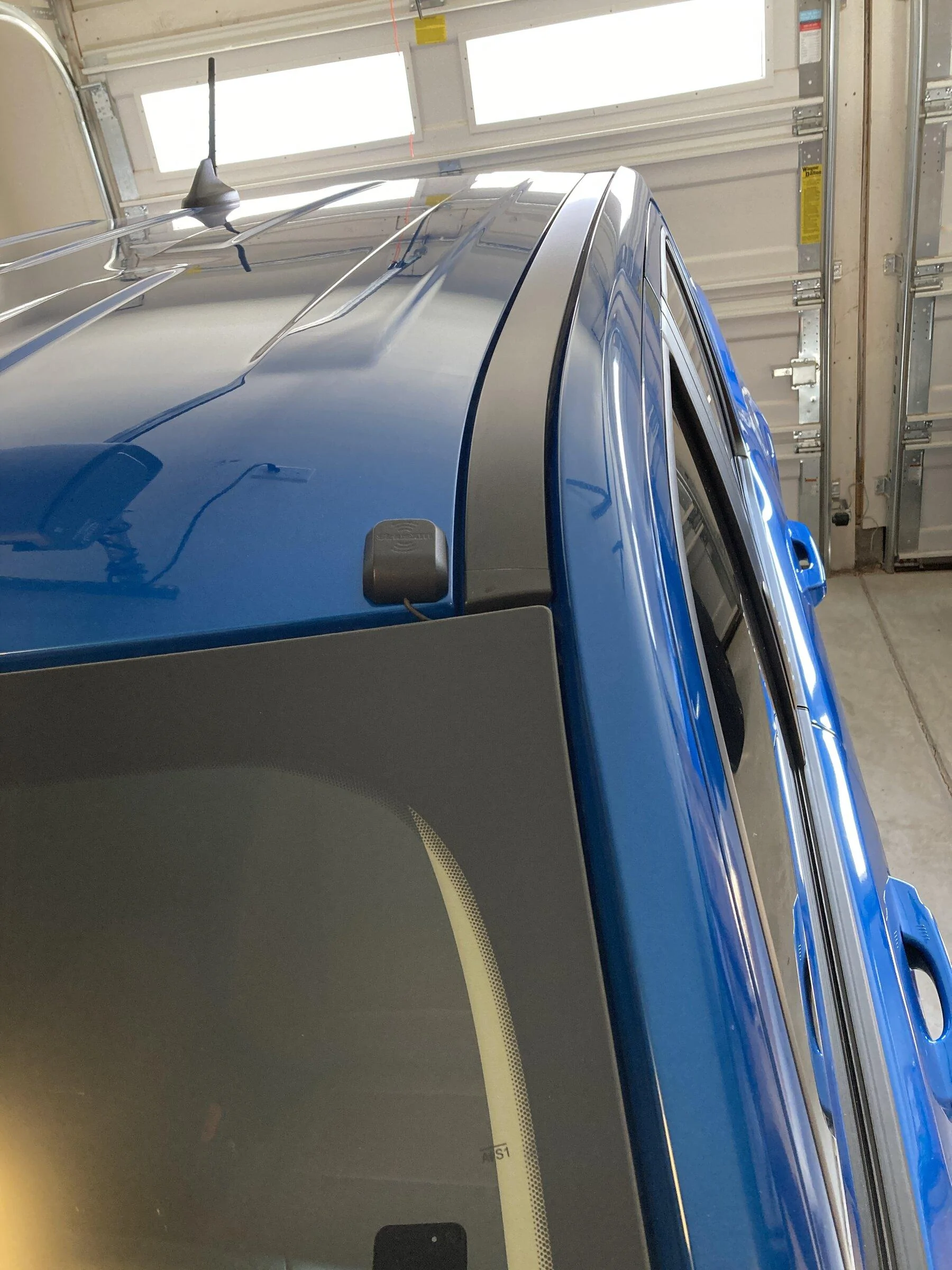
I got a little bit ahead of myself and did not cover installing the antenna. I selected an area on the drivers side roof and ran the wire down along and behind the windshield. I then routed the wire down into the engine compartment and found an oblong rubber grommet on the drivers side in the firewall. I cut and X in the grommet large enough to get the antenna wire and its jack thru the firewall to the passenger compartment. Then I routed the wire over to the passenger side by removing the side covers on the console.
I use an automatic car wash with brushes that can be kind of brutal. I did not believe that the magnet on the antenna would be strong enough to hold it in place. After thinking about it a few days I used silicone glue to fix it to the roof. I was worried about wind or the strong blowers in the car wash may suck the wire out from under the ledge of the windshield so I applied a light coating of silicone glue to the wire and stuffed it in there. I believe it will stay in place and allow me to pull it out if I want to remove it for any reason. Please, no comments on the car wash. I know it's not good for the finish but I'm 69 and have some physical issues. I'm not going to wash and dry the truck manually.
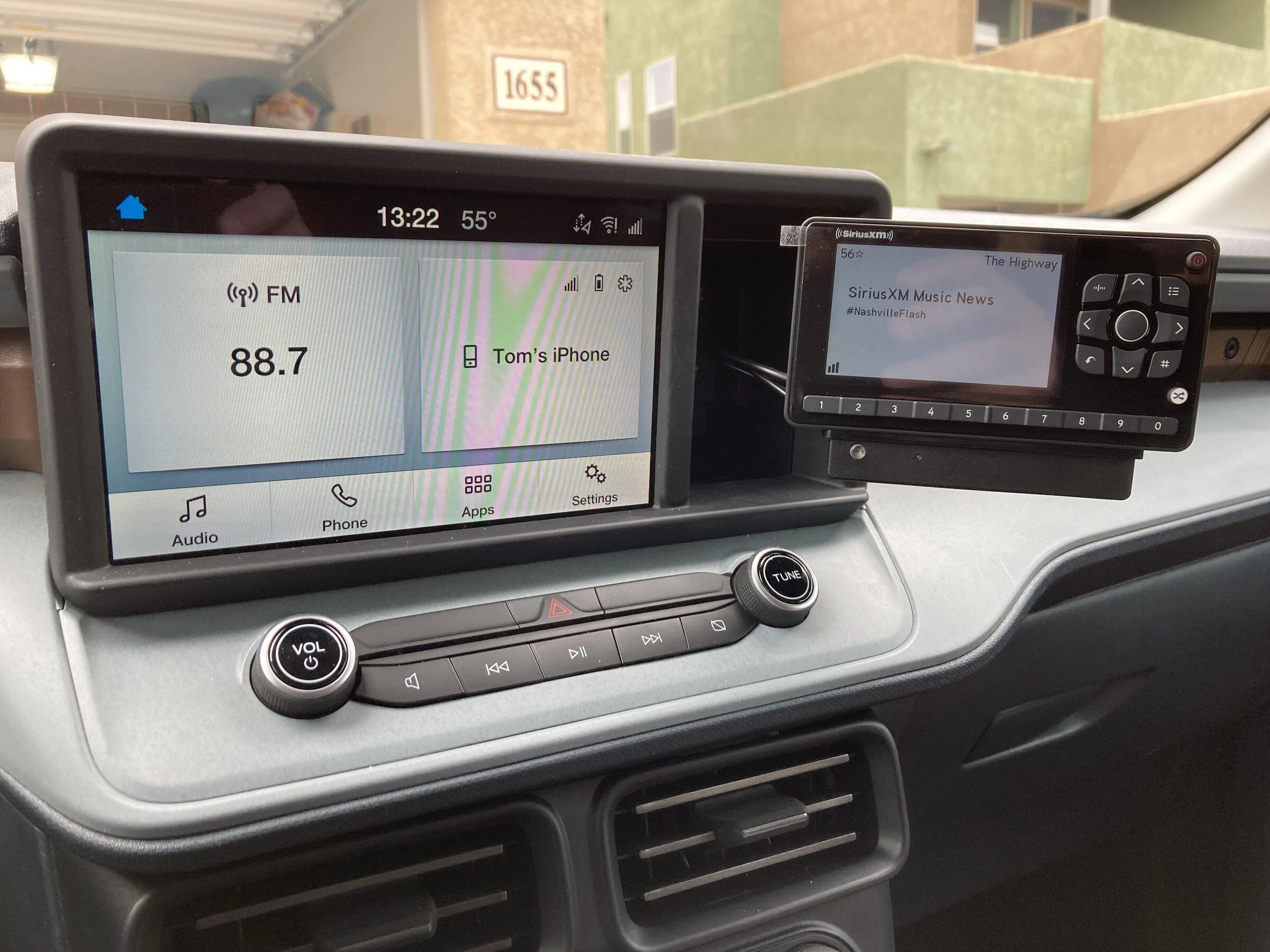
Now I have an antenna and my power, antenna and FM adapter wires run over to the passenger side and a clean install of the unit.
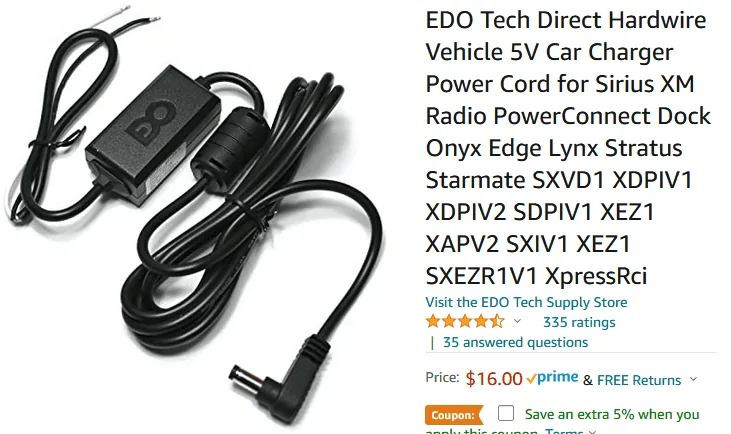
For power I purchased a power adapter as I did not want to use the cigarette lighter type plug that comes with the XM radio. You can order it from Amazon from here.
I ordered the XM FM adapter and adapter cables to use as my audio input. You can use a Bluetooth dock for the XM radio but you can only use one Bluetooth item at a time in the Maverick and would preclude using my phone at the same time. Yes, you can get an XM app for your phone and use Apple or Android Car Play and not bother with all of this at all. The problem is in New Mexico and Colorado if you are not on the interstate or close to a decent size town you will have no cellular. You would need unlimited data as well. I did order the XM Bluetooth dock but for the above reasons decided not to use it. The problem with the FM adapter is if you live in a large city you may have difficulty finding an area on the FM dial to give you interference free reception.
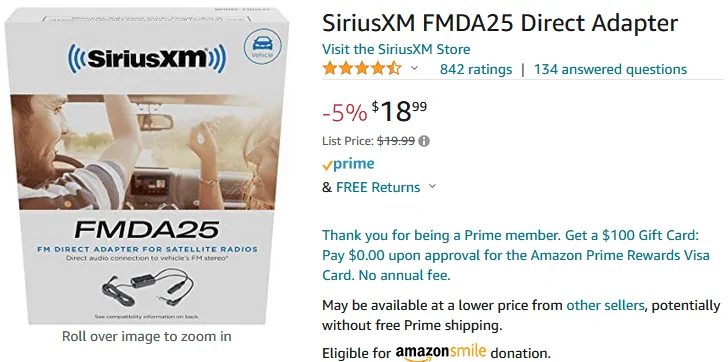
You also need the adapter cables so the FM adapter can plug into your Maverick radio.
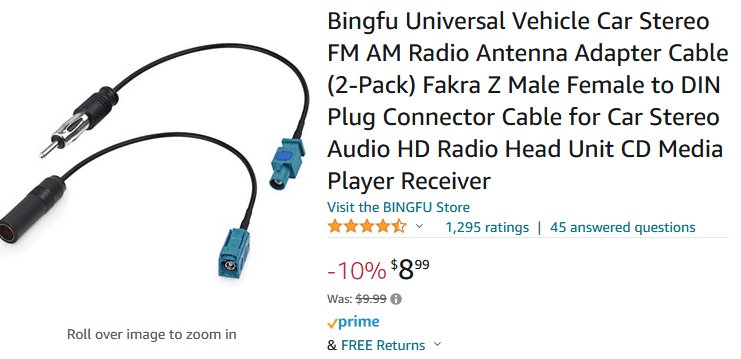
You need to remove the front console cover to get to the antenna jacks on your radio. The FMDA25 plugs into the gray antenna jack on your Maverick radio and the Maverick antenna plugs into the FM adapter. I forgot to take a photo of the console and radio but you can see a photo at this link https://www.mavericktruckclub.com/f...y-inputs-in-the-back-of-the-radio.5638/page-3. That link is from another gentleman on the Maverick forum who installed another style of XM radio.
Last is getting power to the radio. You need to purchase a micro-2 fuse extender. I found one at my local auto parts store but you can get them from Amazon here.
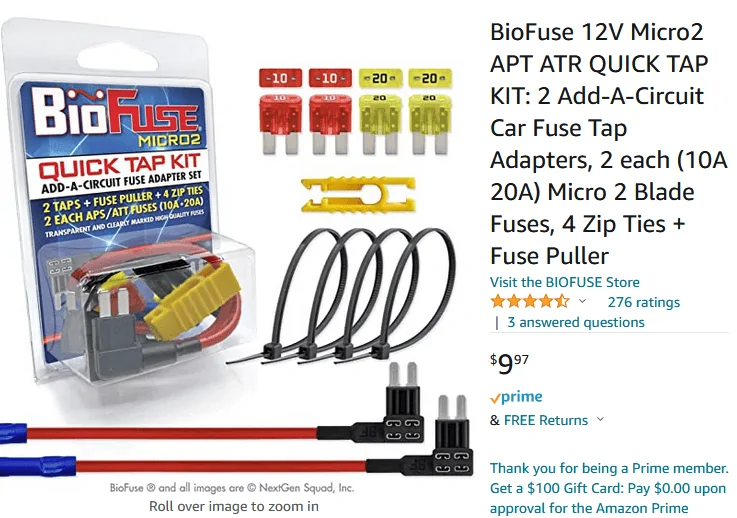
You need to be sure to install this correctly following the directions. It will plug into your fuse panel two ways. One way is not correct. I plugged it into fuse 3 in the panel in the passenger side fuse panel. This is for the auto-dimming mirror and there was a fuse in there although I do not have the auto dimming option in my truck. This circuit is hot when the car is running and cold when the engine is off.
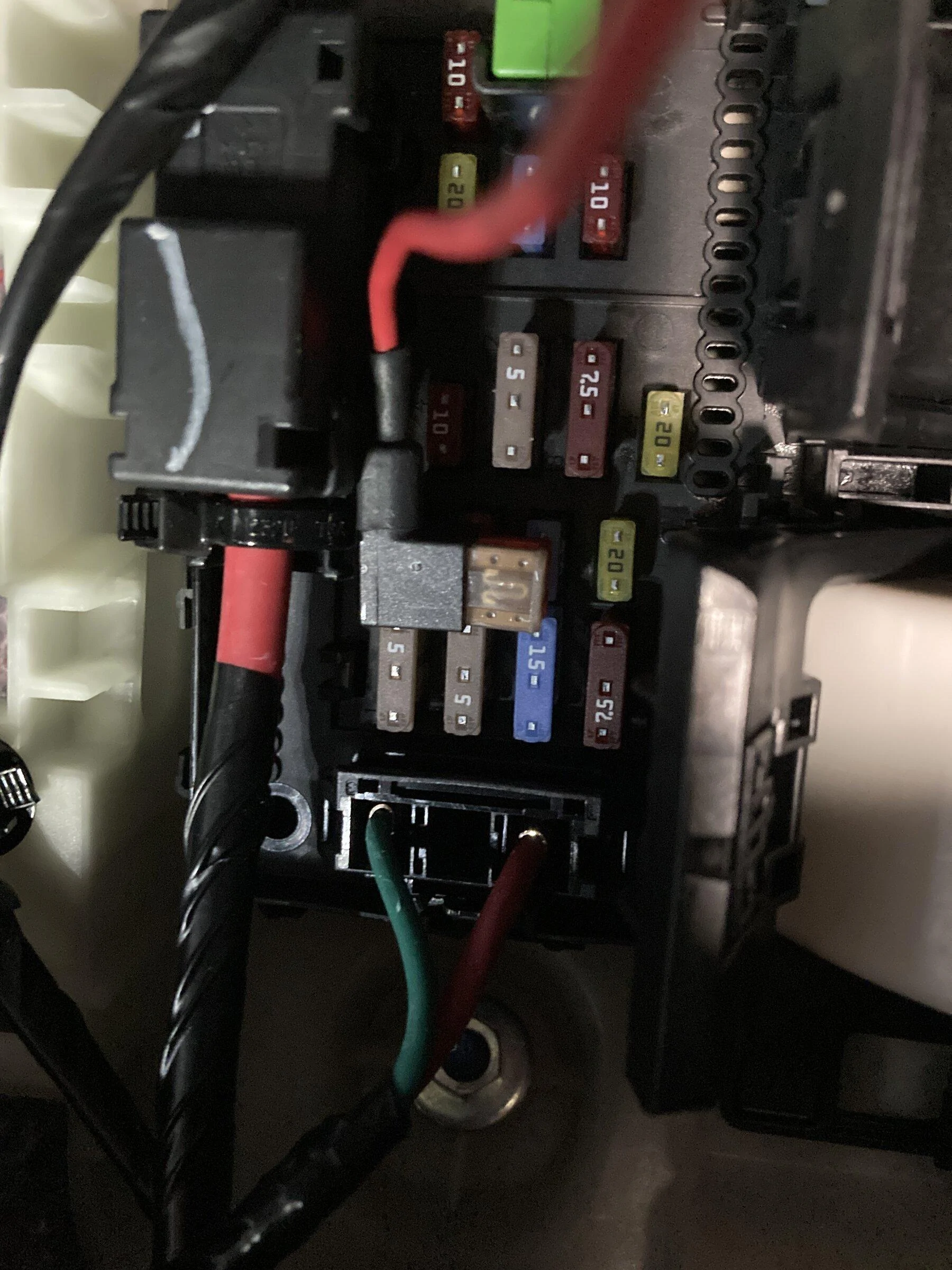
For a ground point I attached it to a screw under the right console panel.
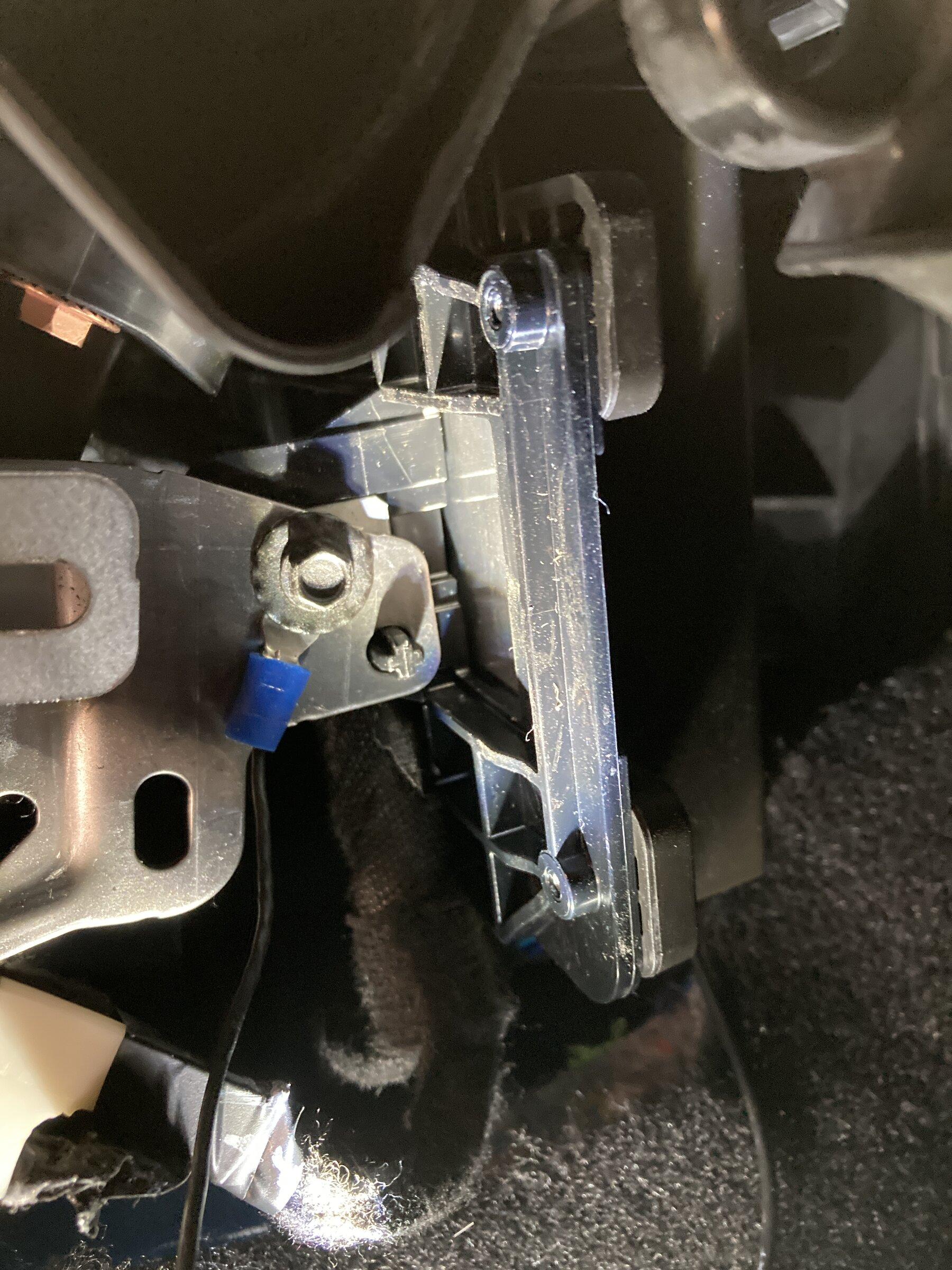
I ran all the wires up into the top cubby panel and inserted them into the hole in the front cubby I mentioned earlier. Excess wire I kept down in the passenger compartment, coiled them up and stuff and wire tied them behind the right console panel.
It works great and it's a tidy installation. If I missed anything I will try to add it later.
The first thing I ordered was a set of tools to remove different dash and console panels.
After ordering the Sirius radio, FM adapter, and Bluetooth dock. I started by ordering Pro.Fit bracket number FO-73-05-L for the Ford F350 Super Duty series of trucks. I wasn't sure if it would work and realized the long arm was probably not long enough to reach the front of the cubby. https://pro-fit-intl.com/products/2...duty-legend-mount?_pos=2&_sid=cb6761615&_ss=r
As expected it was not long enough. I solved the problem by using (2) 1x2 inch spacers cut to length and glued together to fit inside the cubby. I removed the top cubby behind the screen to figure out where to put the bolts for the spacers and run power, FM adapter wire, and antenna wire. The top half of the cubby is free and clear for bolts but the bottom half is restricted. I drilled holes in the wood spacers for #8 2 inch bolts and then using the wood spacers as a template drilled holes in the back of the cubby keeping the wood spacers as far left in the cubby as possible. This is important to keep the bracket from rubbing or rattling against the side of the cubby. I drilled a hole in the left side of and towards the top of the cubby large enough to fit the 3 wires I needed to feed in.
I painted the spacers black and drilled holes for the bracket screws again keeping them as far left as I could go then bolted the blocks to the back of the cubby. I mounted the bracket the spacers. The photo below was a test fit of everything before I painted the spacers.
I used a clothes hanger as a fish tape to bring the wires up from the passenger side to the top cubby and ran them into the previously drilled hole in the side of the cubby.
I got a little bit ahead of myself and did not cover installing the antenna. I selected an area on the drivers side roof and ran the wire down along and behind the windshield. I then routed the wire down into the engine compartment and found an oblong rubber grommet on the drivers side in the firewall. I cut and X in the grommet large enough to get the antenna wire and its jack thru the firewall to the passenger compartment. Then I routed the wire over to the passenger side by removing the side covers on the console.
I use an automatic car wash with brushes that can be kind of brutal. I did not believe that the magnet on the antenna would be strong enough to hold it in place. After thinking about it a few days I used silicone glue to fix it to the roof. I was worried about wind or the strong blowers in the car wash may suck the wire out from under the ledge of the windshield so I applied a light coating of silicone glue to the wire and stuffed it in there. I believe it will stay in place and allow me to pull it out if I want to remove it for any reason. Please, no comments on the car wash. I know it's not good for the finish but I'm 69 and have some physical issues. I'm not going to wash and dry the truck manually.
Now I have an antenna and my power, antenna and FM adapter wires run over to the passenger side and a clean install of the unit.
For power I purchased a power adapter as I did not want to use the cigarette lighter type plug that comes with the XM radio. You can order it from Amazon from here.
I ordered the XM FM adapter and adapter cables to use as my audio input. You can use a Bluetooth dock for the XM radio but you can only use one Bluetooth item at a time in the Maverick and would preclude using my phone at the same time. Yes, you can get an XM app for your phone and use Apple or Android Car Play and not bother with all of this at all. The problem is in New Mexico and Colorado if you are not on the interstate or close to a decent size town you will have no cellular. You would need unlimited data as well. I did order the XM Bluetooth dock but for the above reasons decided not to use it. The problem with the FM adapter is if you live in a large city you may have difficulty finding an area on the FM dial to give you interference free reception.
You also need the adapter cables so the FM adapter can plug into your Maverick radio.
You need to remove the front console cover to get to the antenna jacks on your radio. The FMDA25 plugs into the gray antenna jack on your Maverick radio and the Maverick antenna plugs into the FM adapter. I forgot to take a photo of the console and radio but you can see a photo at this link https://www.mavericktruckclub.com/f...y-inputs-in-the-back-of-the-radio.5638/page-3. That link is from another gentleman on the Maverick forum who installed another style of XM radio.
Last is getting power to the radio. You need to purchase a micro-2 fuse extender. I found one at my local auto parts store but you can get them from Amazon here.
You need to be sure to install this correctly following the directions. It will plug into your fuse panel two ways. One way is not correct. I plugged it into fuse 3 in the panel in the passenger side fuse panel. This is for the auto-dimming mirror and there was a fuse in there although I do not have the auto dimming option in my truck. This circuit is hot when the car is running and cold when the engine is off.
For a ground point I attached it to a screw under the right console panel.
I ran all the wires up into the top cubby panel and inserted them into the hole in the front cubby I mentioned earlier. Excess wire I kept down in the passenger compartment, coiled them up and stuff and wire tied them behind the right console panel.
It works great and it's a tidy installation. If I missed anything I will try to add it later.
Sponsored