
Sponsored

USB Drives for Music…Suggestions?

Slick-rides

2.5L Hybrid
Active member
First Name
Phil
Joined
Oct 28, 2022
Threads
3
Messages
36
Reaction score
53
Location
Ohio
Vehicle(s)
2023 Maverick XL
Engine
2.5L Hybrid
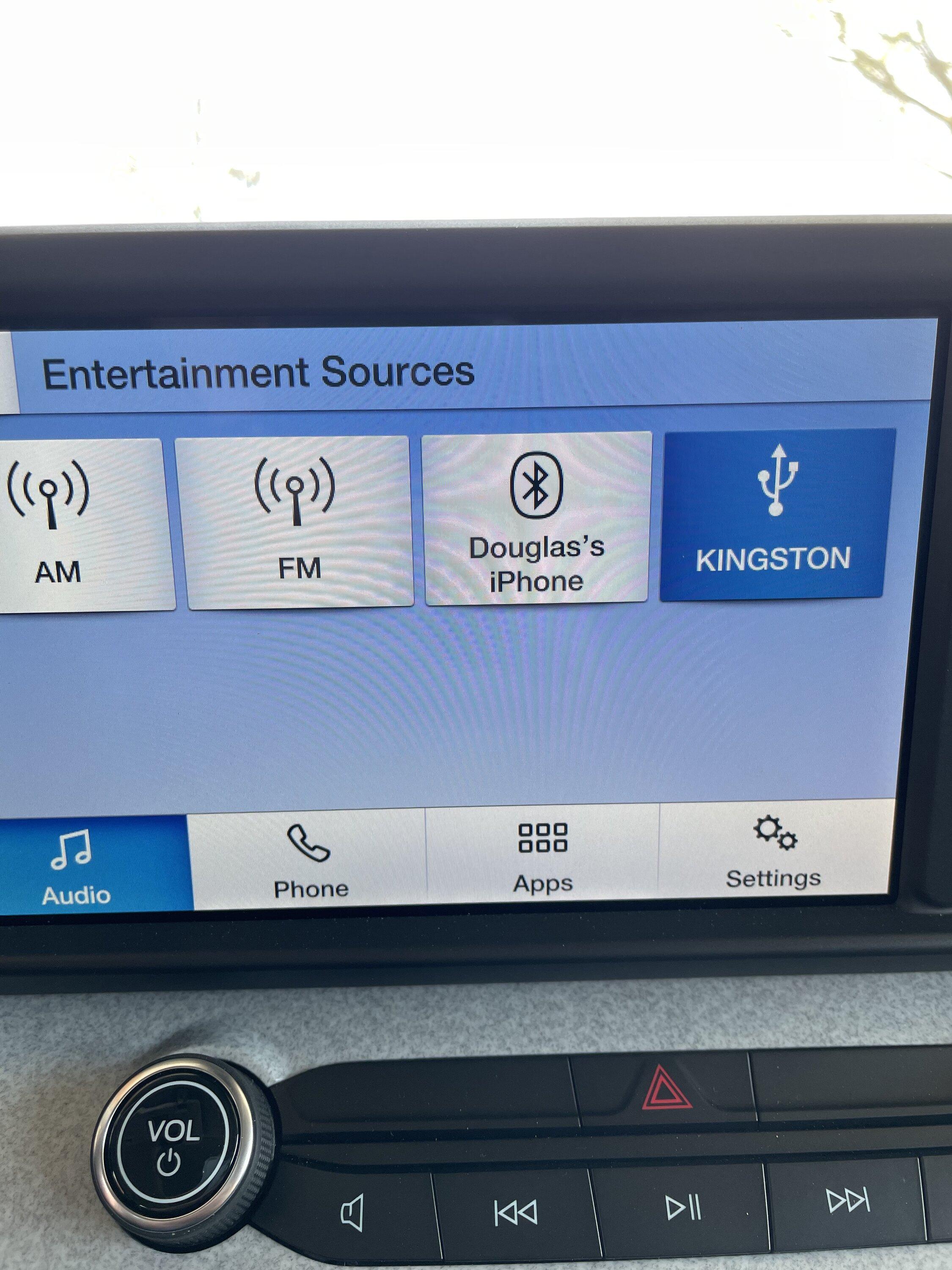
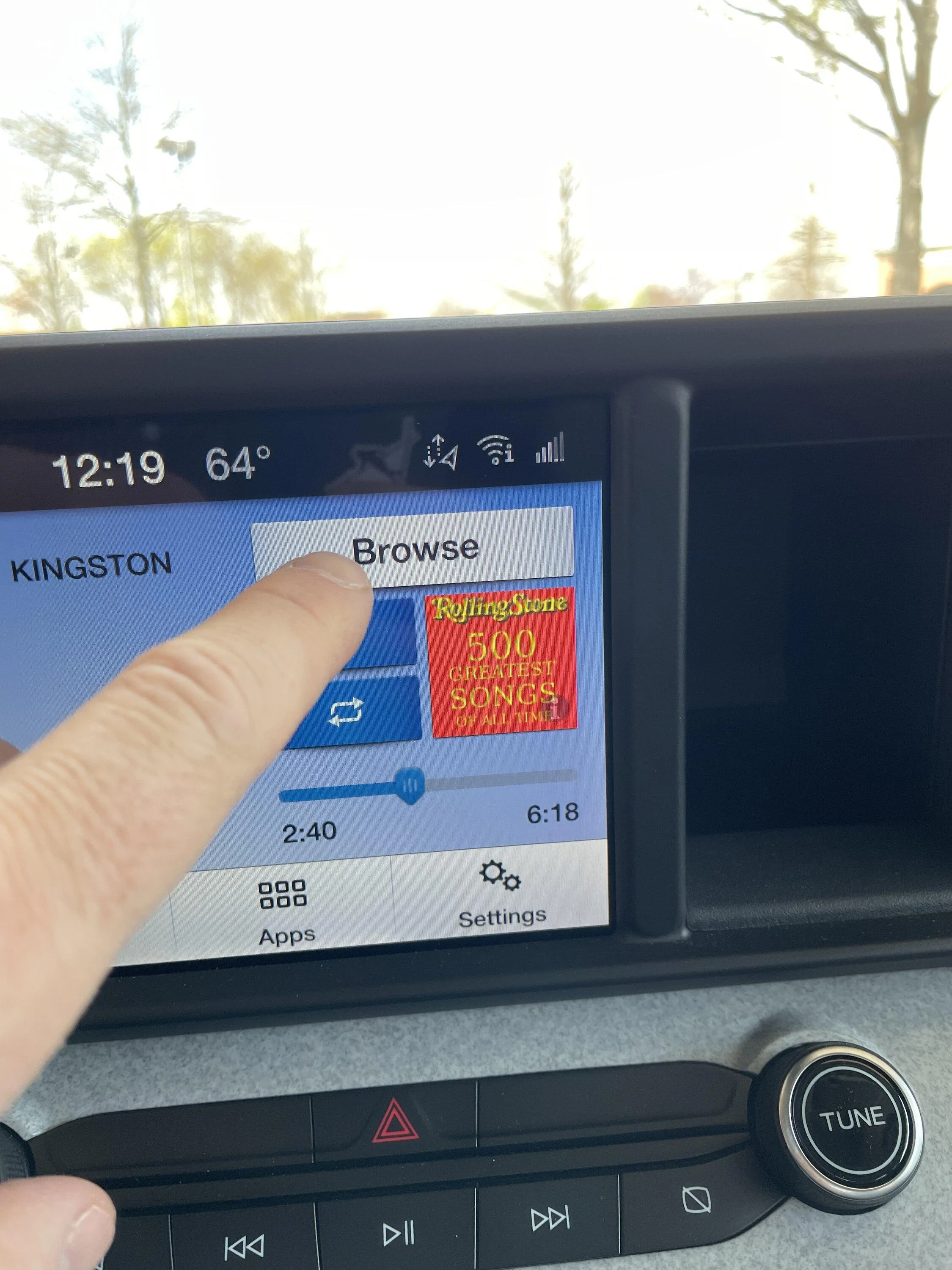
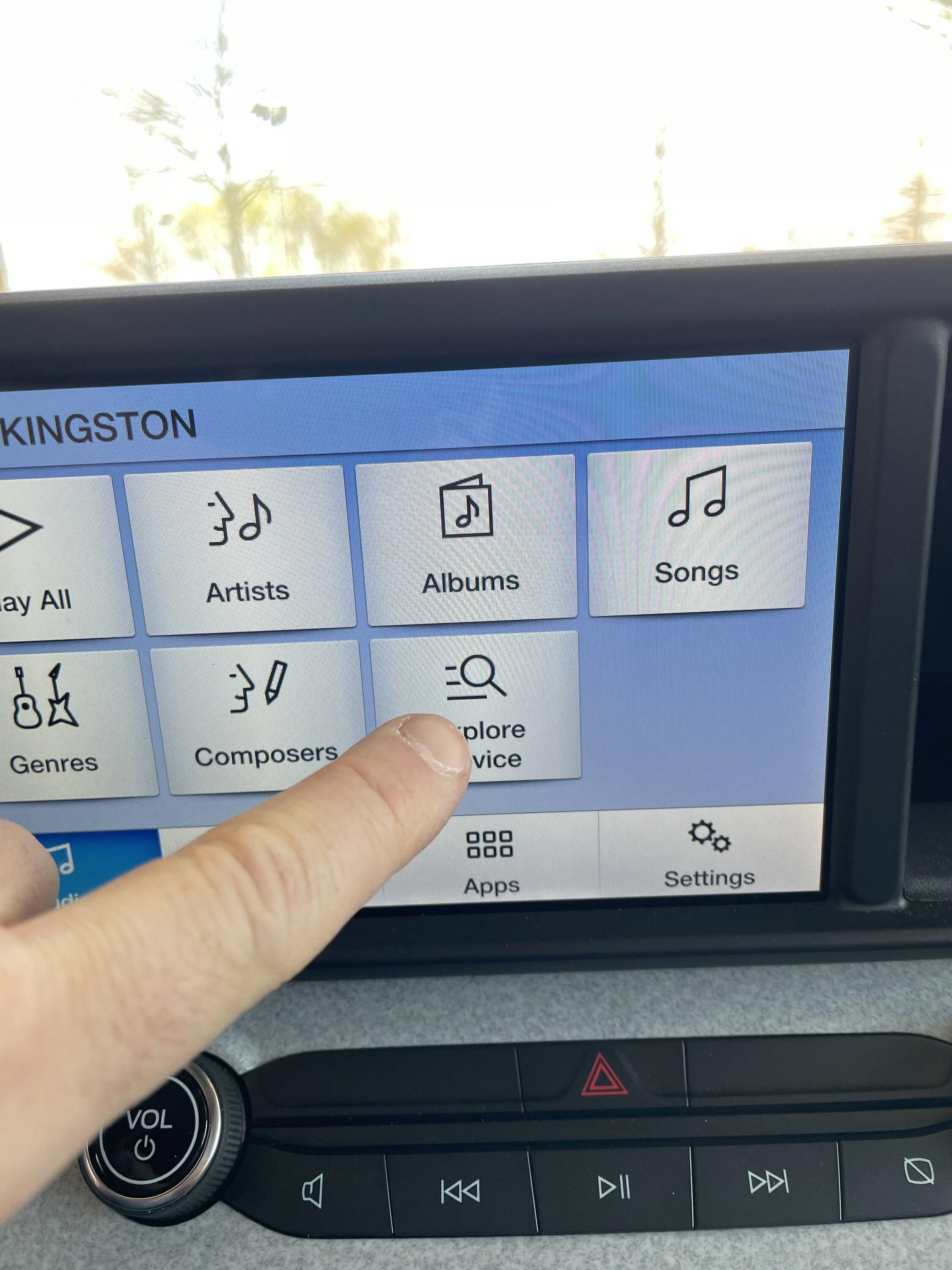
Yes I had the same experience actually! You need to select the “Browse” button. It will open the drive and allow you to select based upon Metadata (artist, name, genre) or by folders!
I know I went thru the browse button, but maybe I didn't do it right. Will mess with it tomorrow. Thanks.
Sponsored


sanpablo

2.5L Hybrid
Well-known member
First Name
Rich
Joined
Oct 11, 2021
Threads
10
Messages
613
Reaction score
734
Location
Long Island, NY
Vehicle(s)
1967 Shelby GT500, 2016 Honda HRV, 2015 Honda CRV
Engine
2.5L Hybrid
After 15+ years of using dozens and dozens of USB flash drives, the only brands I will buy now are Samsung and/or SanDisk. I've had failures from just about every other brand including PNY, Kingston, Crucial, Centon, etc.

Surprisingly, the free ones I get from Microcenter occasionally have worked better than most.
I agree, I've been using Verbatim, Samsung or SanDisk for years. I only use the micro size. With a normal long USB I would worry about it getting bumped and possibly damaging the USB socket in the dash.
 

Cheesehead

2.5L Hybrid
Well-known member
First Name
Steve
Joined
Oct 16, 2022
Threads
10
Messages
121
Reaction score
210
Location
Wisconsin
Vehicle(s)
2023 Maverick XLT
Engine
2.5L Hybrid
I have a problem when driving and trying to change albums on my USB stick, the Maverick says something to the effect that options are disabled when in motion. Anyone else have this problem or a work around?
 

Sponsored

dadd75

2.5L Hybrid
Well-known member
First Name
David
Joined
Oct 25, 2021
Threads
22
Messages
653
Reaction score
566
Location
Upstate South Carolina
Website
www.universityofheaven.com
Vehicle(s)
2022 Maverick Hybrid Lariat, 2013 Buick Encore
Engine
2.5L Hybrid
This new technology is hard to keep up with. I am retired, from vinyl to 8-tracks, to cassettes and then cd's .... now USB drives. Anyway, I bought a wireless carplay gismo and downloaded all my iTune songs to my phone, and now can wirelessly play my complete library when needed. Works like a charm!
 

A_Turkey_Sammich

Well-known member
Joined
Oct 4, 2021
Threads
0
Messages
63
Reaction score
55
Location
TX
Vehicle(s)
2016 F150
Engine
Undecided
No need to put much of any thought into it. Flash drives are so cheap they are pretty much just a disposable commodity item these days. Just stay away from the exceptionally cheap no name ones and stick to whatever mainstream ones you find at a good price. Stuff like speed isn’t important since individual audio files are small. Form factor may be a consideration, and there often is some difference there. Those really compact ones tend to run significantly hotter, but if it ever were to die a little prematurely due to usage and heat, again they are so cheap it’s not a big deal.

really a lot of the perceived performance is going to come from the audio system due to the indexing and maybe other processing functions. In other words you may not want to use an entire collection of hundreds of albums on one even if the audio system’s OS can accept the number of files. It may end up much slower regardless of which storage device you use vs keeping a more modest amount of stuff. This much is kind of trial and error since different car OS’s handle things differently, and of course the hardware driving the OS can vary too. For example sync 3 itself might be able to handle X amount of audio files. The sync 3 in your maverick (I still can’t get one) might handle that max better or worse than say the same sync3 in my 7/8yo F150 with the same flash drive due to the different APIM (hardware) running the OS.
 
OP
OP
athertonbt

athertonbt

2.0L EcoBoost
Well-known member
Joined
Jul 21, 2021
Threads
37
Messages
785
Reaction score
1,529
Location
TN
Vehicle(s)
2022 Maverick XL EB FWD Carb Gray
Engine
2.0L EcoBoost
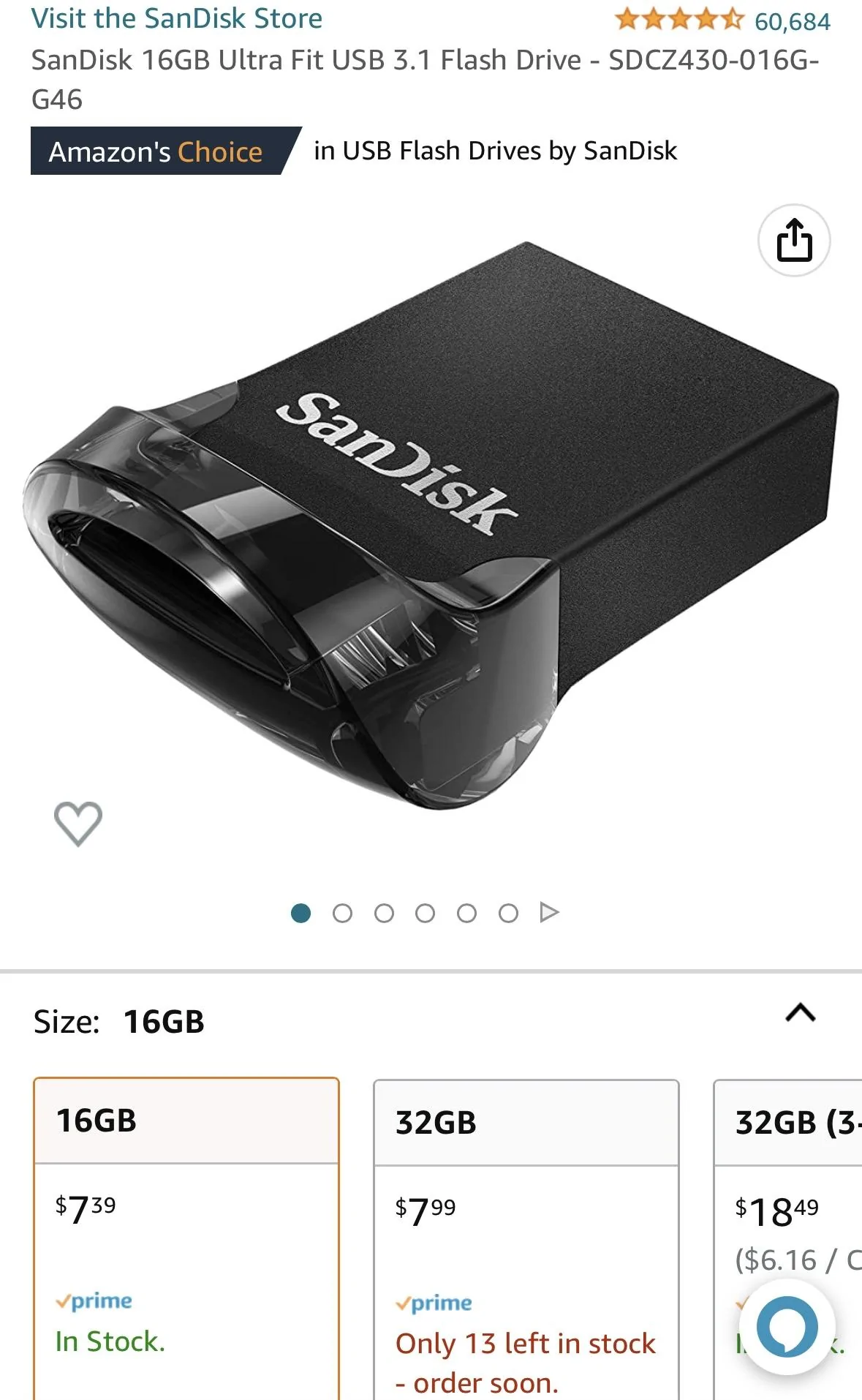
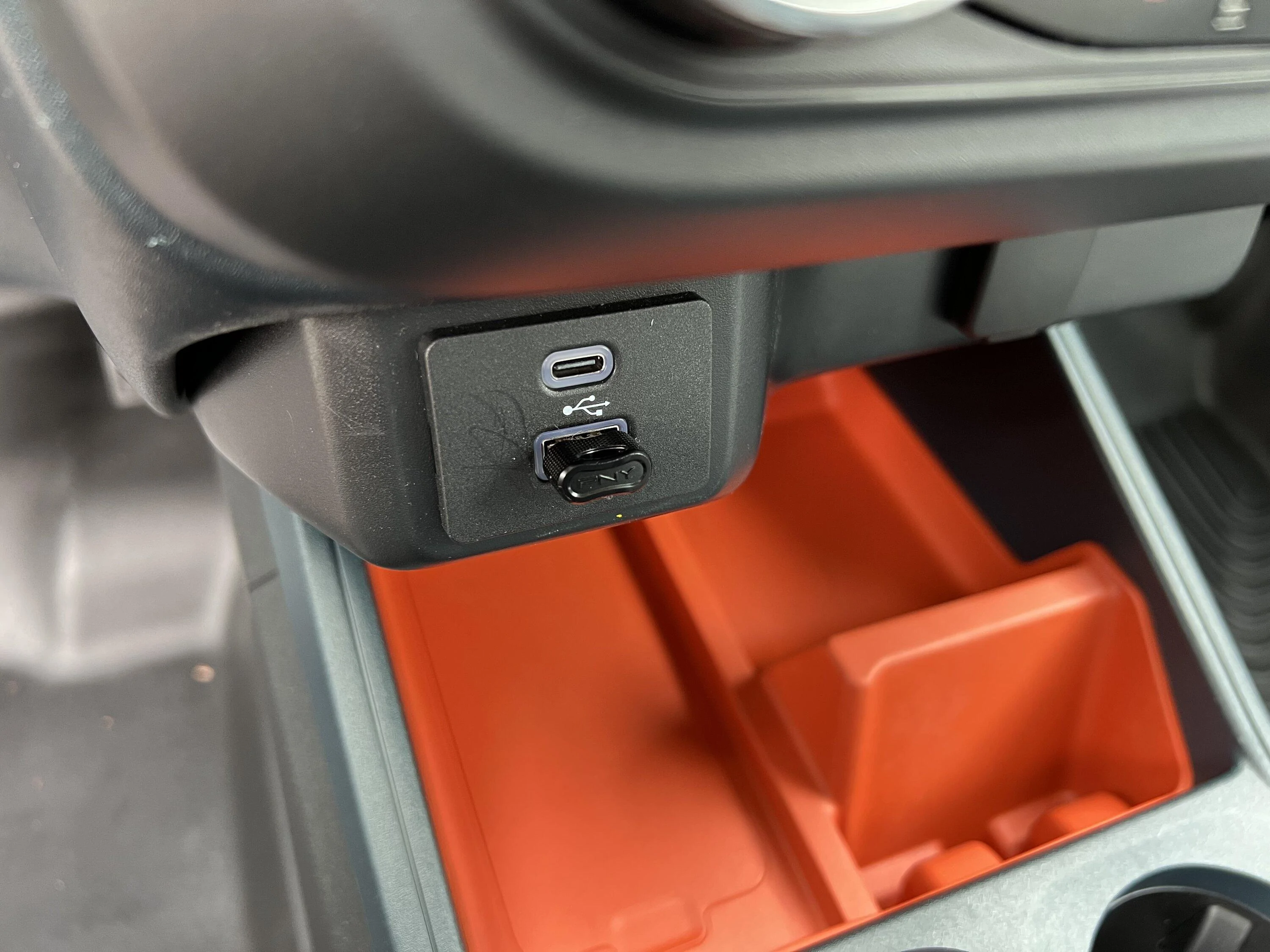
This one works great and barely sticks out.
5B210538-EFA7-44C9-8110-F7DFDD7FE51A.webp
Update: I got this in the 128gb version, which is on sale now for $13.99. It's working great! Pumped to have all my old tunes back, and the cheapskate in me is rejoicing at lucking out on a sale.

Also found that I have been able to browse by album/artist easily with the browse function.
 
Last edited:

xl2023

2.5L Hybrid
Active member
Joined
Nov 26, 2022
Threads
7
Messages
35
Reaction score
23
Location
Northern VA
Vehicle(s)
Maverick XL, Toyota Yaris
Engine
2.5L Hybrid
Make sure to buy a stubby one they won’t stick out, look much better. When you’re done transferring your music you will be much happier. No storage and no changing out CD’s.
Just make sure to remember it if you ever sell the truck. CarMax has my music collection from a Ford escape :(
 

Jwaz68

2.0L EcoBoost
Well-known member
First Name
John
Joined
Sep 21, 2022
Threads
9
Messages
193
Reaction score
242
Location
Bradenton, FL
Vehicle(s)
2023 XLT Tremor AWD, 2020 Nissan Kicks SV
Engine
2.0L EcoBoost
Clubs
 
I agree, don't buy knockoffs and don't buy from rando sellers.

I am using this one, it works fine. Probably have room for 12,000+ songs
https://www.amazon.com/gp/product/B01LFV52Y6/

Price ($10.99) is very very good right now, less than I paid - ships and sold by Amazon and PNY is a legit memory supplier

1679451064864.jpeg
The 256 for 24.99 is a good buy for a stubby one.
 
Sponsored

Cromwell

2.0L EcoBoost
Well-known member
First Name
Oliver
Joined
Jul 28, 2021
Threads
23
Messages
171
Reaction score
124
Location
Nova Scotia, Canada
Vehicle(s)
2023 Maverick XL
Engine
2.0L EcoBoost
Clubs
 
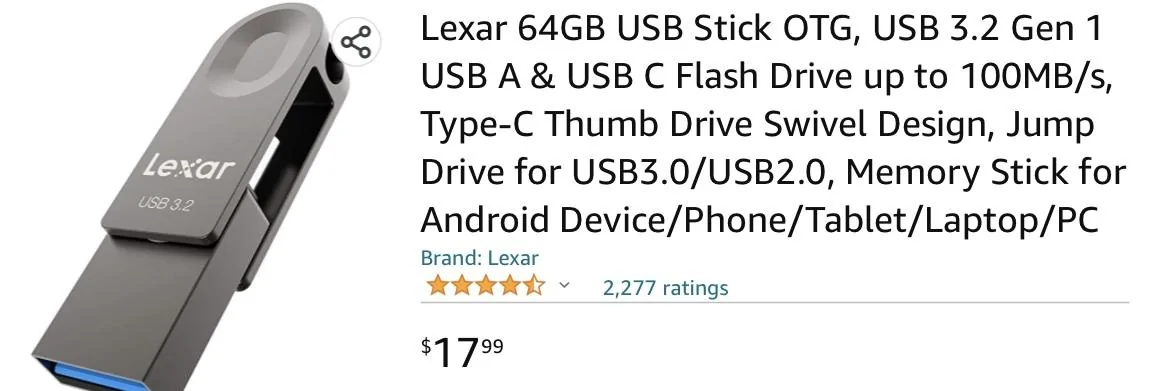
This swivel Lexar is small and convenient depending on your USB requirements. (That's a Canadian price.)
Ford Maverick USB Drives for Music…Suggestions? IMG_2902
 

desmobob

2.0L EcoBoost
Well-known member
First Name
Bob
Joined
Jan 18, 2022
Threads
14
Messages
375
Reaction score
365
Location
Upstate NY
Vehicle(s)
2022 XLT EcoBoost tow package, 1995 Ducati 900SS SP, 2025 CF Moto CF500
Engine
2.0L EcoBoost
I'm currently using my iPod Touch connected to the Maverick via USB cord for my music. When I turn it on, I have to enter my password to open the iPod, then it takes several seconds for the audio system to read all the music on it. Then, when I browse, I have to scroll down a ways to get to my play lists. Scrolling with the the Maverick's touch screen is not the most convenient.

Is it possible to easily transfer my playlists from my MacBook's "Music" program to a USB to use in the Maverick? (Can you tell I'm an old retired guy?)
 

desmobob

2.0L EcoBoost
Well-known member
First Name
Bob
Joined
Jan 18, 2022
Threads
14
Messages
375
Reaction score
365
Location
Upstate NY
Vehicle(s)
2022 XLT EcoBoost tow package, 1995 Ducati 900SS SP, 2025 CF Moto CF500
Engine
2.0L EcoBoost
Is it possible to easily transfer my playlists from my MacBook's "Music" program to a USB to use in the Maverick? (Can you tell I'm an old retired guy?)
Got it figured out... First try downloading my playlists was a fail. Songs had to be downloaded; you can't download playlists. It took a minute, but I have about 600 songs on a thumb drive and it works.
 

JBryant

2.5L Hybrid
Well-known member
First Name
Jesse
Joined
Nov 7, 2022
Threads
33
Messages
1,629
Reaction score
2,709
Location
Bowie, TX
Vehicle(s)
2023 Maverick Lariat Hybrid Alto Blue
Engine
2.5L Hybrid
Another old guy with dumb question. How do you choose to drive from your radio, or does the music start automatically when you plug it in?
Sponsored


Top