Looks like some people got it to work. You can change a setting with forscan that would allow you to watch videos from a usb drive while moving. I tried that method myself and it worked without issues. I didn't try every video format but mp4 videos work.
I just purchased the Ottocast Car TV Mate Pro $82 CDN. It arrived a couple of days ago and initially had some issues connecting and display issues.
Mainly the Ford info screen was on top of the Ottocast screen. In addition to blocking the Ottocast screen it was preventing me from changing the screen size button.
I setup my Firestick in my home off of my tv, setting the wifi to the hotspot on my phone. (I had some issues with access and remote so squared it away first in a working environment)
I plugged the Ottocast in to the USB, the Firestick into the HDMI on the Ottocast and the power cable for the Firestick into the Ottocast USB.
I set the Ottocast to come on to HDMI so the Firestick wouldn’t present me the wireless CarPlay option.
Now when I start my Maverick my IPhone will automatically connect to my CarPlay first.
To change to the Ottocast I hit the home icon top left of the screen. From there I select Home/Settings/Phone List.
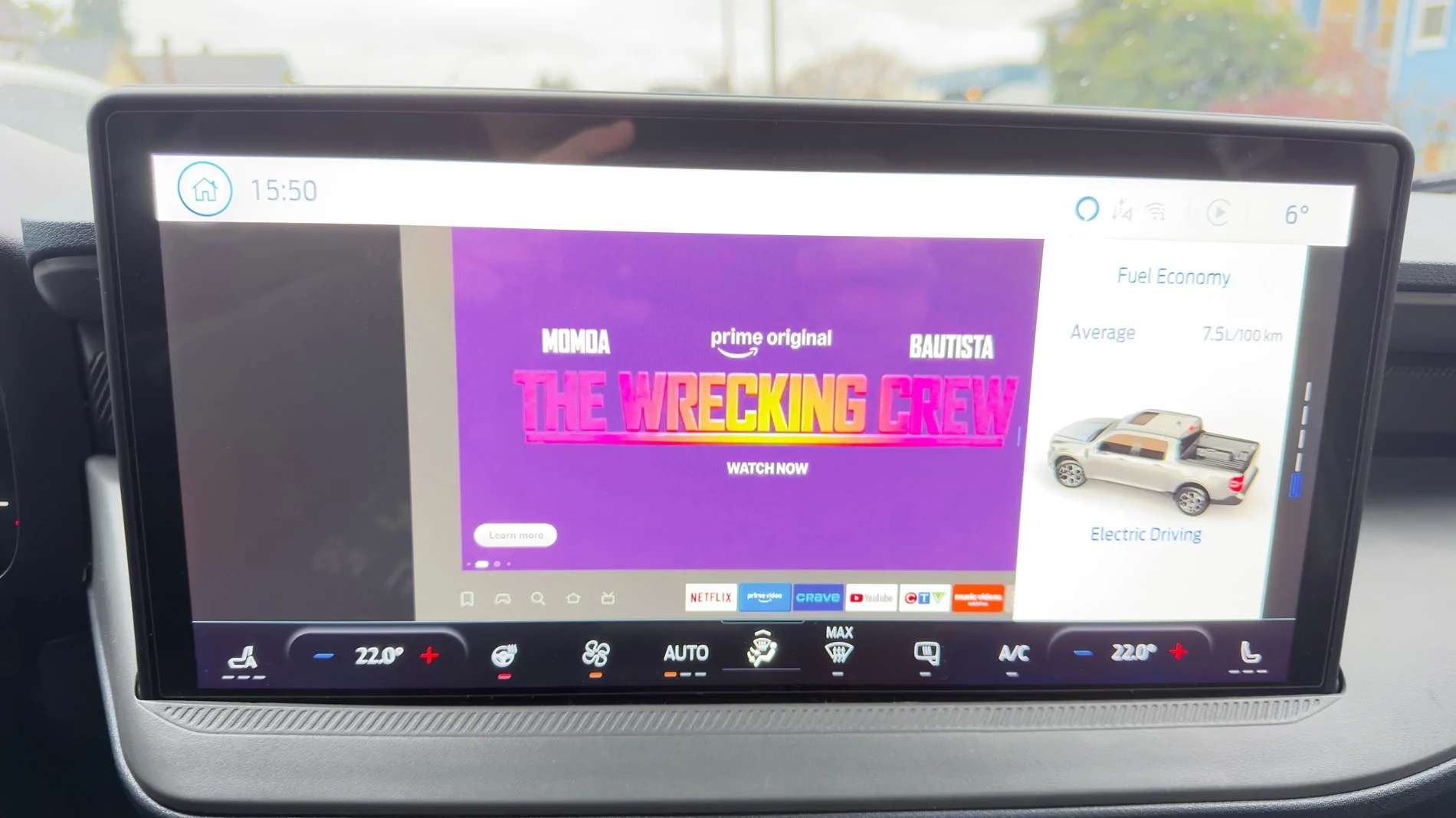
By hitting the CarPlay icon for the Ottocast device it enables the screen to broadcast from the Firestick to the screen.
My hotspot has to remain enabled for internet access for the Firestick to access content.
I may have missed a step as I just got this to work last night.
I didn’t make any changes through FORScan and the video appears to work while the vehicle is in motion. Not a feature I will be using but it works nonetheless.
The video is clear enough to watch a movie and the sound matches the audio.
In the top right corner there is a screen adjust button which allows you to switch between three sizing options.
Regardless of screen size the Ford bar stays at the top of the screen which allows you to access the Ford system. The Ford screen that initially was displaying over to has been resolved.
I just purchased the Ottocast Car TV Mate Pro $82 CDN. It arrived a couple of days ago and initially had some issues connecting and display issues.
Mainly the Ford info screen was on top of the Ottocast screen. In addition to blocking the Ottocast screen it was preventing me from changing the screen size button.
I setup my Firestick in my home off of my tv, setting the wifi to the hotspot on my phone. (I had some issues with access and remote so squared it away first in a working environment)
I plugged the Ottocast in to the USB, the Firestick into the HDMI on the Ottocast and the power cable for the Firestick into the Ottocast USB.
I set the Ottocast to come on to HDMI so the Firestick wouldn’t present me the wireless CarPlay option.
Now when I start my Maverick my IPhone will automatically connect to my CarPlay first.
To change to the Ottocast I hit the home icon top left of the screen. From there I select Home/Settings/Phone List.
By hitting the CarPlay icon for the Ottocast device it enables the screen to broadcast from the Firestick to the screen.
My hotspot has to remain enabled for internet access for the Firestick to access content.
I may have missed a step as I just got this to work last night.
I didn’t make any changes through FORScan and the video appears to work while the vehicle is in motion. Not a feature I will be using but it works nonetheless.
The video is clear enough to watch a movie and the sound matches the audio.
In the top right corner there is a screen adjust button which allows you to switch between three sizing options.
Regardless of screen size the Ford bar stays at the top of the screen which allows you to access the Ford system. The Ford screen that initially was displaying over to has been resolved.