


Sponsored

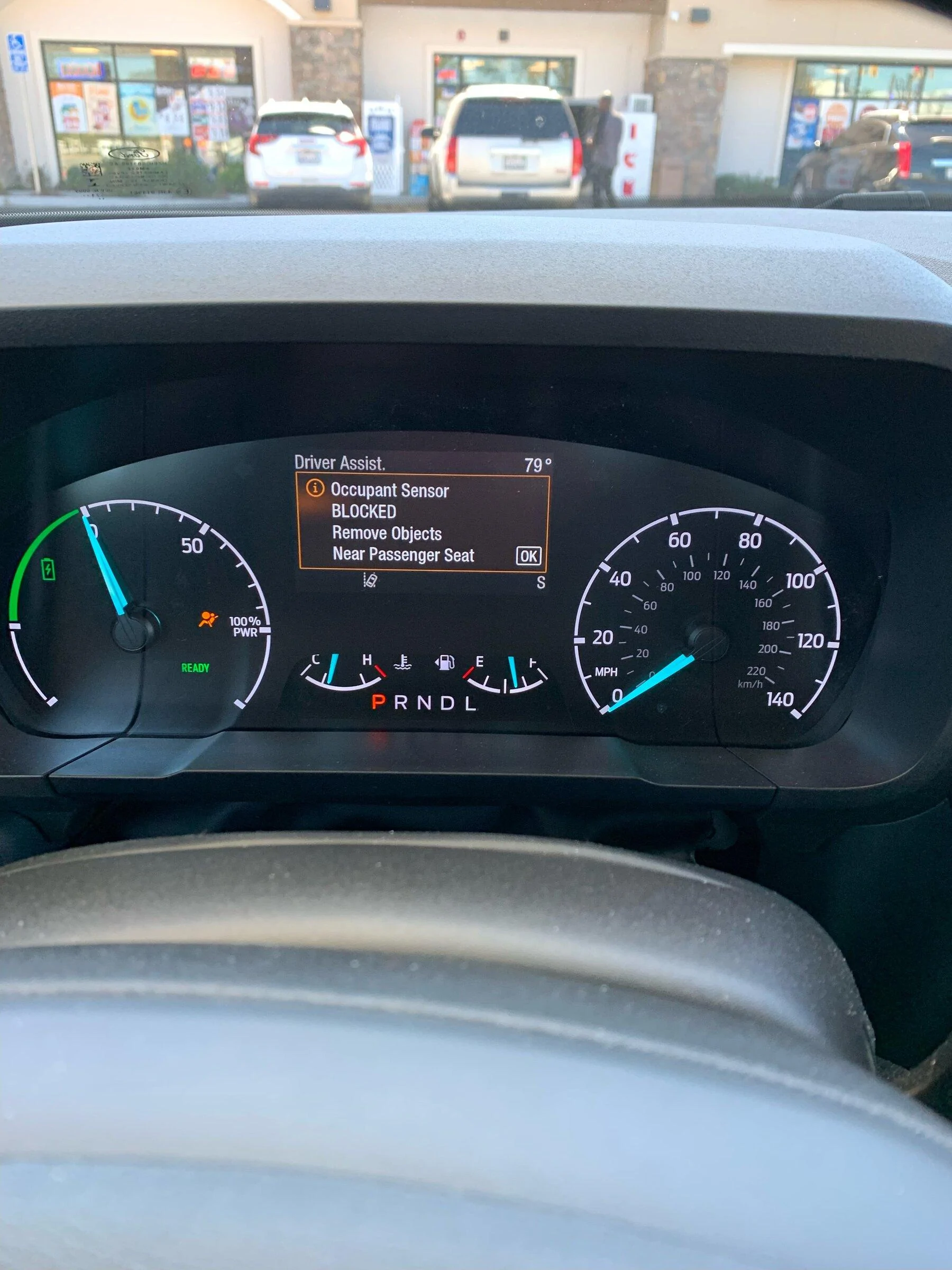
Occupant Sensor Blocked Remove Objects Near Passenger Seat- Showed up on display

MavChris

2.0L EcoBoost
Well-known member
First Name
Chris
Joined
Jan 15, 2023
Threads
8
Messages
190
Reaction score
237
Location
Macomb Michigan
Vehicle(s)
23 Maverick XLT, 22 Bronco Sport, 19 Flex SEL
Engine
2.0L EcoBoost
Had this happen a couple of times. It happens when I open one of the rear doors while the truck is in park and idling. I'll load something in the bed and open one of the rear doors to access the under seat storage for tie down straps. There is nothing in the passenger seat. Message shows up on the screen when I open the drivers door. Close drivers door and hit OK and message goes away. Message shows up again when drivers door is open. Turn off truck and start it back up and no message. Will not appear again until I open one of the rear doors with the truck in park and idling.
Sponsored
 

Automan21

2.0L EcoBoost
Well-known member
First Name
Mel
Joined
Nov 30, 2023
Threads
23
Messages
1,063
Reaction score
925
Location
CT
Vehicle(s)
‘23 XLT Eco AWD 4K Tow
Engine
2.0L EcoBoost
Can you just unplug the sensor harness under the seat?
 

Miznap

2.0L EcoBoost
Member
First Name
Bob
Joined
Feb 9, 2024
Threads
0
Messages
5
Reaction score
3
Location
NM
Vehicle(s)
Maverick
Engine
2.0L EcoBoost
This showed up the information display after I made adjustments to certain information on the display menu.

Occupant Sensor Blocked Remove Objects Near Passenger Seat

I started the truck and it showed up. I turned off the truck and started it again. Same display.

7A04A308-FE81-49FE-994E-9BB229A9A657.jpeg
I saw a response that said it happened after he did light horn from ford pass did it again it went away. I just was getting message today. I did horn_light from ford pass and it went away. WTF ford
Sponsored


Top