
- First Name
- Austin
- Joined
- Dec 23, 2024
- Threads
- 4
- Messages
- 17
- Reaction score
- 48
- Location
- United States
- Vehicle(s)
- 2024 Ford Maverick Tremor Lariat
- Engine
- 2.0L EcoBoost
- Thread starter
- #1
Hey Everyone,
I recently upgraded the brakes on my '24 Tremor (18k miles) and wanted to share an issue I ran into in the event it helps save someone else time & headache.
Initially, I placed the vehicle into brake maintenance mode using Ford's gas pedal/parking brake button procedure, that went as expected
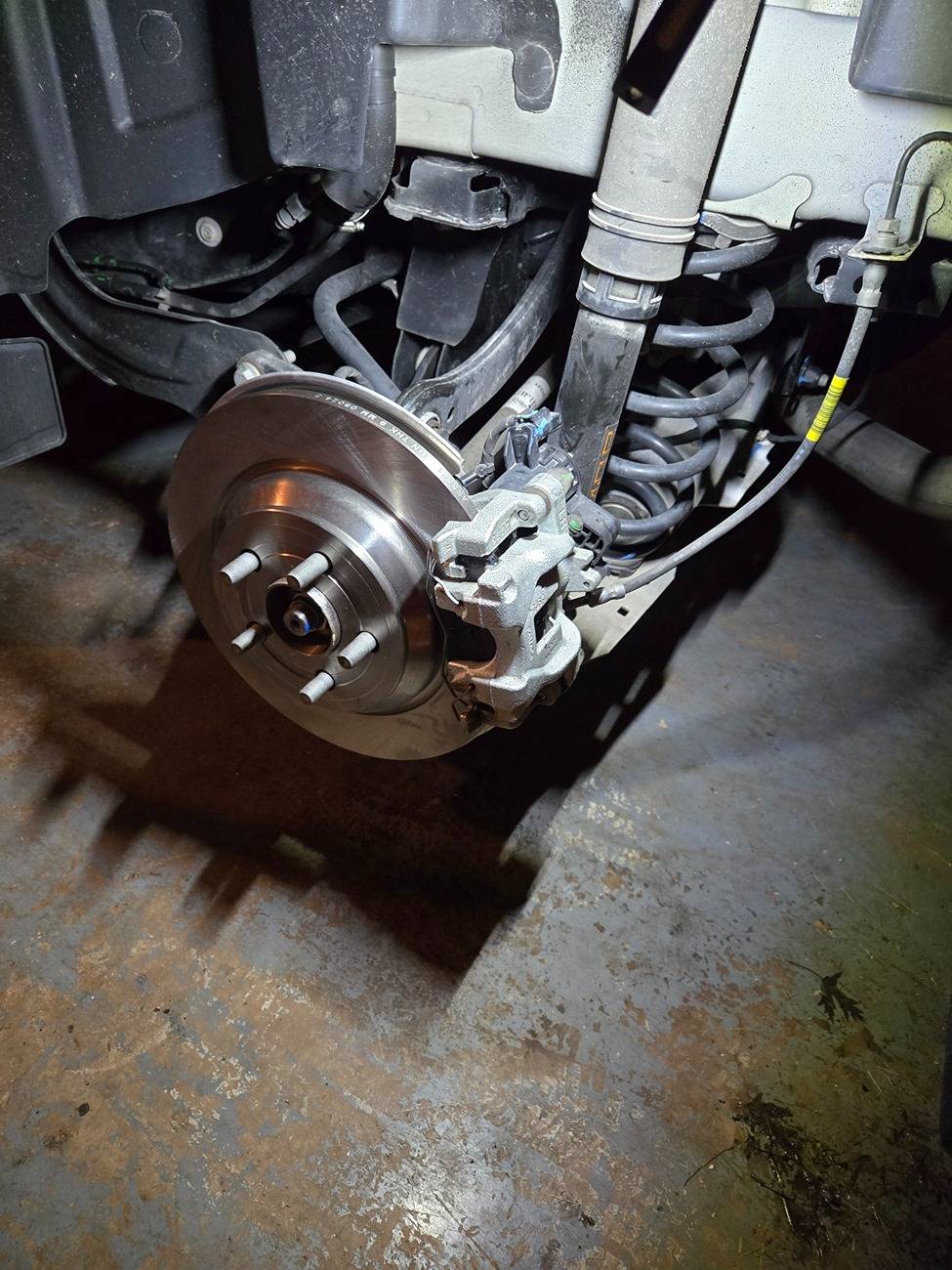
The brakes I upgraded to are Powerstop Z17 (pads & rotars) that I had gotten with a substantial rebate. I had some brake noise when going into gear on the factory brakes and these resolved it.
I recently upgraded the brakes on my '24 Tremor (18k miles) and wanted to share an issue I ran into in the event it helps save someone else time & headache.
Initially, I placed the vehicle into brake maintenance mode using Ford's gas pedal/parking brake button procedure, that went as expected
- I proceeded with changing out the front brake hardware
- I proceeded with changing out the rear brake hardware, no issues with depressing the rear pistons since it was in service mode
- I attempted to disable brake service mode, but was greeted with the below dash errors:
- Check Brake System Message
- Check Engine Light
- Service AdvanceTrac Message
- ABS Warning Light
- ACC Warning Message
- I attempted disconnecting the battery for an hour, disconnecting/reconnecting the parking brake connectors, cycling the parking brake, but no luck
- I attempted driving the Maverick, but the brakes were barely working with a very stiff pedal and when the pedal was pushed hard enough it was almost like the electronic parking brake was assisting and it braked really hard
- I ordered a USB to OBDII adapter to use with Forscan overnighted through Amazon (Amazon Link)
- Got Forscan setup/connected and did the following:
- Checked for codes, the below appeared:
-
Code:
===GSM DTC None===
Successful DTC reading, no error codes found

Module: Gear Shift Module

===END GSM DTC None===

===PSCM DTC None===
Successful DTC reading, no error codes found

Module: Power Steering Control Module

===END PSCM DTC None===

===ACM DTC None===
Successful DTC reading, no error codes found

Module: Audio Control Module

===END ACM DTC None===

===WACM DTC None===
Successful DTC reading, no error codes found

Module: Wireless Accessory Charging Module

===END WACM DTC None===

===SCCM DTC None===
Successful DTC reading, no error codes found

Module: Steering Column Control Module

===END SCCM DTC None===

===IPC DTC None===
Successful DTC reading, no error codes found

Module: Instrument Panel Control Module

===END IPC DTC None===

===GWM DTC None===
Successful DTC reading, no error codes found

Module: Gateway Module A

===END GWM DTC None===

===IPMA DTC U0418:86-AF===
Code: U0418 - Invalid Data Received from Brake System Control Module 'A'

Additional Fault Symptom (:86):
- Signal Invalid

Status (-AF):
- DTC Present at Time of Request
- Malfunction Indicator Lamp is On for this DTC

Module: Image Processing Module A

Freeze Frame #1:
-EVENT_TIME: 26911938 s (Sun Dec 29 12:50:38 2024) - Event time
-TOTAL_DISTANCE: 30383 km - Total Distance
-MODULE_VOLTAGE: 12.0 V - Control Module Voltage
-OUTDOOR_TEMPERATURE: 16 °C - Outside temperature
-ECU_POWER_SUPPLY: 11.9 V - ECU Power Supply Voltage
-ECU_INTERNAL_TEMPERATURE: 28 °C - ECU Internal Temperature
===END IPMA DTC U0418:86-AF===
-
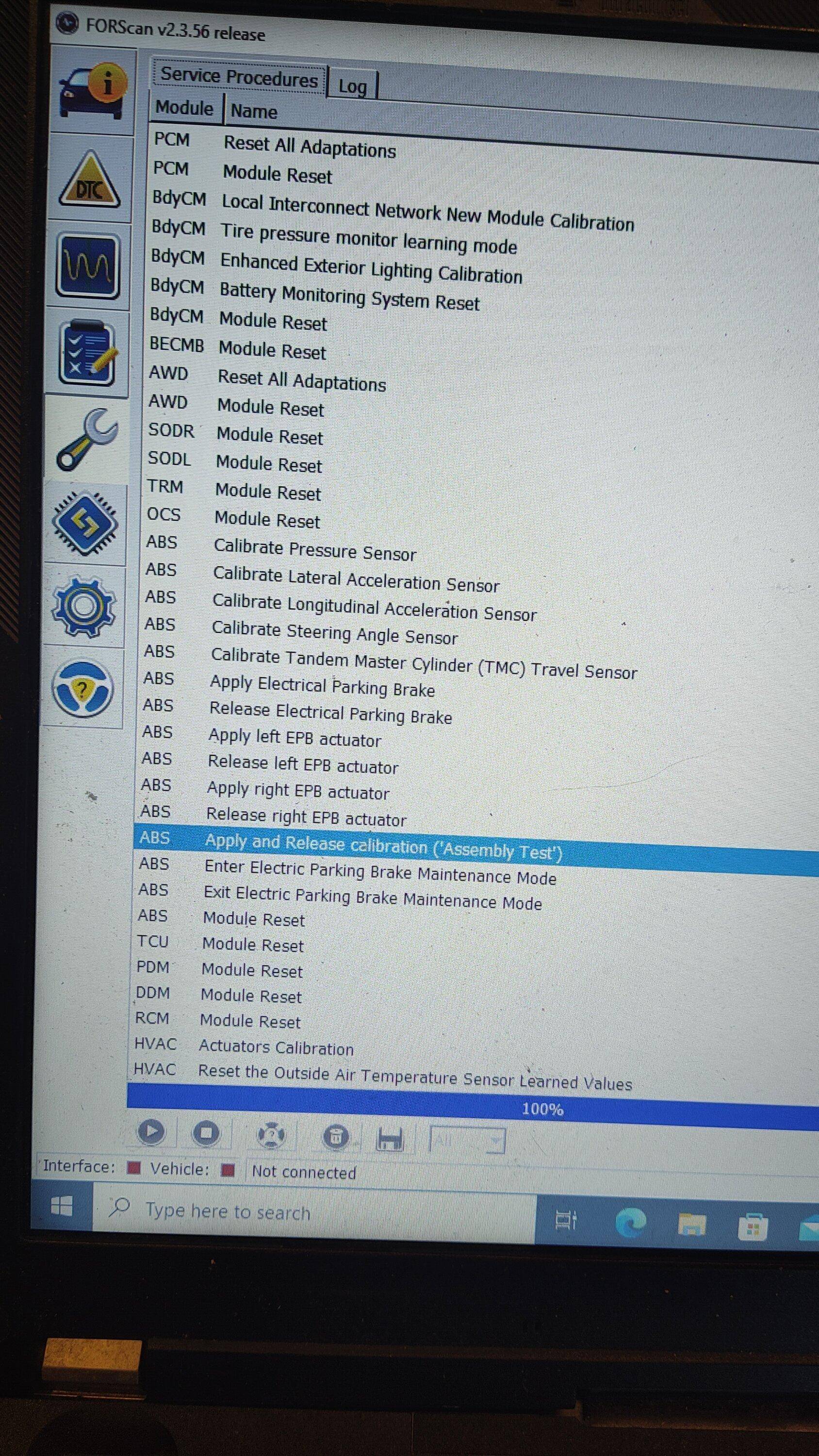
- Ran the "Enter Electric Parking Brake Maintenance Mode" and then "Exit Electric Parking Brake Maintenance Mode" service procedures (example below is from this post):
-
- Cleared any of the codes and cycled accessory power
- Checked for codes, the below appeared:
- Like magic, all of the dash warnings/lights went away and I was able to successfully perform the brake break-in/bed-in procedure
The brakes I upgraded to are Powerstop Z17 (pads & rotars) that I had gotten with a substantial rebate. I had some brake noise when going into gear on the factory brakes and these resolved it.
Sponsored
Last edited: