

- First Name
- Andrew
- Joined
- Dec 12, 2021
- Threads
- 28
- Messages
- 127
- Reaction score
- 87
- Location
- Hollister, MO
- Vehicle(s)
- Maverick Lariat
- Engine
- 2.5L Hybrid
- Thread starter
- #1
I thought someone might be interested to know that Forscan Lite for Android will work with a USB ODBII device. All one needs is a quality USB A female to USB C (or micro) adapter. Following are the equipment items I have used successfully.
OBDLink EX FORScan OBD Adapter
USB C Male to USB 3.0 Female Adapter
Charging Cable Adapter Keeper
FORScan Lite 1.5.23 for Android (Core 2.3.59) Independent Edition
Notes:
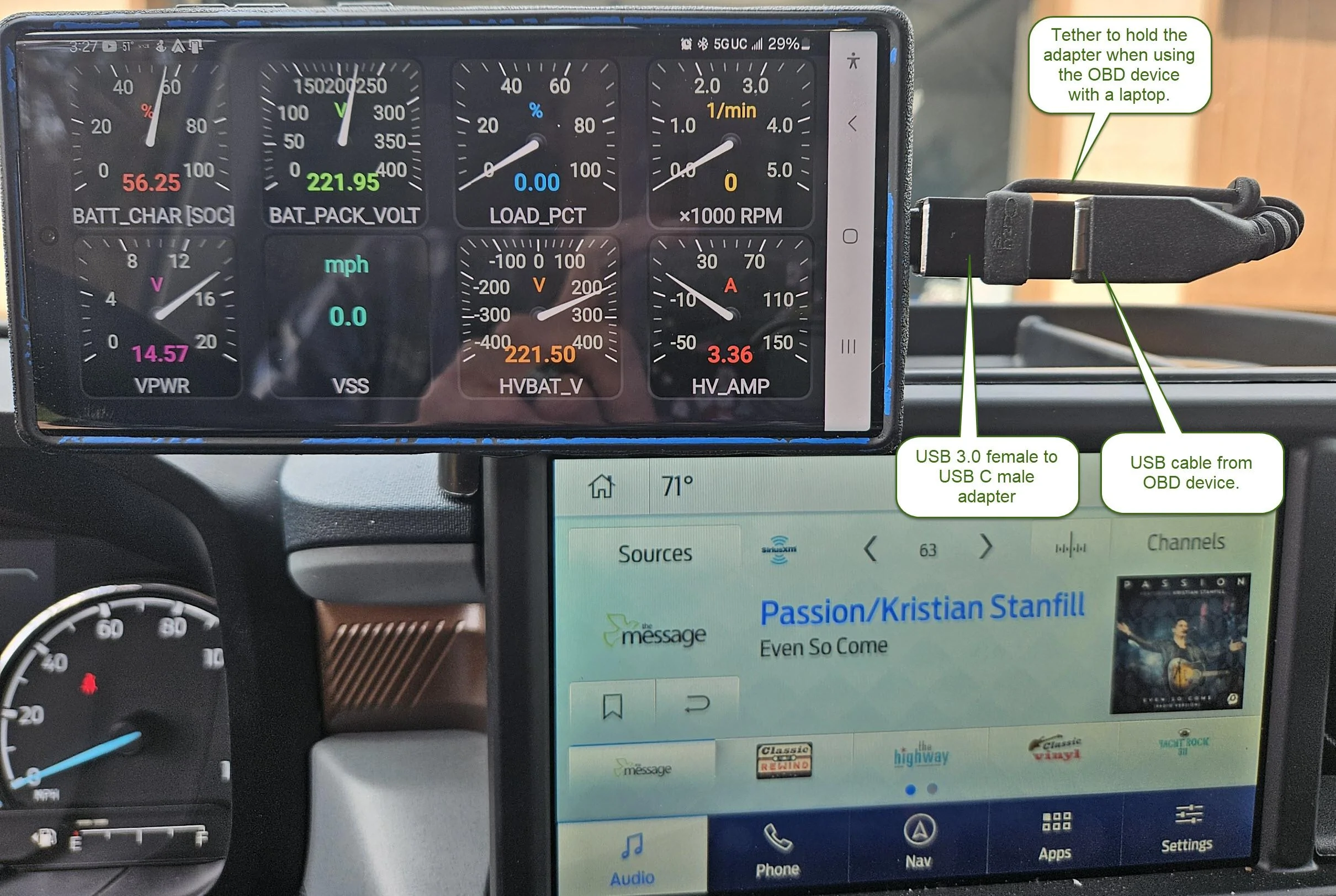
OBDLink EX FORScan OBD Adapter
USB C Male to USB 3.0 Female Adapter
Charging Cable Adapter Keeper
FORScan Lite 1.5.23 for Android (Core 2.3.59) Independent Edition
Notes:
- In the Forscan settings, you will need to change the connection type from the default of "Bluetooth" to "USB Universal".
- I don't know if it is my phone, the adapter, or just the nature of the connection, but the USB C to USB 3.0 adapter only keeps a stable connection when the USB C male end is inserted with a certain side 'up'. If the other side is 'up' then the connection will only last 15 to 30 seconds. If this is happening to you, try turning the USB C around 180 degrees.
- My phone is a Samsung Galaxy S23 Ultra
- My vehicle is a MY24 Lariat with remote start
Sponsored



