
Sponsored

Stereo Changing to AM or Sirius Ch 0

Rustlesee

2.0L EcoBoost
Member
First Name
Russell
Joined
Feb 11, 2024
Threads
3
Messages
15
Reaction score
5
Location
Spokane
Vehicle(s)
Maverick
Engine
2.0L EcoBoost
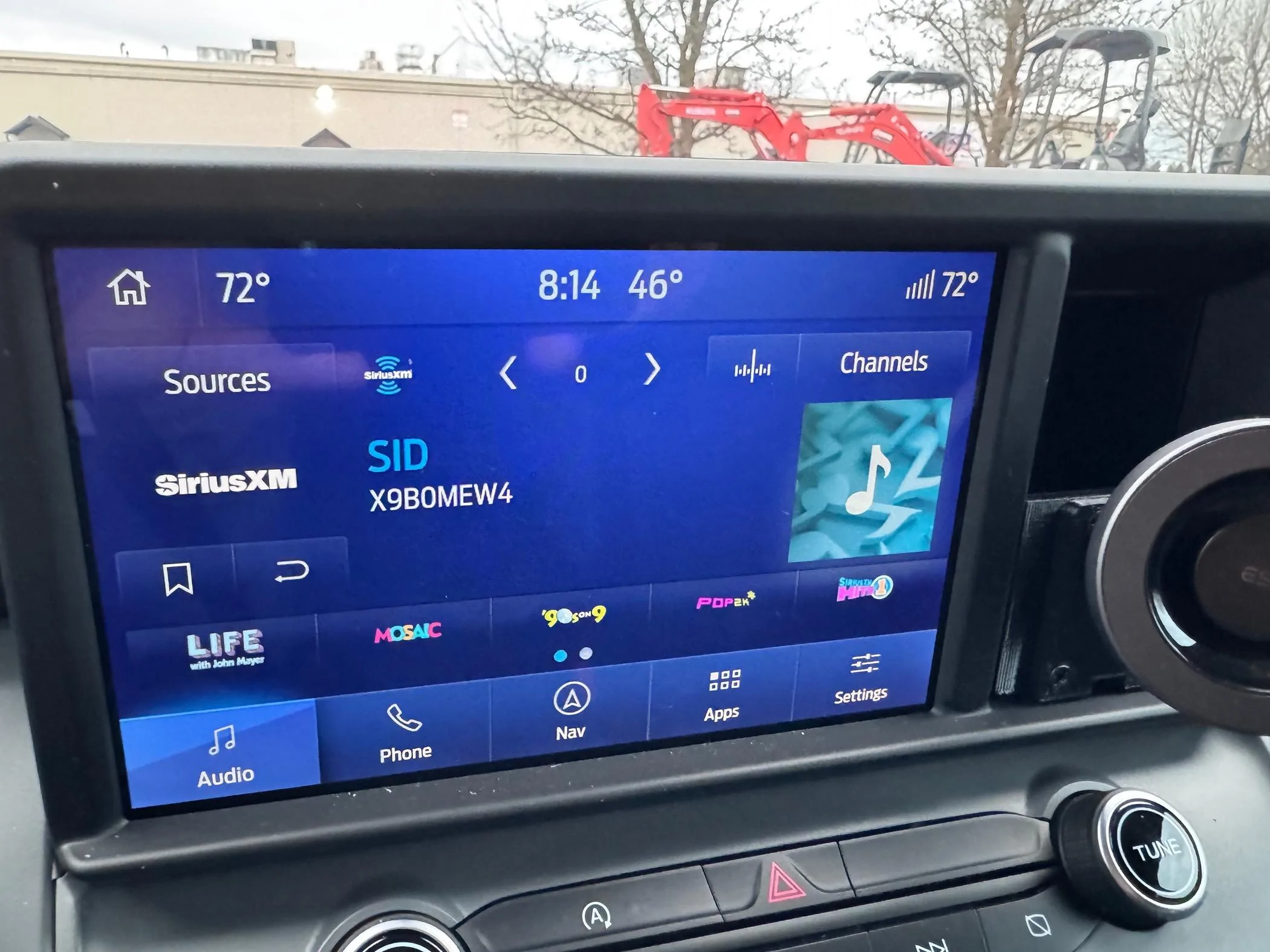
Is anyone else having the issue where you get in and start and your stereo is either on AM or Sirius Ch 0?

It’s almost every time I start up.

Checked the stereo, says everything is up to date. 🤷🏼‍♂️
Ford Maverick Stereo Changing to AM or Sirius Ch 0 IMG_6242
Sponsored


Ozarkbeard

Well-known member
Joined
May 22, 2022
Threads
14
Messages
4,344
Reaction score
5,477
Location
.
Vehicle(s)
.
Engine
Undecided
My Infotainment system used to often start on "Radio" when got in the truck - but only if I had turned it off during the last drive. So now I just turn it down instead of off, when I get out of the truck. That seems to make it remember the last source I was using.

I typically listen to music from my phone via bluetooth. I rarely use AndroidAuto via a USB-C connection.
 

Art Vandelay

2.5L Hybrid
Well-known member
First Name
Brian
Joined
Jan 24, 2021
Threads
19
Messages
817
Reaction score
1,402
Location
New York
Vehicle(s)
2023 Hybrid Lariat Alto Blue
Engine
2.5L Hybrid
Is anyone else having the issue where you get in and start and your stereo is either on AM or Sirius Ch 0?

It’s almost every time I start up.

Checked the stereo, says everything is up to date. 🤷🏼‍♂️
Are you sure Sync is up to date? The updater is known to not always work correctly, what does it show for your current Sync version?
 
OP
OP
Rustlesee

Rustlesee

2.0L EcoBoost
Member
First Name
Russell
Joined
Feb 11, 2024
Threads
3
Messages
15
Reaction score
5
Location
Spokane
Vehicle(s)
Maverick
Engine
2.0L EcoBoost
Are you sure Sync is up to date? The updater is known to not always work correctly, what does it show for your current Sync version?
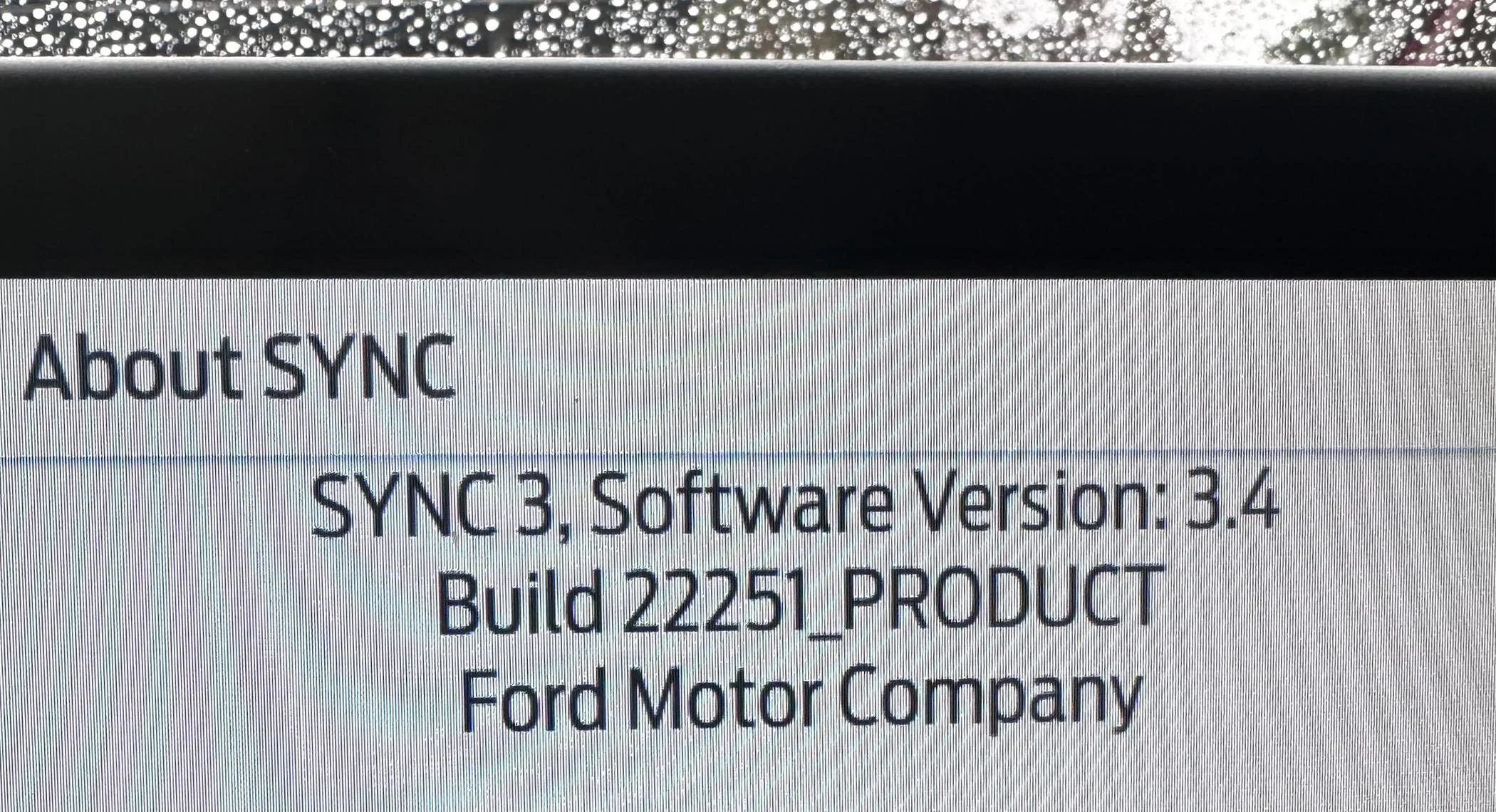
Says “SYNC 3, software version: 3.4”
 

Sponsored

OP
OP
Rustlesee

Rustlesee

2.0L EcoBoost
Member
First Name
Russell
Joined
Feb 11, 2024
Threads
3
Messages
15
Reaction score
5
Location
Spokane
Vehicle(s)
Maverick
Engine
2.0L EcoBoost
They're all Sync 3.4, you should see a build number. It will look something like "3.4.23188" or " 22251".
Sorry, tech isn’t my friend. Haha.

Oddly my WiFi wasn’t connected/saved anymore either. Reconnected to that, and scanned and it said all up to date.

“Build 22251_Product”

Ford Maverick Stereo Changing to AM or Sirius Ch 0 IMG_6268
 

Jeff D.

2.0L EcoBoost
Well-known member
First Name
Jeff
Joined
Oct 22, 2023
Threads
17
Messages
641
Reaction score
736
Location
Duluth, MN.
Vehicle(s)
'24 Maverick Lariat & '25 Chevy Equinox LT
Engine
2.0L EcoBoost
Russell, from what I've read, the symptoms you mention seem to be related to Syn Version 3.4.22251. I have that version myself and after much back and forth with Ford, they said that even though my Syn 3 said it was up to date, it should actually have the latest version 3.4.23188. From the reading I've done this new version doesn't have an "rwdata partition being full issue" which causes issues with the radio remembering settings.

Ford did tell me I had to have the dealer update it for me. Not sure why I couldn't have it done over WIFI? They wouldn't send me a USB stick to do myself either?

I should hopefully have the update soon. You might want to see if you are given the same recommendations by Ford.

Good luck.
 

Art Vandelay

2.5L Hybrid
Well-known member
First Name
Brian
Joined
Jan 24, 2021
Threads
19
Messages
817
Reaction score
1,402
Location
New York
Vehicle(s)
2023 Hybrid Lariat Alto Blue
Engine
2.5L Hybrid
Sorry, tech isn’t my friend. Haha.

Oddly my WiFi wasn’t connected/saved anymore either. Reconnected to that, and scanned and it said all up to date.

“Build 22251_Product”
Yeah that's not the latest version. The latest version is 23188. I had the same problem where it kept saying it was up to date but was not and I had to have the dealership install the update which solved the issue for me. https://www.mavericktruckclub.com/f...e-i-start-the-truck-2023-lariat-hybrid.38862/

There is also a way to download the update on a computer and transfer it to a USB flash drive and then manually install the update from the flash drive.
 
OP
OP
Rustlesee

Rustlesee

2.0L EcoBoost
Member
First Name
Russell
Joined
Feb 11, 2024
Threads
3
Messages
15
Reaction score
5
Location
Spokane
Vehicle(s)
Maverick
Engine
2.0L EcoBoost
Russell, from what I've read, the symptoms you mention seem to be related to Syn Version 3.4.22251. I have that version myself and after much back and forth with Ford, they said that even though my Syn 3 said it was up to date, it should actually have the latest version 3.4.23188. From the reading I've done this new version doesn't have an "rwdata partition being full issue" which causes issues with the radio remembering settings.

Ford did tell me I had to have the dealer update it for me. Not sure why I couldn't have it done over WIFI? They wouldn't send me a USB stick to do myself either?

I should hopefully have the update soon. You might want to see if you are given the same recommendations by Ford.

Good luck.
Sweet! I appreciate the two cents. I’ll reach out to my Ford folks.
 

Jeff D.

2.0L EcoBoost
Well-known member
First Name
Jeff
Joined
Oct 22, 2023
Threads
17
Messages
641
Reaction score
736
Location
Duluth, MN.
Vehicle(s)
'24 Maverick Lariat & '25 Chevy Equinox LT
Engine
2.0L EcoBoost
For others, if curious; below is information I found earlier on version 3.4.22251 and 3.4.23088. Version 3.4.23188 is suposed to have fixes to the issues listed.

NOTE: This issue affects versions 3.4.22251 and 3.4.23088 only. See the official Ford solution below.

Symptoms
Symptoms may include:

  • General user settings are not saving.
  • SiriusXM logos not fully populating.
  • FordPass not working properly, or at all.
  • Cannot perform updates or downgrades. VER_ERR08.
  • Master Reset does not function or hangs.
  • Wi-Fi connections not saved.
  • Backup camera delay not working.
  • Ambient light settings are not saved.
  • Language settings are not saved.
  • Number of pages for audio presets not saved.
  • Screen illumination set to AUTO instead of night.
  • Touchscreen beeps are not present, even though the beeps are enabled.
  • At each start of the car, Sync displays a standard message about sending data and enabling automatic updates.
If these are issues you're having with your Sync 3, and you have one of those two versions listed, it might be good to discuss with Ford. They may recommend an update, even if the Sync says it is up to date.
 

Jeff D.

2.0L EcoBoost
Well-known member
First Name
Jeff
Joined
Oct 22, 2023
Threads
17
Messages
641
Reaction score
736
Location
Duluth, MN.
Vehicle(s)
'24 Maverick Lariat & '25 Chevy Equinox LT
Engine
2.0L EcoBoost
I've now version 3.4.23188 with the latest maps. The updated version seems slightly faster reacting. It also has 6 pages of channels. I'd swear I had 4 pages before. Hopefully it'll be less glitchy now. 🤔
Sponsored


Top