Sponsored

Radio won't accept Bluetooth devices even though they're attached

Ballard_st

2.5L Hybrid
Member
First Name
No
Joined
Oct 6, 2023
Threads
6
Messages
18
Reaction score
7
Location
USA
Vehicle(s)
2023 hybrid
Engine
2.5L Hybrid
I used to listen to music through my Bluetooth, but that suddenly stopped working. The Maverick "phone" and "Bluetooth" sections say the phone is connected for audio and calls, and phone calls do work, and the phone says it's playing music through the Bluetooth connection, but the Maverick radio section says no Bluetooth sources are connected. It gives me an option to connect with Bluetooth source, which brings me right to the "Bluetooth" section that says the phone is already connected. I've disconnected and reset the Bluetooth connections and restarted the Maverick but nothing works.

This is definitely a problem with the Maverick not the phones, because I've tried multiple of them.

Anyone seen this before or know a fix?
Sponsored

 

Ozarkbeard

Well-known member
Joined
May 22, 2022
Threads
14
Messages
4,344
Reaction score
5,477
Location
.
Vehicle(s)
.
Engine
Undecided
I had this problem the first day I got my truck. After I rebooted the infotainment system, I haven't had any bluetooth connectivity issues at all.

To reboot, hold down the power button and the skip forward buttons until the system begins to restart.

Also, make sure your mobile device's bluetooth is always ON before you get in and start the vehicle.
 
OP
OP

Ballard_st

2.5L Hybrid
Member
First Name
No
Joined
Oct 6, 2023
Threads
6
Messages
18
Reaction score
7
Location
USA
Vehicle(s)
2023 hybrid
Engine
2.5L Hybrid
Thanks I'll try that. It used to have no problems connecting to a phone if I turned on the Bluetooth mid-trip.
 

Jeff D.

2.0L EcoBoost
Well-known member
First Name
Jeff
Joined
Oct 22, 2023
Threads
17
Messages
641
Reaction score
736
Location
Duluth, MN.
Vehicle(s)
'24 Maverick Lariat & '25 Chevy Equinox LT
Engine
2.0L EcoBoost
Ballard_st, if Ozarkbeard's idea doesn't work, and if you use an Android phone, have you double checked you phones bluetooth settings for that particular device?

I have had my phone connect to a vehicle, work for phone calls but not media because media became untoggled.

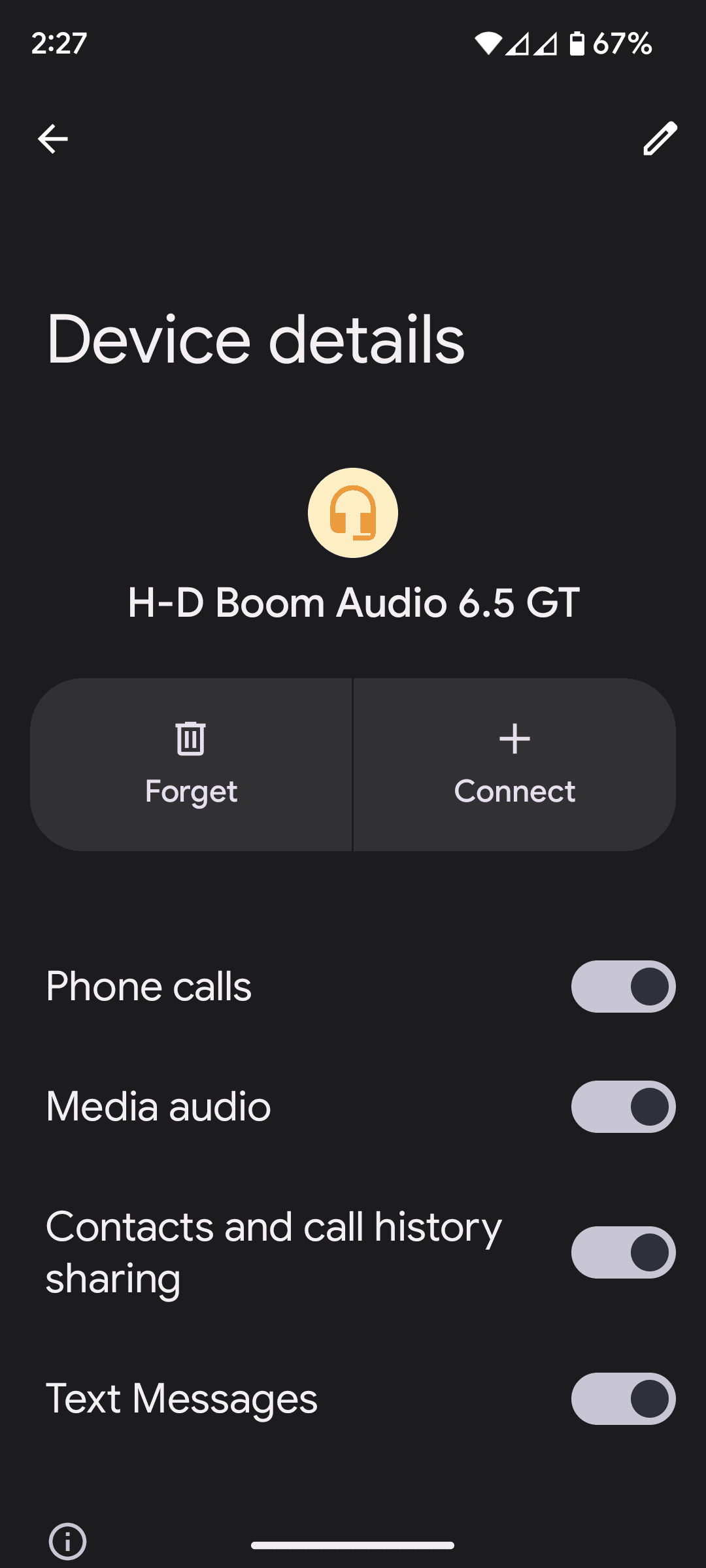
Setting>Connected Devices> then next to Maverick, under devices, hit the gear looking thing and make sure media audio is toggled on. I don't have my Maverick yet, but on my other vehicles I have had media deactivated without me knowing how it happened.

It would be odd for multiple phones to have that setting change without you knowing, but still worth a look.


Ford Maverick Radio won't accept Bluetooth devices even though they're attached Screenshot_20231118-142729
 
OP
OP

Ballard_st

2.5L Hybrid
Member
First Name
No
Joined
Oct 6, 2023
Threads
6
Messages
18
Reaction score
7
Location
USA
Vehicle(s)
2023 hybrid
Engine
2.5L Hybrid
Ballard_st, if Ozarkbeard's idea doesn't work, and if you use an Android phone, have you double checked you phones bluetooth settings for that particular device?

I have had my phone connect to a vehicle, work for phone calls but not media because media became untoggled.

Setting>Connected Devices> then next to Maverick, under devices, hit the gear looking thing and make sure media audio is toggled on. I don't have my Maverick yet, but on my other vehicles I have had media deactivated without me knowing how it happened.

It would be odd for multiple phones to have that setting change without you knowing, but still worth a look.


Screenshot_20231118-142729.png

I tried one of each (Android and iPhone), and they both always worked until today suddenly so I doubt that's it. I'll check anyway though, thanks.
 

Ozarkbeard

Well-known member
Joined
May 22, 2022
Threads
14
Messages
4,344
Reaction score
5,477
Location
.
Vehicle(s)
.
Engine
Undecided
I have had my phone connect to a vehicle, work for phone calls but not media because media became untoggled.

Setting>Connected Devices> then next to Maverick, under devices, hit the gear looking thing and make sure media audio is toggled on.
☝ This.

Check your Permissions in the phone's settings and make sure the ones you want the phone to share with the truck are enabled> Phone calls, Contacts, Media, etc.
Sponsored


Top