
- First Name
- Guy
- Joined
- Aug 27, 2024
- Threads
- 31
- Messages
- 366
- Reaction score
- 601
- Location
- Memphis, TN
- Vehicle(s)
- 25 Lariat AWD Hybrid 4K towing, '24 ioniq 6 limited AWD, '91 BRG Miata 5spd
- Engine
- 2.5L Hybrid
- Thread starter
- #1
I splurged and purchased one of the cheapest Bluetooth OBD adapters for use with the free version of Car Scanner app and built up a couple of Dashboard pages for the mav. It works, but I am also going to try a more expensive adapter too.
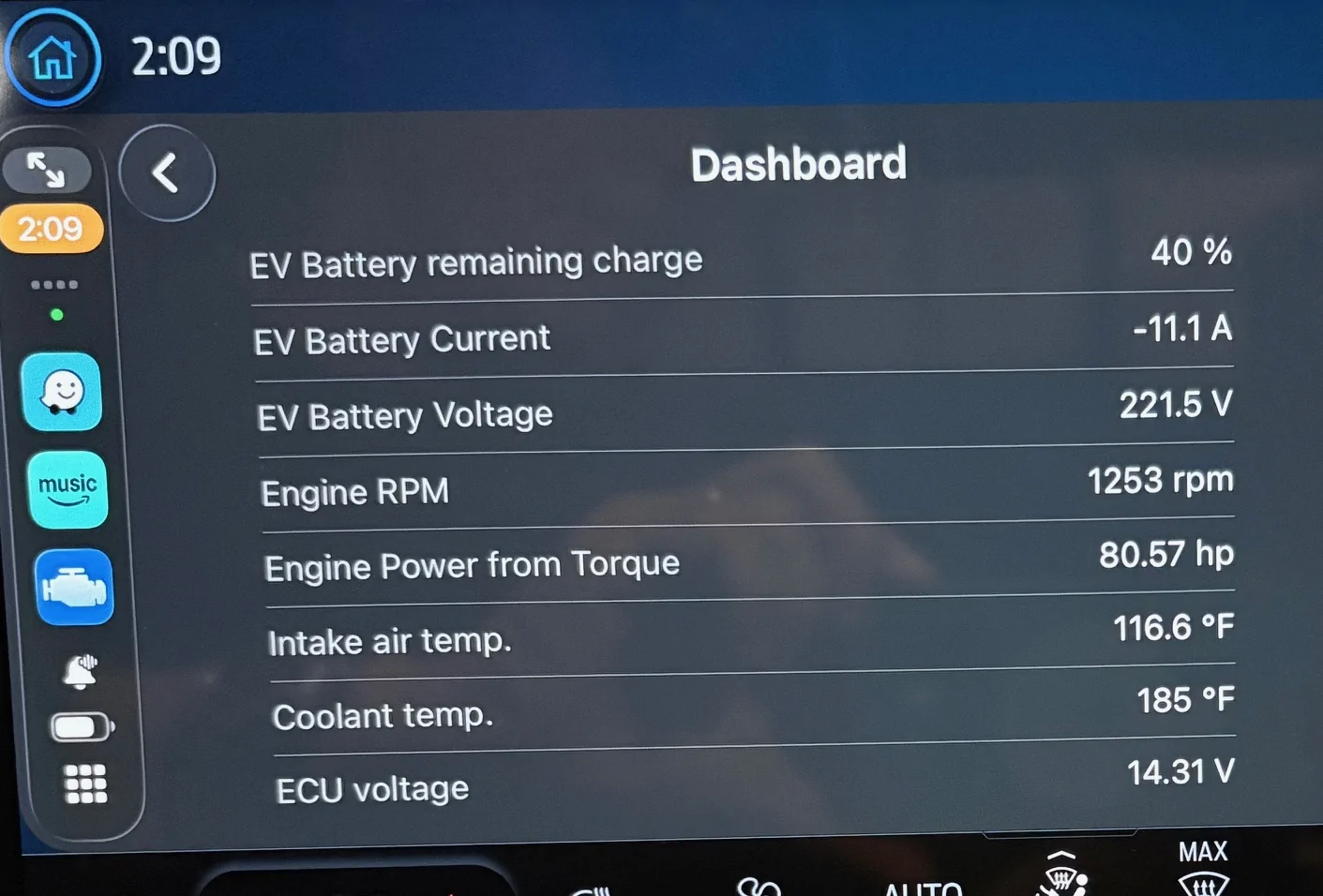
The app is compatible with CarPlay, and when used in the phone, has very cool dashboard options, but when viewed on the Mav screen you only can see the dashboard data as lines of text. There's no gauges, charts, bars any other visual goodies. I picked the data points that I thought were the most interesting for the default dashboard 1. I really wanted to pull the EV battery charge level, but it doesn't seem to be exposed by Ford. It looks like you can fit a total of 8 lines of data on one screen, and there's 3 screens to pick from (build the dashboards in the app. You may want to shorten the data descriptions so they fit on one line).
The Mav profile in the app does list quite a bit of data, but I found that many were blank (some may only be there for ecoboost? I have a Hybrid). There's a couple of working data points for the EV battery, but not much. I found the battery current the tells the most. It's negative when charging and positive when driving the wheels. It's cool how the Mav sometimes charges the battery when you don't expect it, as well as how the ev sometimes supplements the gas engine.
Cheap bluetooth v4 adapter
Nicer Bluetooth V5 adapter (this is the one I will be using)
Car Scanner app
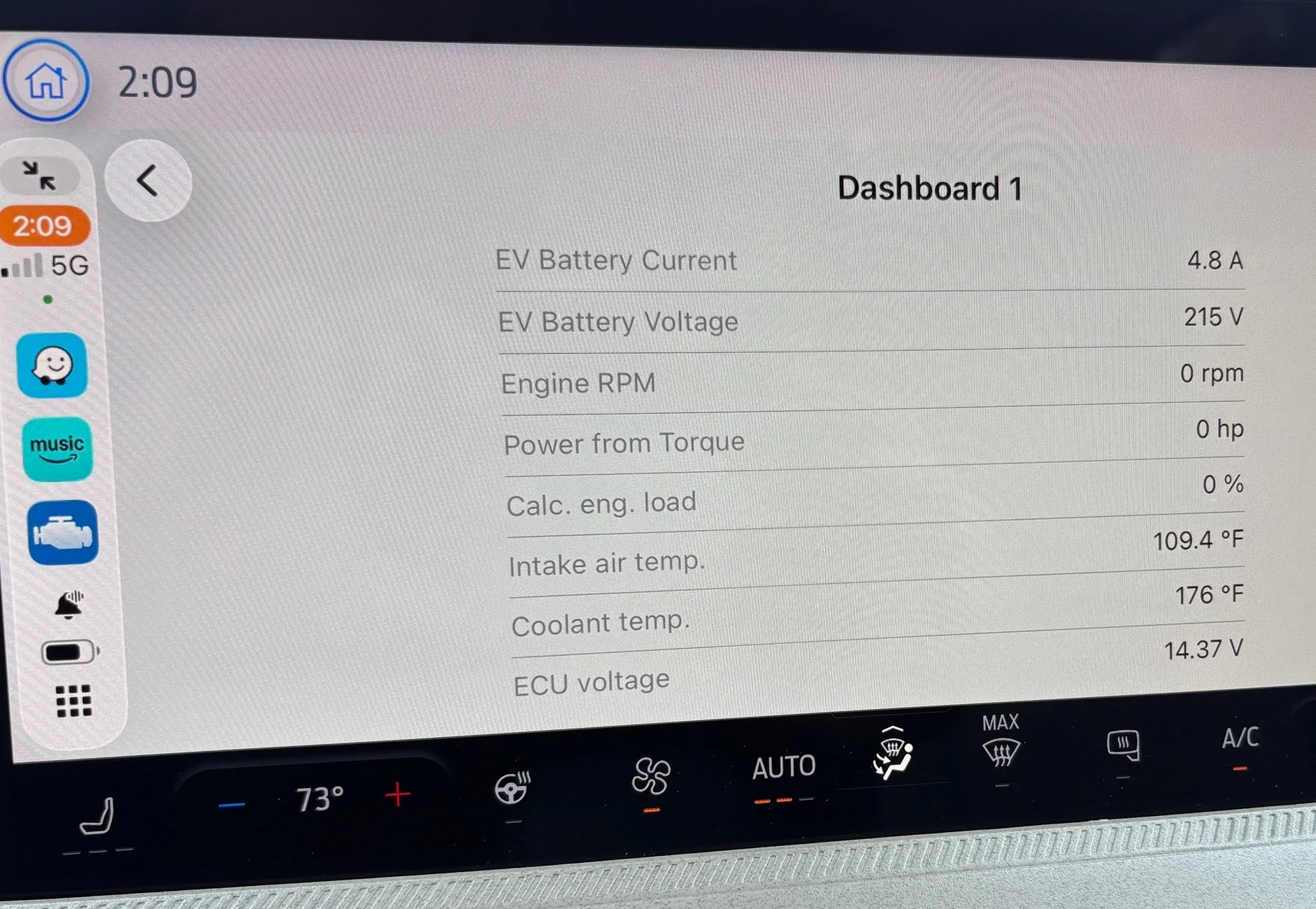
The app is compatible with CarPlay, and when used in the phone, has very cool dashboard options, but when viewed on the Mav screen you only can see the dashboard data as lines of text. There's no gauges, charts, bars any other visual goodies. I picked the data points that I thought were the most interesting for the default dashboard 1. I really wanted to pull the EV battery charge level, but it doesn't seem to be exposed by Ford. It looks like you can fit a total of 8 lines of data on one screen, and there's 3 screens to pick from (build the dashboards in the app. You may want to shorten the data descriptions so they fit on one line).
The Mav profile in the app does list quite a bit of data, but I found that many were blank (some may only be there for ecoboost? I have a Hybrid). There's a couple of working data points for the EV battery, but not much. I found the battery current the tells the most. It's negative when charging and positive when driving the wheels. It's cool how the Mav sometimes charges the battery when you don't expect it, as well as how the ev sometimes supplements the gas engine.
Cheap bluetooth v4 adapter
Nicer Bluetooth V5 adapter (this is the one I will be using)
Car Scanner app
Sponsored