
Sponsored

How do I view a list of watched threads?

Montana

2.0L EcoBoost
Banned
Banned
Joined
Jun 13, 2023
Threads
24
Messages
4,094
Reaction score
6,349
Location
USA
Vehicle(s)
.
Engine
2.0L EcoBoost
  • Thread starter
  • Banned
  • #1
Am I missing something? The only thing the "following" link does is send you to a user following area (borderline pointless), and there is no quick link to view all watched threads that I can find unless I bookmark specific posts in the threads (of which you cannot organize). Am I overlooking something? Because if there is no way to view all watched threads it should definitely be added.

I don't follow everything I comment on and I don't want notifications every time someone likes or dislikes etc etc. I just want to be able to quickly view threads I chose to follow. I do have the notifications set to notify when someone posts in said thread I am watching, but I'd even like to disable that one as I don't always card and would prefer to check them manually as needed.
Sponsored


 
OP
OP
Montana

Montana

2.0L EcoBoost
Banned
Banned
Joined
Jun 13, 2023
Threads
24
Messages
4,094
Reaction score
6,349
Location
USA
Vehicle(s)
.
Engine
2.0L EcoBoost
  • Thread starter
  • Banned
  • #3
OP
OP
Montana

Montana

2.0L EcoBoost
Banned
Banned
Joined
Jun 13, 2023
Threads
24
Messages
4,094
Reaction score
6,349
Location
USA
Vehicle(s)
.
Engine
2.0L EcoBoost
  • Thread starter
  • Banned
  • #4
@Administrator

Unrelated, but is there a way to bypass the formatting on mobile so I can use the text options and things like emojis and force a saved draft in the reply box? I have full access to the bar above the text box on PC, just not on mobile.
 

Ozarkbeard

Well-known member
Joined
May 22, 2022
Threads
14
Messages
4,344
Reaction score
5,480
Location
.
Vehicle(s)
.
Engine
Undecided
@Administrator
... is there a way to bypass the formatting on mobile so I can use the text options and things like emojis and force a saved draft in the reply box?
In the mobile browser's options, tap "View Desktop site," or some such. That may help. It's available in Android's Samsung & Firefox mobile browsers - not sure about others.
 

Sponsored

Administrator

2.0L EcoBoost
Administrator
Staff member
Joined
Jul 25, 2020
Threads
487
Messages
1,614
Reaction score
9,774
Location
MTC
Vehicle(s)
Fords
Engine
2.0L EcoBoost
Clubs
 
@Administrator

Unrelated, but is there a way to bypass the formatting on mobile so I can use the text options and things like emojis and force a saved draft in the reply box? I have full access to the bar above the text box on PC, just not on mobile.
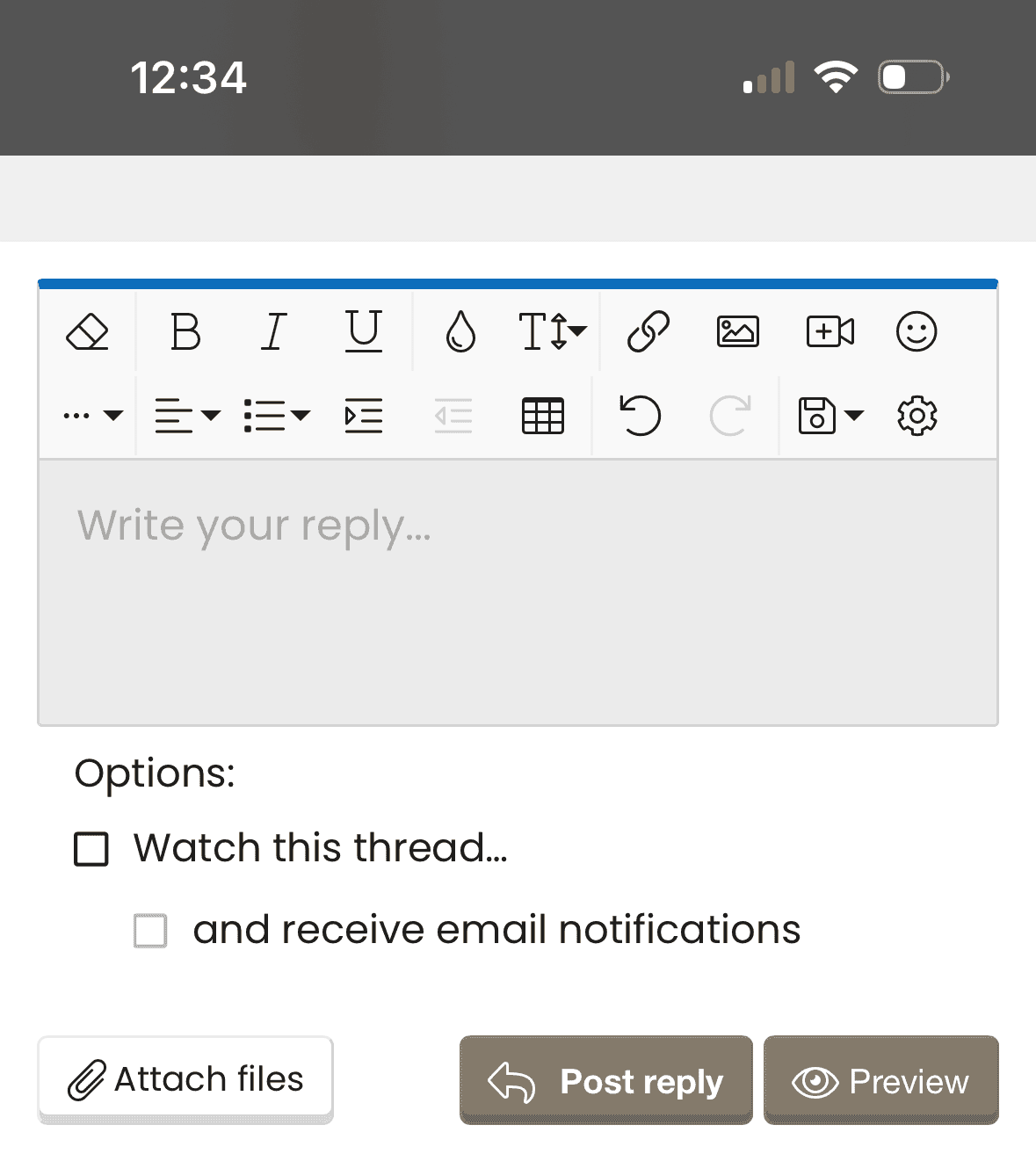
The mobile reply box editor has all the same tools as desktop. Emoji, save draft, etc. -- see screenshot from my phone.

Ford Maverick How do I view a list of watched threads? (472) In what ways has your Maverick EXCEEDED expectations  MaverickTruckClub - 2022  Ford Mav
 
OP
OP
Montana

Montana

2.0L EcoBoost
Banned
Banned
Joined
Jun 13, 2023
Threads
24
Messages
4,094
Reaction score
6,349
Location
USA
Vehicle(s)
.
Engine
2.0L EcoBoost
  • Thread starter
  • Banned
  • #7
In the mobile browser's options, tap "View Desktop site," or some such. That may help. It's available in Android's Samsung & Firefox mobile browsers - not sure about others.
Yea not working on my Samsung s21 ultra running chrome. I'll have to check everything. Very odd. I went through everything and still can't find out why. Only site it's done this on.

Edit
Ok well, I hit the setting button on that box and everything showed up. Maybe early on in the forums I hit it and it greyed everything out so I just assumed it was not available. What an odd set of easily fixable issues.

Thanks for the help!
Sponsored

 
Last edited:


Top